Button #1
Set Points and Throttle SpeedSet Points and Throttle Speed
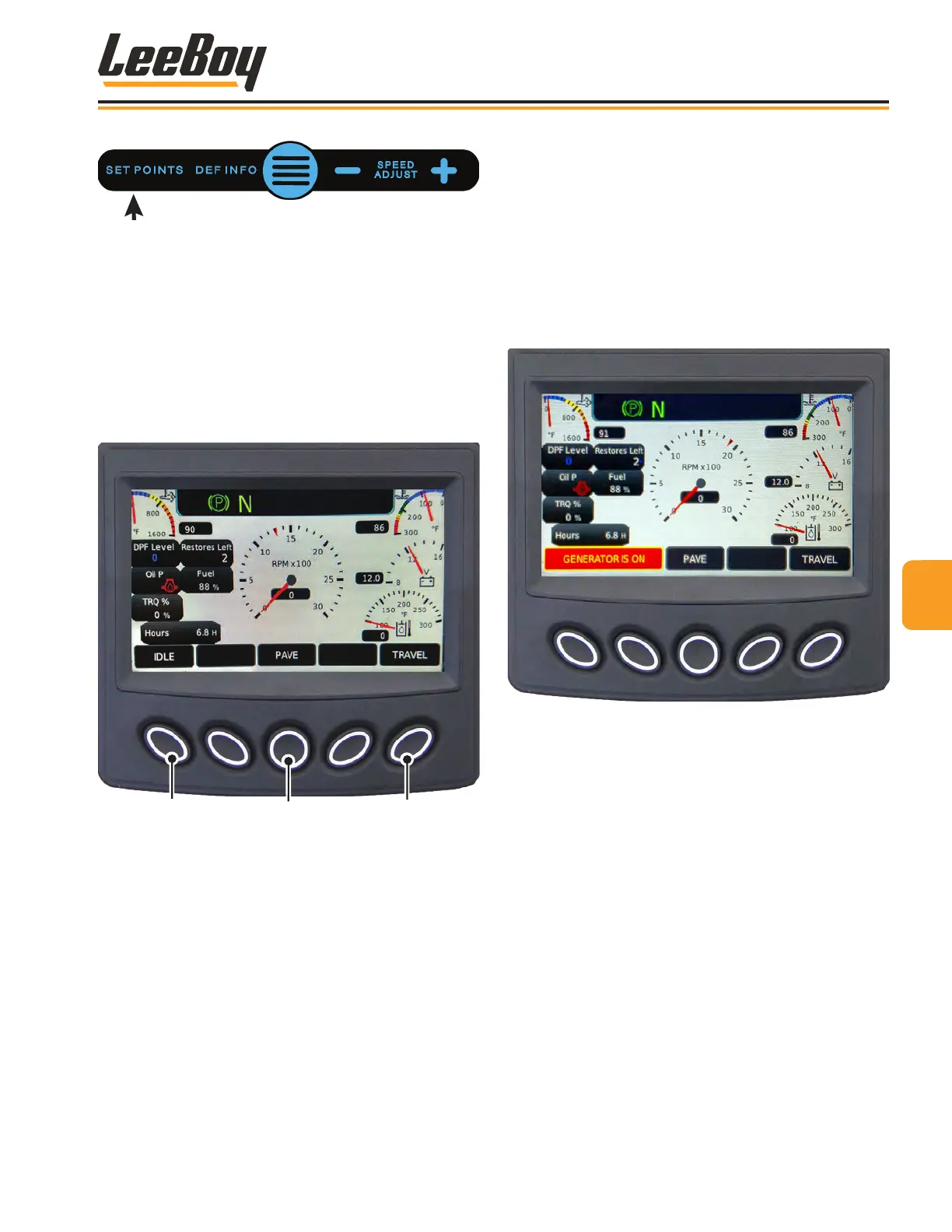
Pressing the Set Points button (#1 above) on the gauge
screen navigates to the Set Points and Throttle Speed
screen shown at Figure 4-5.
Select the desired throttle speed using the keypad
buttons. The throttle speed selections are: IDLE (1300
RPMs), PAVE (1900 RPMs), and TRAVEL (2200 RPMs).
(Figure 4-5)
1
2
3
Figure 4-5. Engine Throttle Speeds Screen
1 - IDLE (1300 RPMs)
2 - PAVE (1900 RPMs)
3 - TRAVEL (2200 RPMs)
When the generator turns on, an orange window noti-
fying the operator that the generator is on appears in
the lower left banner. The IDLE throttle speed button
ceases function, changing to a GENERATOR ON
notication that illuminates as long as the generator is
running. (Figure 4-6)
When the generator turns off, the IDLE throttle speed
keypad functionality returns.
NOTE: The generator is set at the factory to default
at 2100 RPMs.
Figure 4-6. Engine Throttle Speeds Screen with
Generator ON
44
Operation
8608 Commercial Paver 4-7



 To Next Page