Hopper WingsHopper Wings
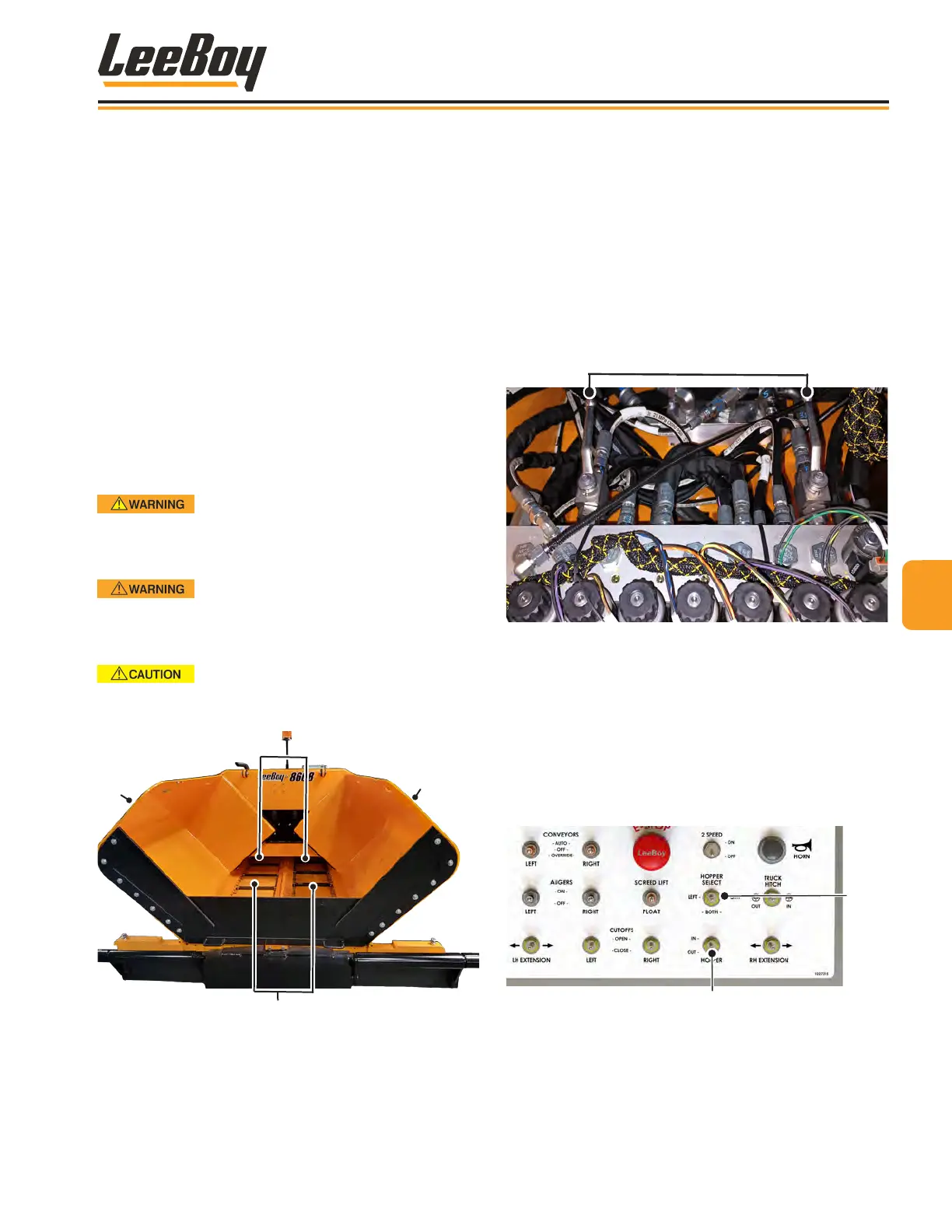
The hopper wings are hydraulically opened so the
hopper can be lled with paving material. The 8608
paver features a 9-ton, rounded design to reduce cold
material build-up while rear hopper wing wipers help
prevent spillage. (Figure 4-55)
Material in the hopper is moved toward the back of the
paver to the screed by conveyors. The narrow, auto-
matic conveyors with a wide hopper design delivers
asphalt more evenly and efciently to produce a smooth
asphalt mat. The hopper’s rounded design reduces
cold material build-up while rear hopper wing wipers
help prevent spillage.
The operator can also extend and retract each hopper
wing individually. This feature gives you the ability to
pave very close to walls, fences, road barriers, buildings
or other obstacles with ease.
DO NOT retract the hopper wings until
the material truck has moved completely away from
the paver or if the hopper is full of asphalt. NEVER
raise the conveyor bed with asphalt in the hopper.
Ensure no people, equipment or other
obstacles are in or near the hopper when raising or
lowering the hopper wings to prevent injury or
damage to the paver.
Ensure the hopper cylinder valves are
unlocked before extending or retracting the hopper
wings.
2
1
1
Figure 4-55. Hopper
1 - Hopper Wings
2 - Augers
3 - Conveyors
Hopper Lock ValvesHopper Lock Valves
The hopper cylinder valves are used to lock the hopper
wings when they are open or closed. The valves are
located inside the right engine access door. (Figure
4-56) Be sure to unlock the hopper valves before
operation!
• Turn the valve counterclockwise to unlock the
hopper wings.
• Turn the valve clockwise to lock the hopper wings.
Hopper Cylinder Lock Valves
®
Figure 4-56. Hopper Cylinder Lock Valve
NOTE: Be sure the hopper wings (or wing if using
left or right hopper wing) are completely
extended before receiving paving material
from the truck.
To operate the hopper wings:
1. On the main control panel, use the Hopper Wing
Select switch to operate either both hopper wings
or the left or right hopper wing. (Figure 4-57)
Hopper
Wing
Select
Hopper In/Out
Figure 4-57. Hopper Switches
2. Push the hopper wings switch to OUT on the
operator control panel to fold out hopper wing(s).
3. Push the hopper wings switch to IN to close the
hopper wing(s).
44
Operation
8608 Commercial Paver 4-29



 To Next Page