Main Menu ScreenMain Menu Screen
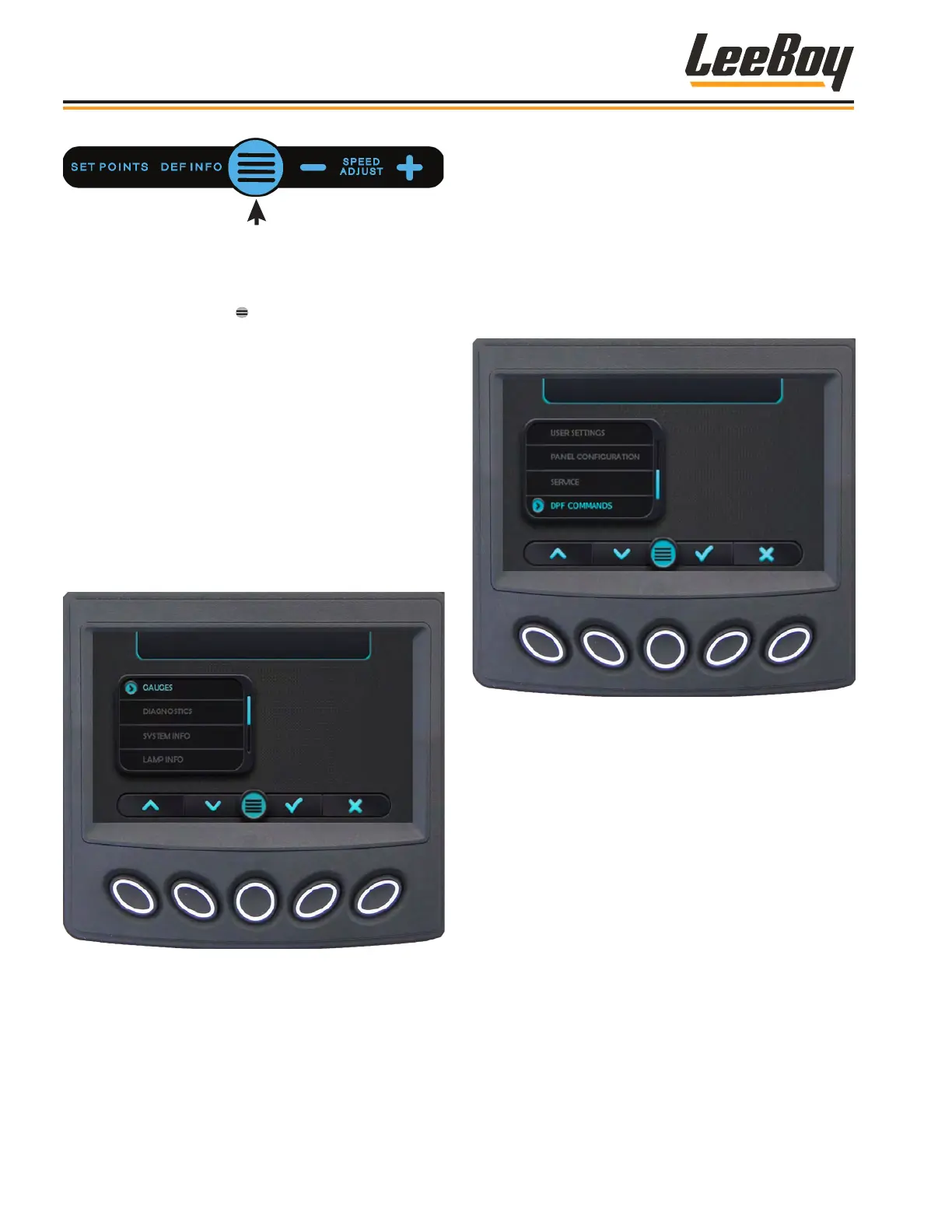
Pressing the Main Menu ( ) soft key navigates to the
Main Menu action items. (Figures 4-18 and 4-19)
Scroll through the Menu list using the UP (
>
) or DOWN
(
>
) arrow keys, then press the Select (√) soft key when
the cursor (>) points to the desired information.
Pressing the “X” button exits to the previous screen or
“pop-up” window.
The Main Menu choices on the rst screen are:
• Gauge (Default Screen)
• Diagnostics
• System Info
• Lamp Info
Figure 4-18. Main Menu - First Screen
Use the DOWN (
>
) arrow key to scroll to the second
screen (Figure 4-19):
• User Settings
• Panel Conguration**
• Service**
• DPF Commands
** Panel Conguration and Service screens are
password protected for technician use only.
Figure 4-19. Main Menu - Second Screen
Operation
8608 Commercial Paver4-12



 To Next Page