If either of these temperature alert messages appear:
• Press Button #4 ( ) to acknowledge the message
and then exit by pressing Button #5 ( X ). This will
return you to the gauge screen.
• Press DEF Info to check status information.
(Figure 4-15) Press Main Screen (center button) to
exit and return to main screen.
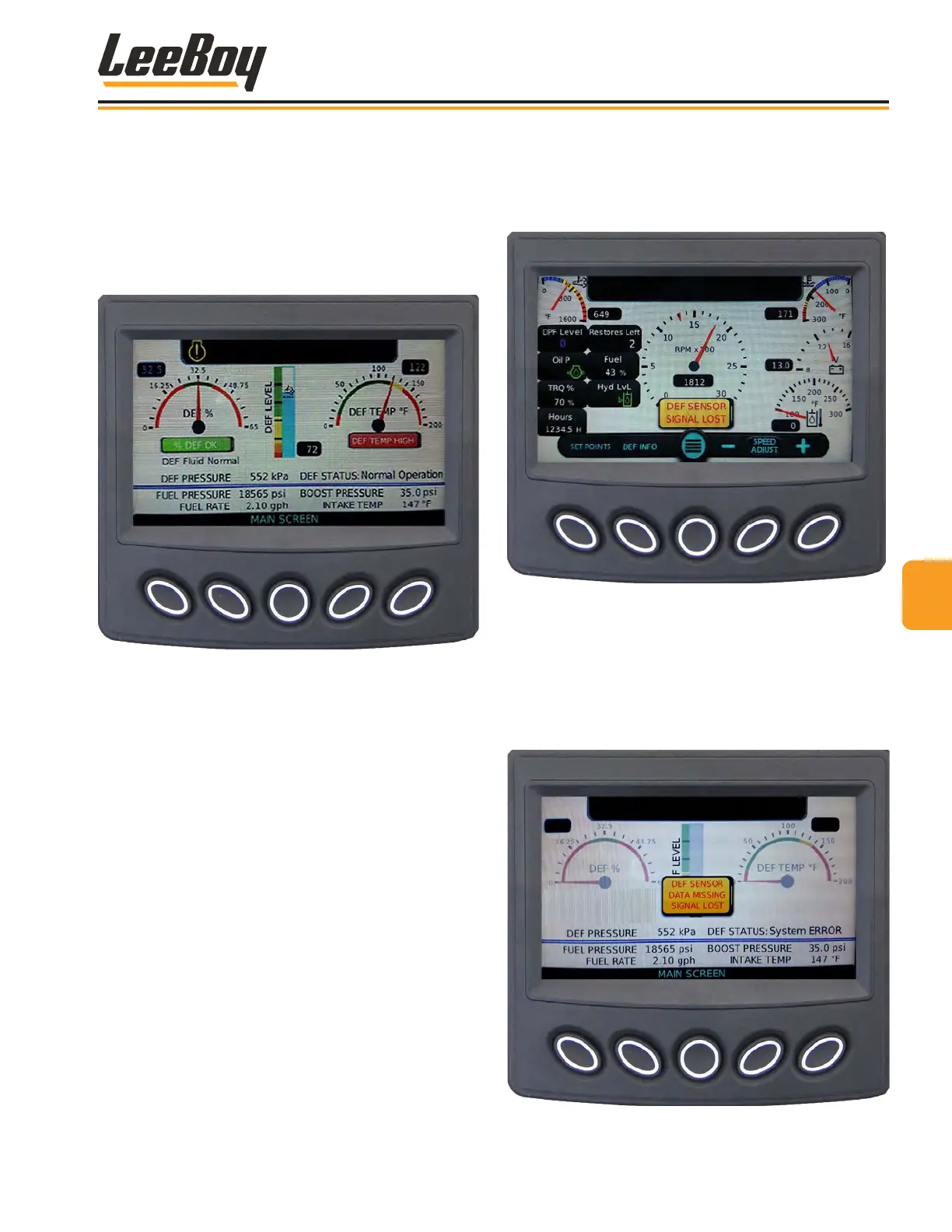
Figure 4-15. DEF Info Temperature Screen
DEF SensorDEF Sensor
If the DEF sensor loses data or signal communicating
with the engine, an alert icon will appear on the screen.
(Figure 4-16)
Figure 4-16. DEF Sensor Signal Loss Alert Message
If this error message appears, press the Def Info button
to navigate to the DEF Info screen for complete details.
(Figure 4-17) Contact your authorized dealer for ser-
vice immediately. Press Main Screen (center button) to
exit and return to main screen.
Figure 4-17. DEF Info Temperature Screen
44
Operation
8608 Commercial Paver 4-11



 To Next Page