Lamp InfoLamp Info
Select Lamp Info from the rst Main Menu screen.
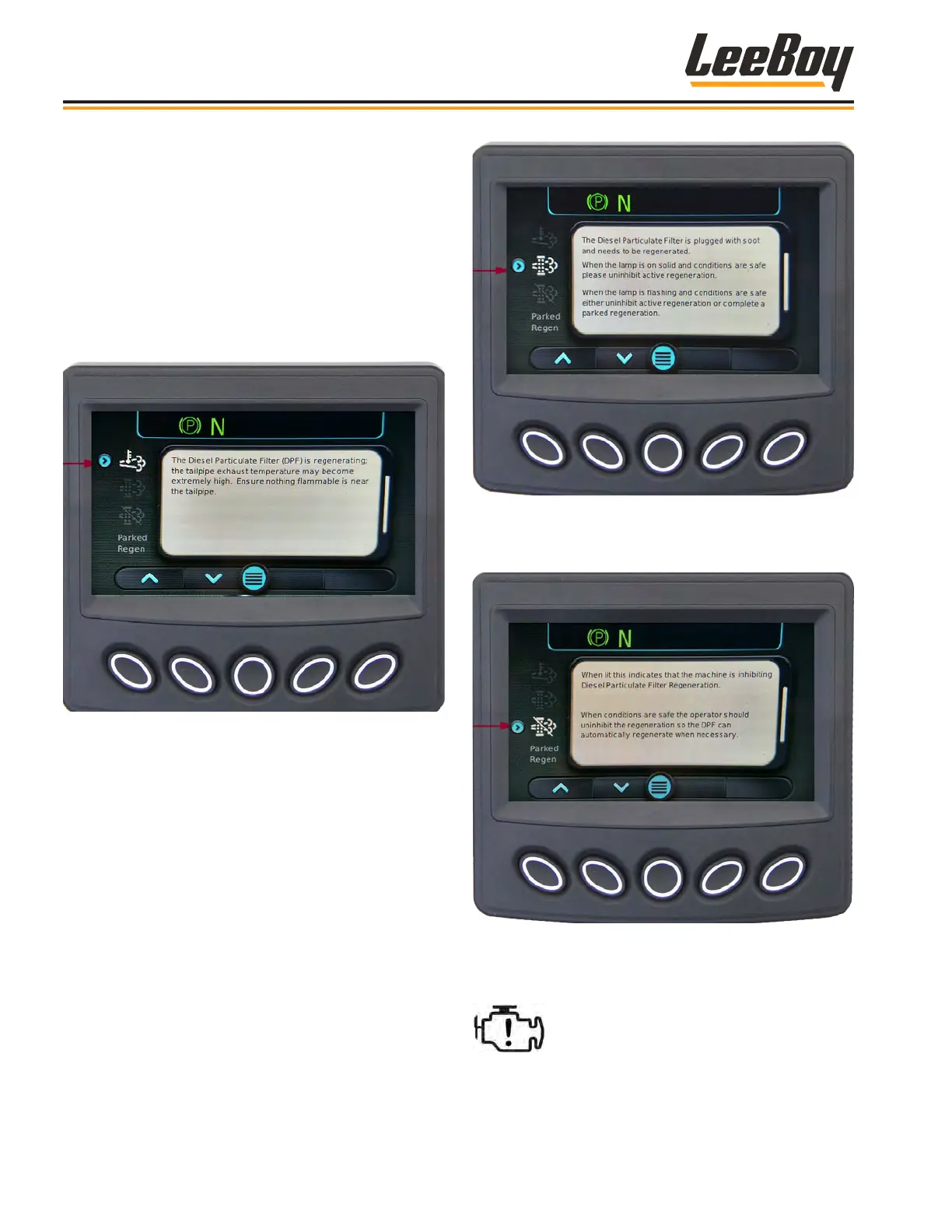
(Figure 4-18 on Page 4-12) This screen shows the
Diesel Particulate Filter (DPF) Lamp symbols and pro-
vides a description along with cautionary information for
each symbol. Use the UP (
>
) or DOWN (
>
) arrow keys
to scroll to each screen. (Figures 4-23 to 4-29)
This High Exhaust Temperature (HEST) icon indicates a
Regen is in process. It will appear in yellow at the top of
the screen during the Regen process. (Figure 4-23)
Figure 4-23. High Exhaust Temperature Due to DPF
Regeneration Symbol Screen
The second icon will appear if the DPF system is
plugged with soot. (Figure 4- 24) The second DPF
icon to the left of the message screen illuminates yellow.
When the icon ashes, regeneration is needed when
conditions are safe to either disable (uninhibit) regen-
eration (described in the DPF Commands beginning
on Page 4- 16 or complete a parked regeneration
described on Pages 4-21 to 4-23.
Figure 4-24. Needs Regeneration Screen
If the operator disables (inhibits) regeneration, the fol-
lowing icon appears. (Figure 4-25)
Figure 4-25. Machine Inhibiting DPF Regeneration
Screen
If an engine fault is present, the Check
Engine icon illuminates solid or ashing
yellow or red, depending upon the
severity of the problem.
Operation
8608 Commercial Paver4-14



 To Next Page