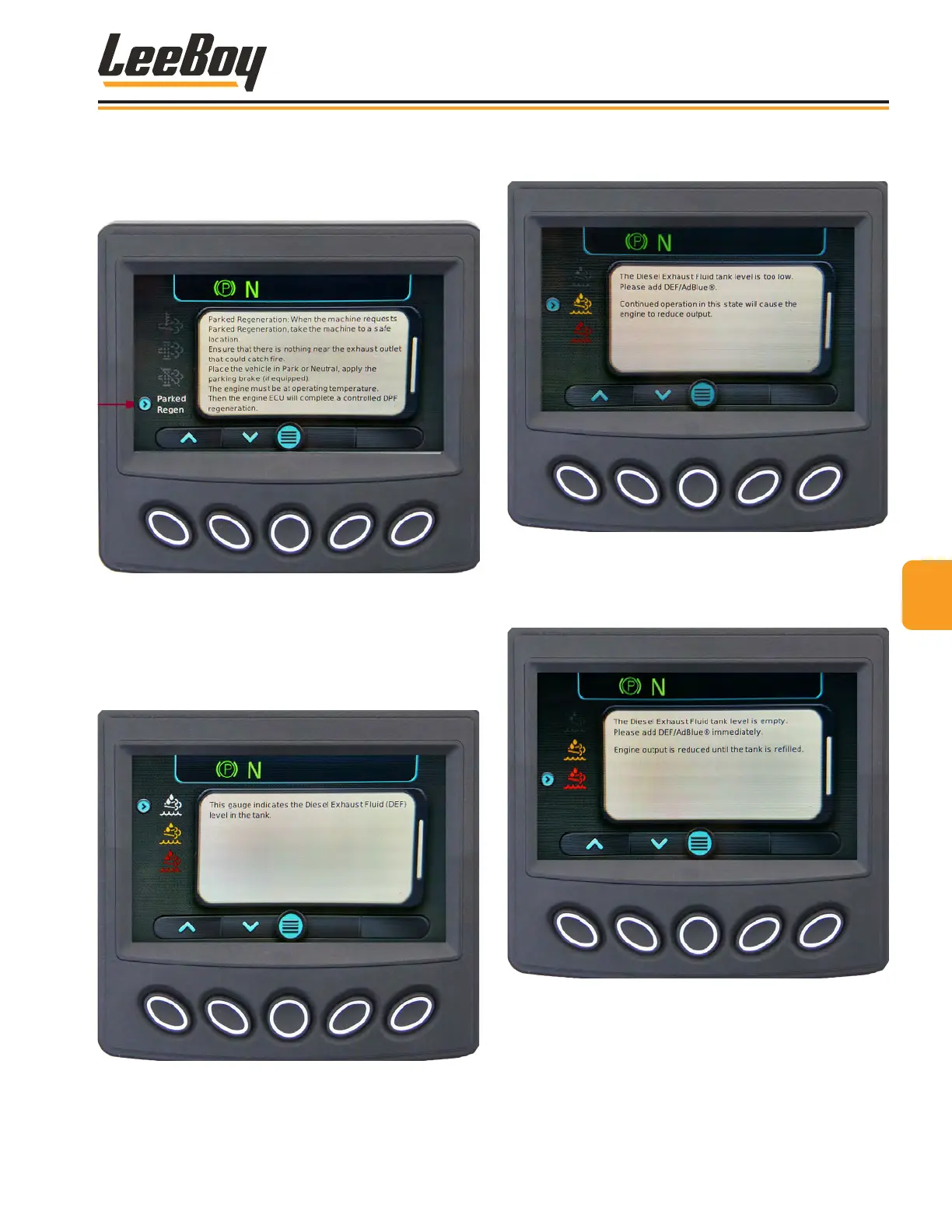
If the operator chooses to perform a parked regen-
eration, the message screen below appears. (Figure
4-26) See Pages 4-21 to 4-23 to perform a parked
regeneration.
Figure 4-26. Machine Performing Parked
Regeneration Screen
Scroll DOWN using the (V) arrow button to view the
DEF tank level icon. The icon changes color with the
DEF uid level. A WHITE icon indicates the DEF level is
normal. (Figure 4-27)
Figure 4-27. DEF Level Screen
If the DEF tank level is low, the yellow DEF icon appears.
(Figure 4-28)
Figure 4-28. DEF Low Screen
If the DEF tank is empty, the DEF icon illuminates red.
(Figure 4-29) Engine output is adversely affected
and damage may result!
Figure 4-29. DEF Empty Screen
44
Operation
8608 Commercial Paver 4-15



 To Next Page