START-UP PROCEDURE
DO NOT leave the operator station
unattended while the paver is in gear or in motion.
Operator must return joysticks to the neutral position
and turn the RUN/STOP switch to the STOP position
before leaving the operator platform.
Verify there are no people, obstacles
or other equipment in the machine’s path before
starting the engine.
1. Clear auger and conveyors before starting engine.
2. Position joysticks to NEUTRAL.
3. Insert key into the ignition and turn clockwise to the
START position.
DO NOT hold the starter longer than
10 - 15 seconds. If the engine does not start, allow
the starter to cool two or three minutes.
Using starting additives, such as
ether, is not recommended as severe engine damage
can occur.
4. Allow engine to warm up a few minutes before
moving paver for more efcient operation. In cold
weather let hydraulic oil warm to 60° (16°C) before
moving.
5. Set engine RPM using the throttle up and down
buttons on the Engine Screen on the digital display
screen. (Engine RPM will automatically increase to
1800 RPMs when conveyor or augers are engaged.)
DP700 PLUS+1® Display Unit
The LeeBoy Model 8616B Conveyor Paver is equipped
with a DP700 PLUS+1® Digital Display unit that slides
to either side of the operator station for convenience.
The digital display unit functions as a master control unit
that gathers operating information. This high-resolution
system displays engine and paver function screens and
performs in the most extreme machine environments.
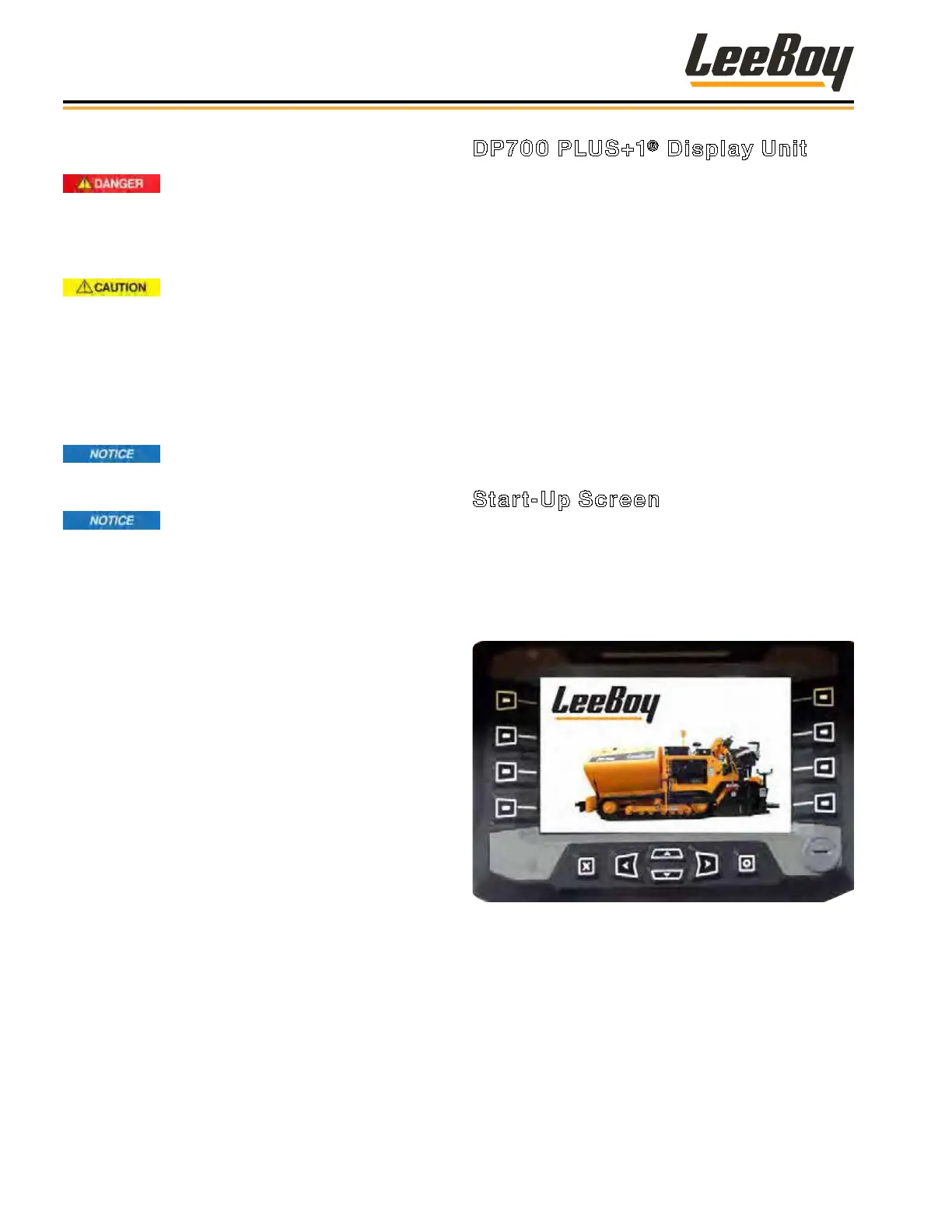
Numbered buttons along each side of the display
screen, Left/Right, and Up/Down buttons are used to
navigate within specic functions. The “X” button allows
you to exit the current screen back to the previous
control screen.
When turning the ignition key to the ON position, a
sequence of screens will display on the controller.
Start-Up Screen
The Start-Up screen will appear when the paver is
started. The start-up screen is displayed for a few
seconds as the system “boots,” and will display the “rev”
levels of the propel, screed and display codes. The
screen will then automatically move into the engine
screen.
Figure 4-1. Start-Up Screen
Operation
LeeBoy 8616B Conveyor Paver4-4



 To Next Page