June 2018
152 Legrand PDU User Guide
Online cascading information:
For detailed information on the cascading configuration and restrictions, refer to the Cascading Guide, which
is available from the Legrand PDU section of Raritan website's Support page
(http://www.raritan.com/support/).
Overview of the Cascading Modes
You must apply a cascading mode to the cascading chain. See Setting the Cascading Mode (on page
150).
There are two cascading mode
s: Bridging and Port Forwarding.
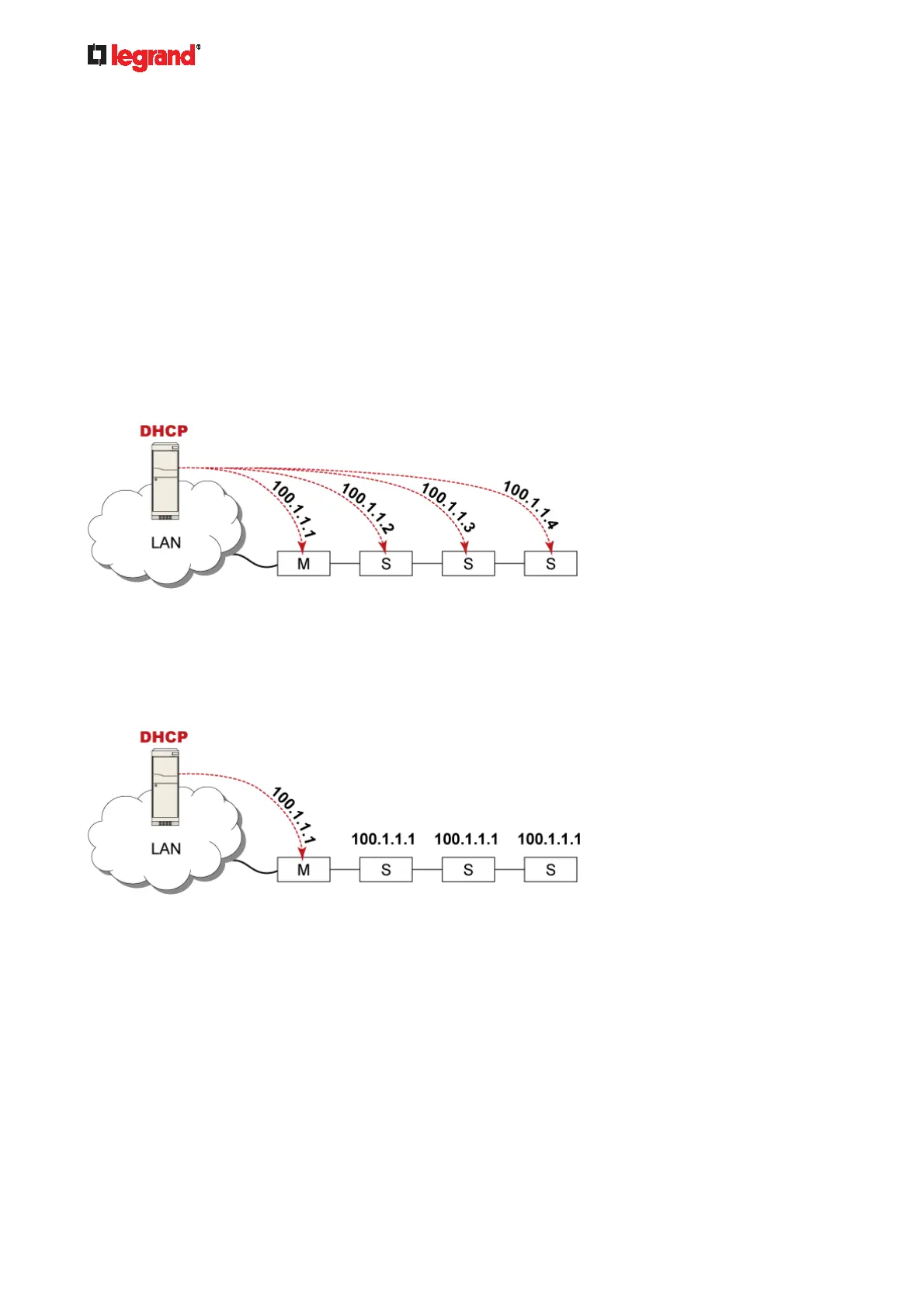
In the following illustration, it is assumed that users enable the DHCP networking for the cascading chain
comprising four devices. In the diagrams, "M" is the master device and "S" is a slave device.
Illustration:
"Bridging" mode:
In this mode, the DHCP server communicates with every cascaded device respectively and assigns four
different IP addresses. Each device has its own IP address.
The way to remotely access each cascaded device is completely the same as accessing a standalone
device in the network.
"Port Forwarding" mode:
In this mode, the DHCP server communicates with the master device alone and assigns one IP address
to the master device. All slave devices share the same IP address as the master device.
You must specify a 5XXXX port number (where X is a number) when remotely accessing any slave
device with the shared IP address. See Port Number Syntax (on page 153).
Comparison betw
een cascading modes:
The Bridging mode supports the wired network only, while the Port Forwarding mode supports both
wired and wireless networks.
Both cascading modes support a maximum of 16 devices in a chain.
Both cascading modes support both DHCP and static IP addressing.
In the Bridging mode, each cascaded device has a unique IP address.
In the Port Forwarding mode, all cascaded devices share the same IP address(es) as the master device.



 To Next Page