June 2018
Legrand PDU User Guide 125
To let Legrand PDU randomly assign an ID number to it, select "Automatically assign a sensor
number."
This method does not release any managed sensor or actuator.
To assign a desired ID number, select "Manually select a sensor number." Then click
to select
an ID number.
This method may release a managed sensor/actuator if the number you selected has been assigned
to a specific sensor/actuator.
Tip: The information in parentheses following each ID number indicates whether the number has been
assigned to a sensor or actuator. If it has been assigned to a sensor or actuator, it shows the sensor
package's serial number. Otherwise, it shows the word "unused."
3. Click Manage.
Special note for a Raritan humidity sensor:
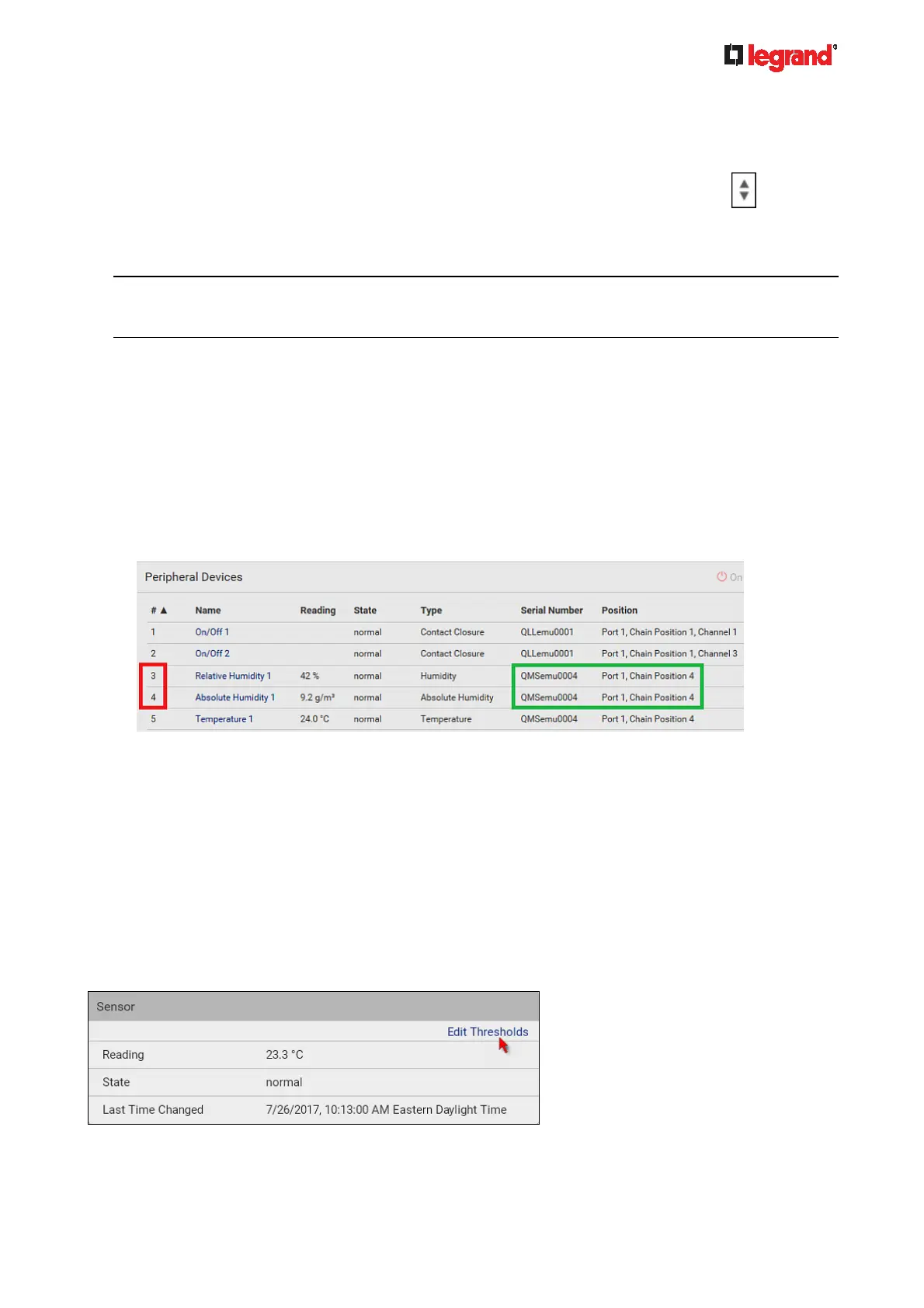
A Raritan humidity sensor is able to provide two measurements - relative and absolute humidity values.
A relative humidity value is measured in percentage (%).
An absolute humidity value is measured in grams per cubic meter (g/m
3
).
However, only relative humidity sensors are "automatically" managed if the automatic management function
is enabled. You must "manually" manage absolute humidity sensors as needed.
Note that relative and absolute values of the same humidity sensor do NOT share the same ID number
though they share the same serial number and position.
Individual Sensor/Actuator Pages
A sensor's or actuator's data/setup page is opened after clicking any sensor or actuator name on the
Peripheral Devices page. See Peripherals (on page 116).
Note that only a numeric
sensor has threshold settings, while a state sensor or actuator has no thresholds.
Threshold settings, if enabled, help you identify whether any numeric sensor enters the warning or critical
level. See Yellow- or Red-Highlighted Sensors (on page 120). In addition, you can have Legrand PDU
automatically gene
rate alert notifications for any warning or critical status. See Event Rules and Actions
(on page 184).
To configur
e
a numeric sensor's threshold settings:
1. Click Edit Thresholds.



 To Next Page