June 2018
40 Legrand PDU User Guide
DPX Sensor Packages
Most DPX sensor packages come with a factory-installed sensor cable, whose sensor connector is RJ-12.
For the cabling length restrictions, see Supported Maximum DPX Sensor Distances (on page 43).
Warning: For proper operation, wait for 15-30 seconds between each connection operation or each
disconnection operation of environmental sensor packages.
To directly connect a DPX with a factory-installed sensor cable:
An RJ-12 to RJ-45 adapter is required to connect a DPX sensor package to Legrand PDU.
a. Connect the adapter's RJ-12 connector to the DPX sensor cable.
b. Connect the adapter's RJ-45 connector to the RJ-45 SENSOR port of the Legrand PDU.
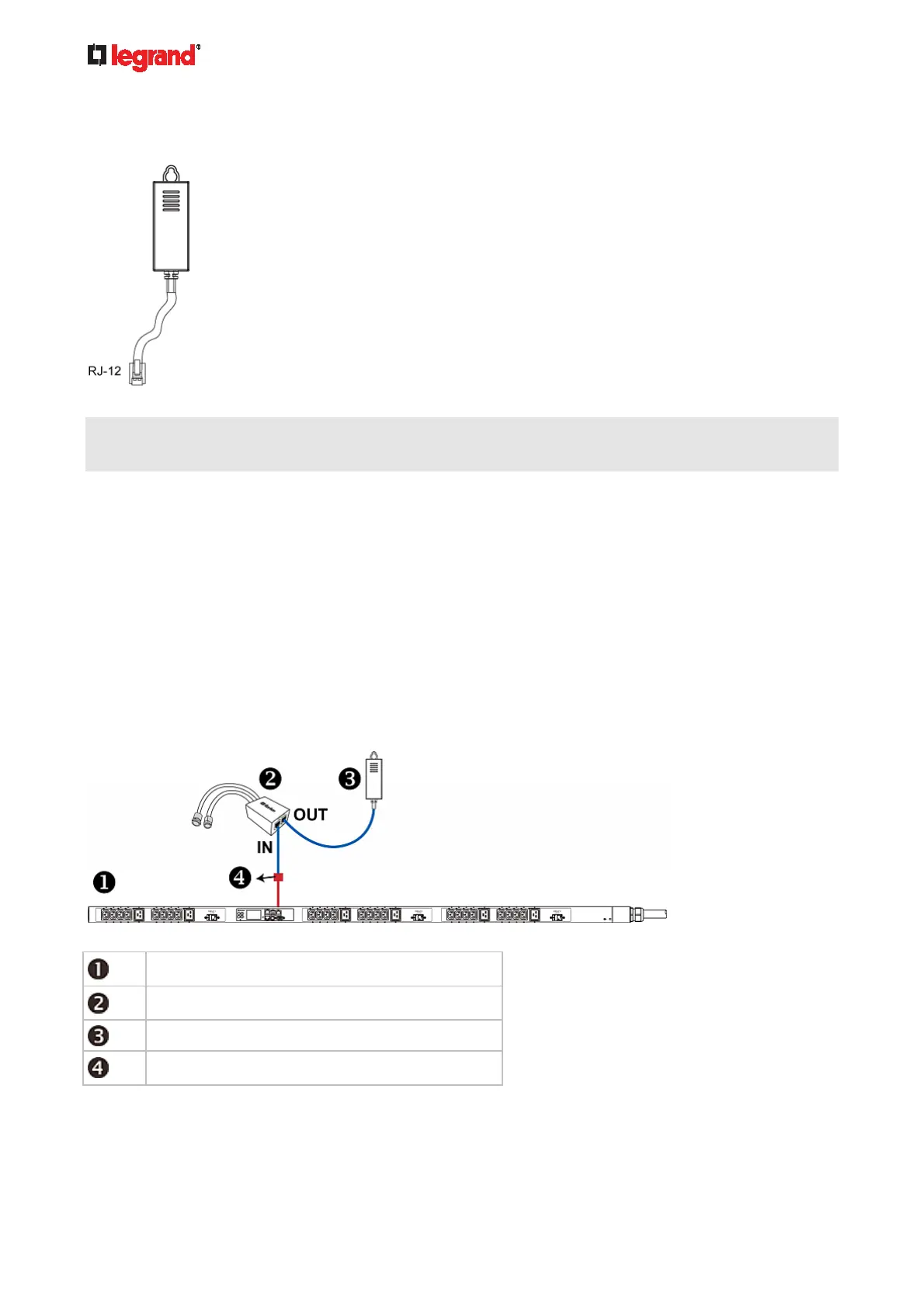
To directly connect a differential air pressure sensor:
1. Connect a Raritan-provided phone cable to the IN port of a differential air pressure sensor.
2. Get an RJ-12 to RJ-45 adapter. Connect the adapter's RJ-12 connector to the other end of the phone
cable.
3. Connect this adapter's RJ-45 connector to the RJ-45 SENSOR port on the Legrand PDU.
4. If intended, connect one DPX sensor package to the OUT port of the differential air pressure sensor. It
can be any DPX sensor package, such as a DPX-T3H1.
The Legrand PDU
Raritan differential air pressure sensors
One DPX sensor package (optional)
RJ-12 to RJ-45 adapter



 To Next Page