June 2018
Legrand PDU User Guide 231
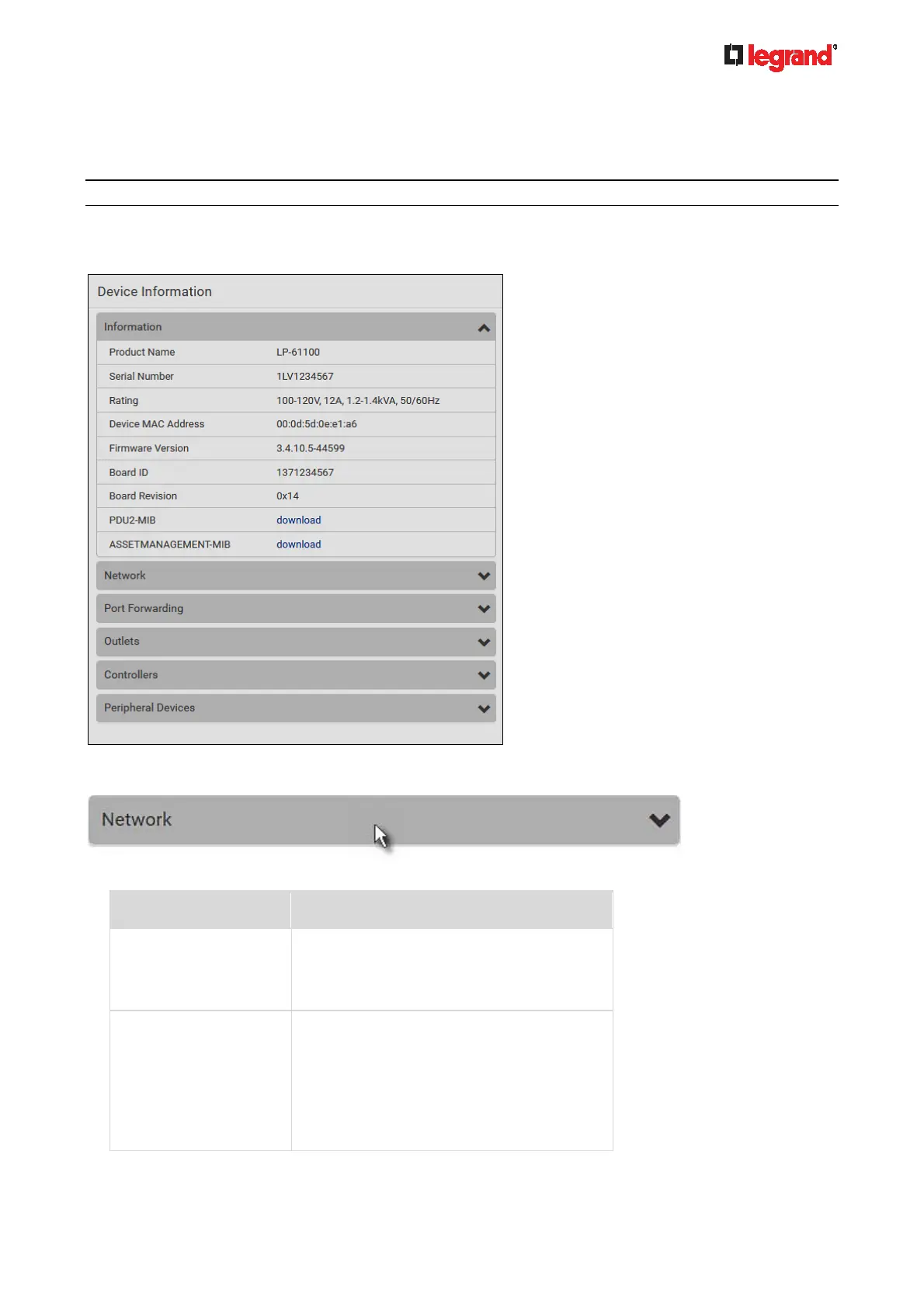
Device Information
Using the web interface, you can retrieve hardware and software information of components or peripheral
devices connected to your Legrand PDU.
Tip: If the information shown on this page does not match the latest status, press F5 to reload it.
To display device information:
1. Choose Maintenance > Device Information.
2. Click the desired section's title bar to show that section's information. For example, click the Network
section.
The number of available sections is model dependent.
Section title Information shown
Information General device information, such as model
name, serial number, firmware version,
hardware revision, MIB download link(s) and
so on.
Network The network information, such as the current
networking mode, IPv4 and/or IPv6
addresses and so on.
This tab also indicates whether the Legrand
PDU is part of a cascading configuration.
See Identifying Cascaded Devices (on
page 232).



 To Next Page