June 2018
94 Legrand PDU User Guide
Field Description
More Alerts
This field appears only when there are more
than one types of events triggering this alert.
If there are other types of events (that is, other
reasons) triggering the same alert, the total
number of additional reasons is displayed. You
can click it to view a list of all events.
Tip: The date and time shown on the Legrand PDU web interface are automatically converted to your
computer's time zone. To avoid any time confusion, you can apply the same time zone settings as those of
Legrand PDU to your computer.
PDU
The Legrand PDU device's generic information and PDU-level global settings are available on the PDU
page.
To open the PDU page, click 'PDU' in the Menu (on page 84).
Device
information shown:
Firmware version
Serial number
MAC address
Rating
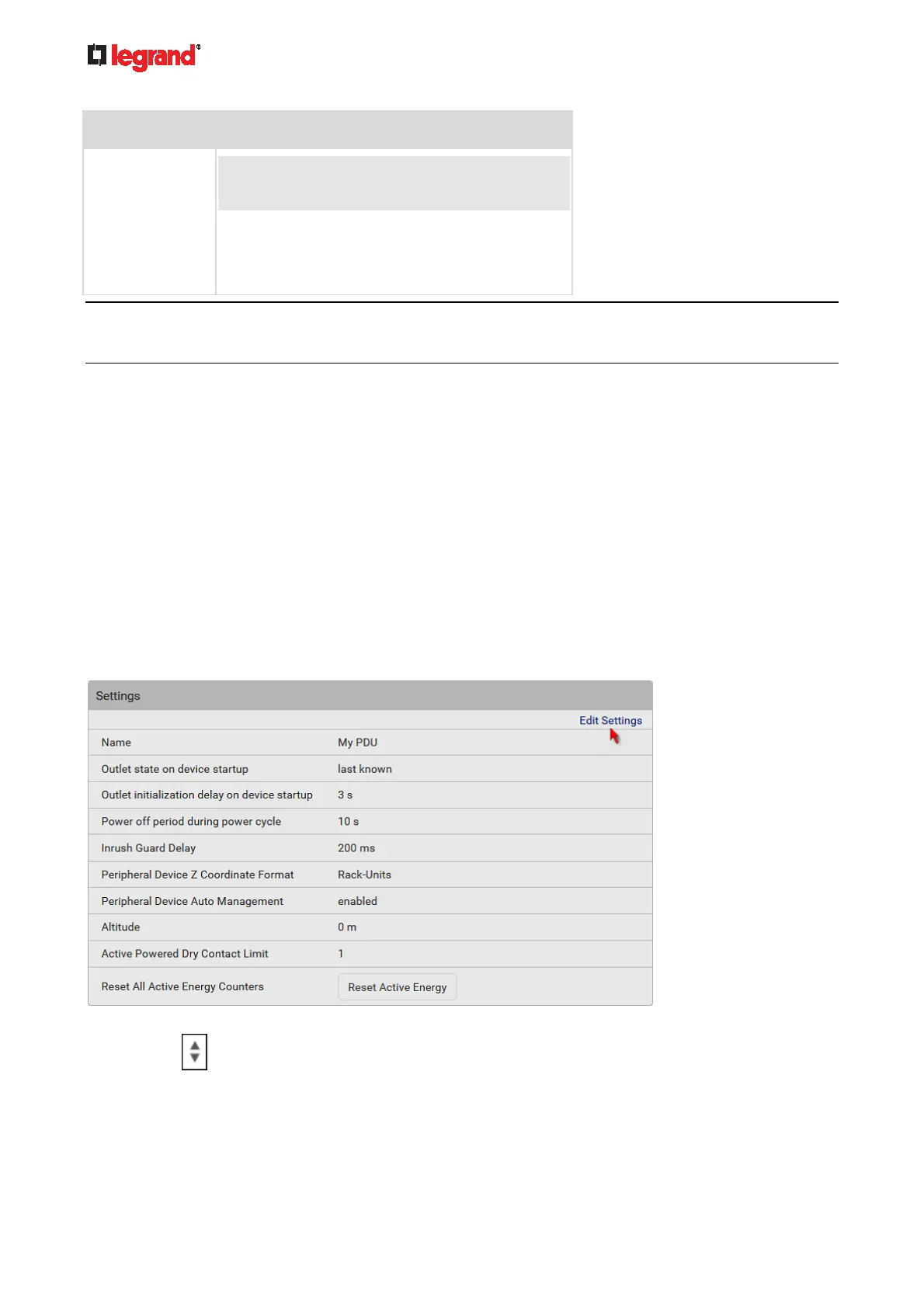
To configure global settings:
1. Click Edit Settings.
2. Now you can configure the fields.
Click
to select an option.
Select or deselect the checkbox.
Adjust the numeric values.



 To Next Page