June 2018
56 Legrand PDU User Guide
LED state Outlet status What it means
ON and NOT LIVE
The outlet is turned on but power is not available.
This is probably because the outlet's relay board is
damaged. Please contact Legrand Technical
Service for RMA service.
Legrand Metered PDU
These models are NOT outlet-switching capable so all outlets are always in the ON state.
Outlet LEDs are not available.
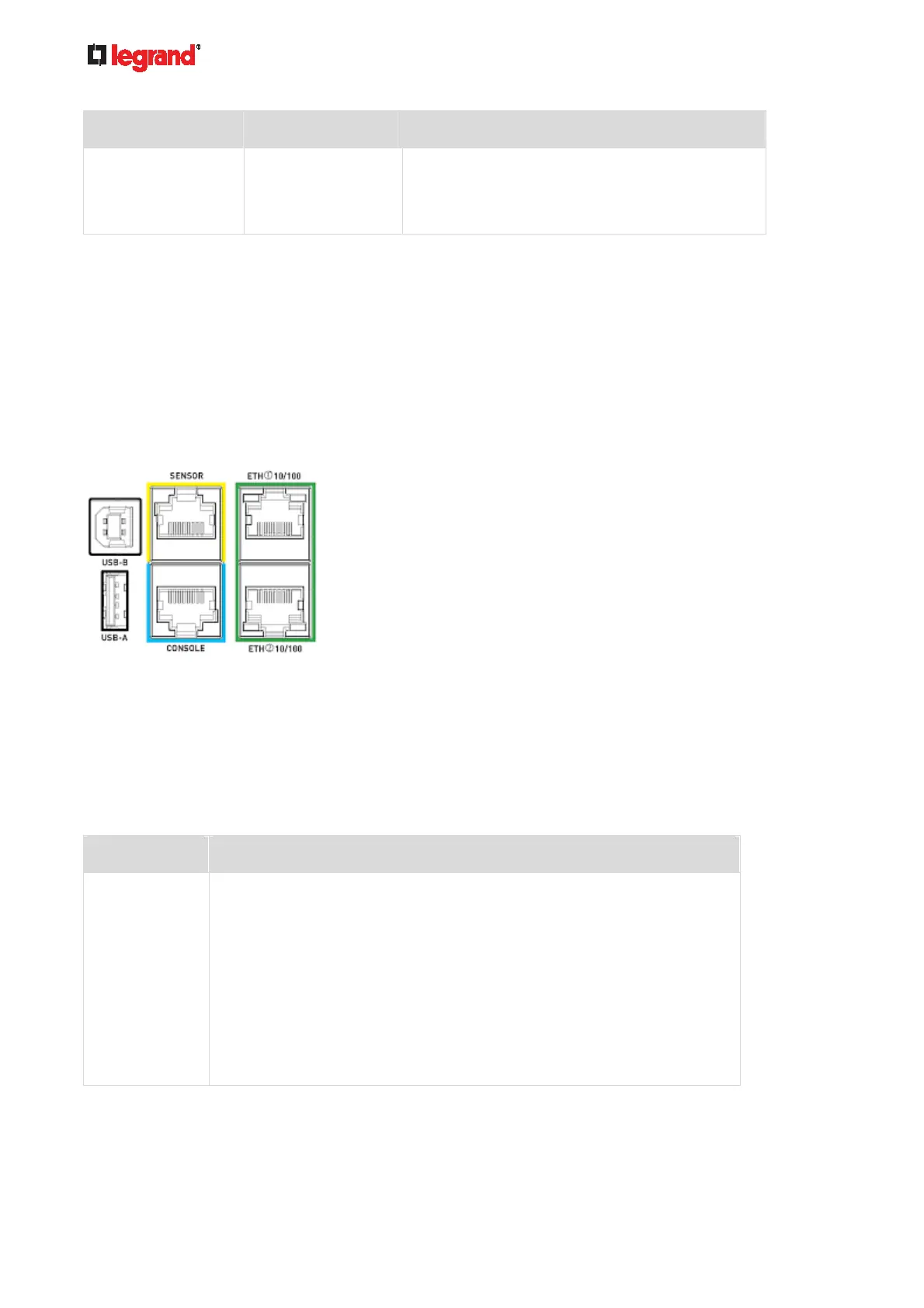
Connection Port Functions
A Legrand PDU has 6 ports.
6 ports on the front panel:
CONSOLE port x 1 (blue)
Sensor port x 1 (yellow)
USB-A port x 1
USB-B port x 1
Ethernet port x 2 (green)
Legrand PDU models:
The table below explains the function of each port.
Port Used for...
USB-B
Cascading Legrand PDUs for sharing a network connection. See
Cascading All Devices via USB (on page 33).
Establishin
g a USB connection between a computer and the Legrand
PDU for:
Using the command line interface.
Performing the disaster recovery. Contact Legrand Technical
Support for instructions.
Connecting to an Android mobile device for viewing or configuring the
Legrand PDU.
See Connecting a Mobile Device to Legrand PDU (on page 26).



 To Next Page