June 2018
Legrand PDU User Guide 235
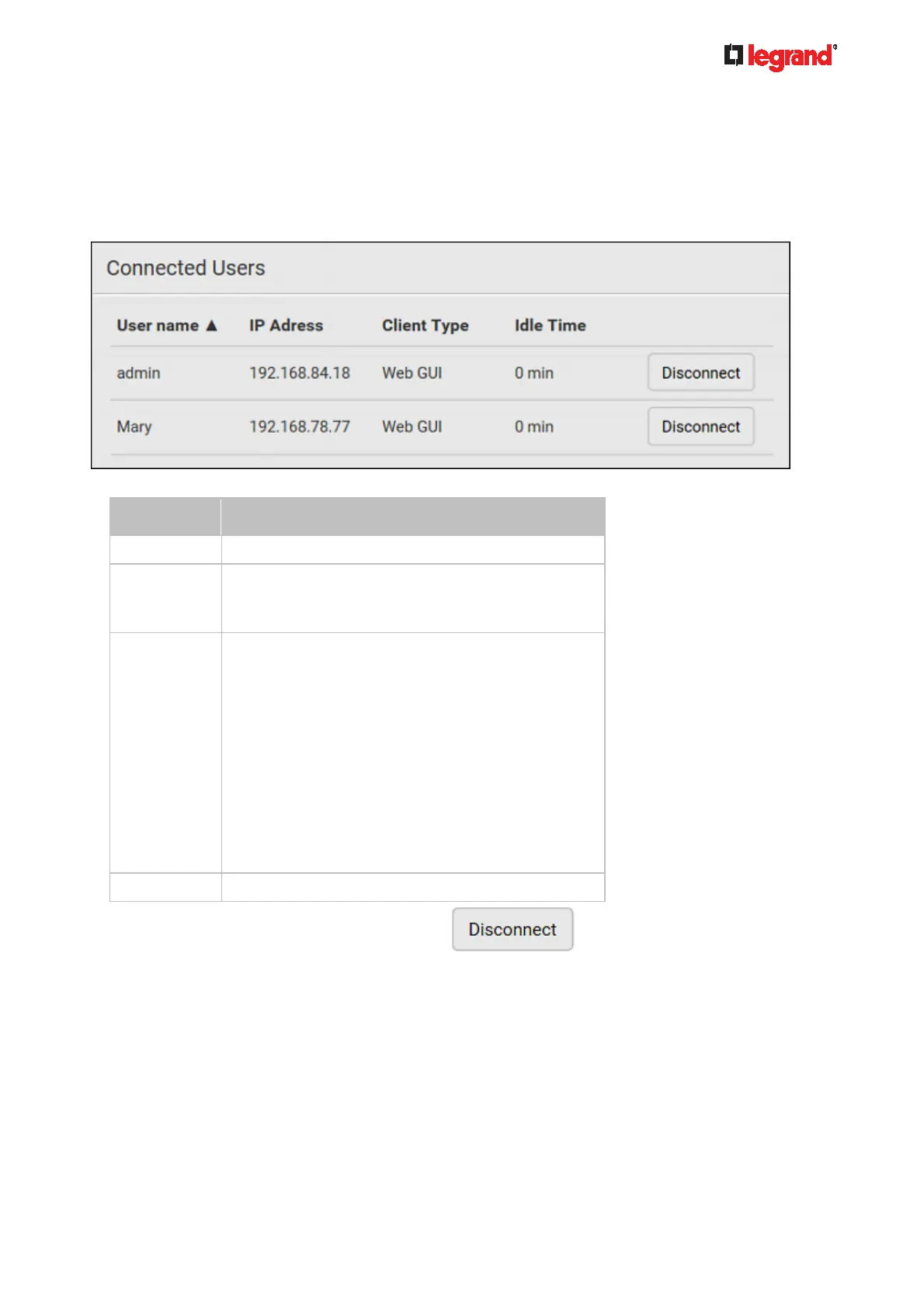
Viewing Connected Users
You can check which users have logged in to the Legrand PDU and their status. If you have administrator
privileges, you can terminate any user's connection to the Legrand PDU.
To view and manage connected users:
1. Choose Maintenance > Connected Users. A list of logged-in users displays.
If wanted, you can resort the list by clicking the desired column header. See Sorting a List (on page 86).
Column Description
User name The login name of each connected user.
IP Address The IP address of each user's host.
For the login via a local connection (serial RS-232 or
USB), <local> is displayed instead of an IP address.
Client Type The interface through which the user is being
connected to the Legrand PDU.
Web GUI: Refers to the web interface.
CLI: Refers to the command line interface (CLI).
The information in parentheses following "CLI"
indicates how this user is connected to the CLI.
- Serial: The local connection, such as the serial
RS-232 or USB connection.
- SSH: The SSH connection.
- Telnet: The Telnet connection.
Webcam Live Preview: Refers to the live webcam
image sessions. See below.
Idle Time The length of time for which a user remains idle.
2. To disconnect any user, click the corresponding .
a. Click Disconnect on the confirmation message.
b. The disconnected user is forced to log out.



 To Next Page