June 2018
126 Legrand PDU User Guide
Tip: The date and time shown on the Legrand PDU web interface are automatically converted to your
computer's time zone. To avoid any time confusion, you can apply the same time zone settings as those
of Legrand PDU to your computer.
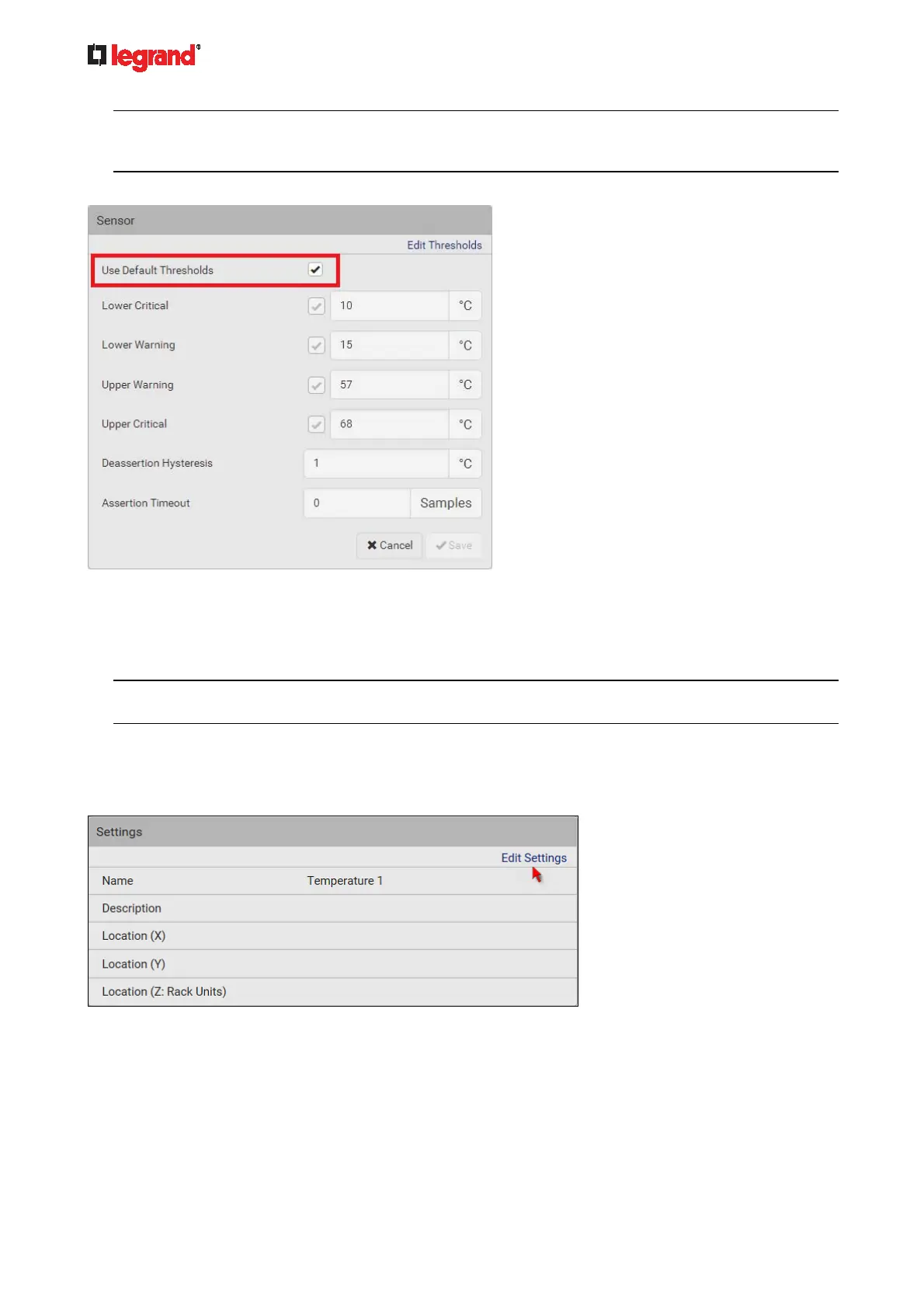
2. Select or deselect Use Default Thresholds according to your needs.
To have this sensor follow the default threshold settings configured for its own sensor type, select the
Use Default Thresholds checkbox.
The default threshold settings are configured on the page of Peripherals (on page 116).
To cu
stomize the threshold settings for this particular sensor, deselect the Use Default Thresholds
checkbox, and then modify the threshold fields below it.
Note: For concepts of thresholds, deassertion hysteresis and assertion timeout, see Sensor Threshold
Settings (on page 473).
3. Click Save.
To set up a sensor's or actuator's physical location and additional settings:
1. Click Edit Settings.
2. Make changes to available fields, and then click Save.



 To Next Page