June 2018
Legrand PDU User Guide 183
Calendar
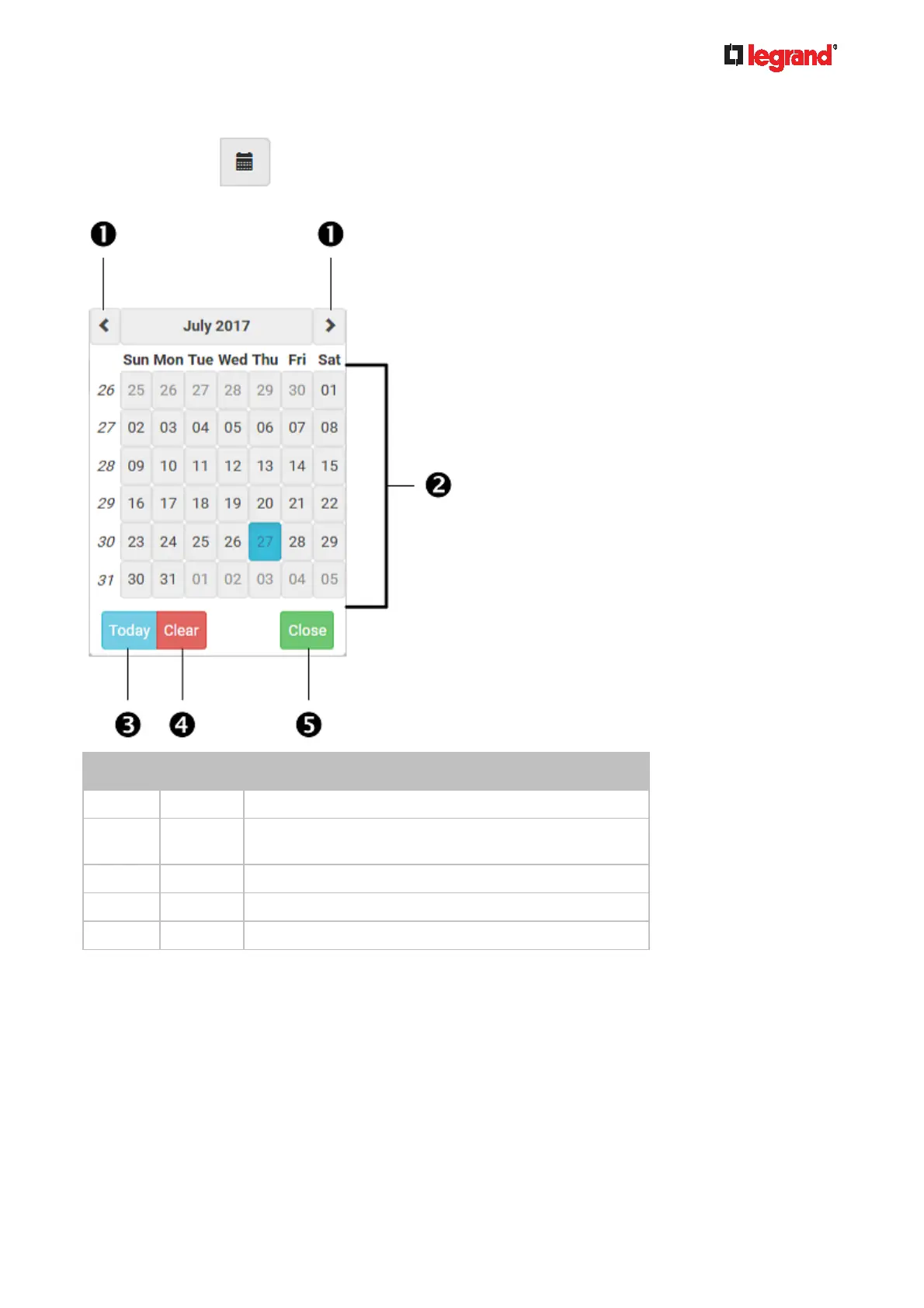
The calendar icon in the Date field is a convenient tool to select a custom date. Click it and a
calendar similar to the following appears.
Number Item Description
1 arrows Switch between months.
2 dates
(01-31)
All dates of the selected month. To select a date, simply
click it.
3 Today Select today's date.
4 Clear Clear the entry, if any, in the Date field.
5 Close Close the calendar.



 To Next Page