June 2018
Legrand PDU User Guide 215
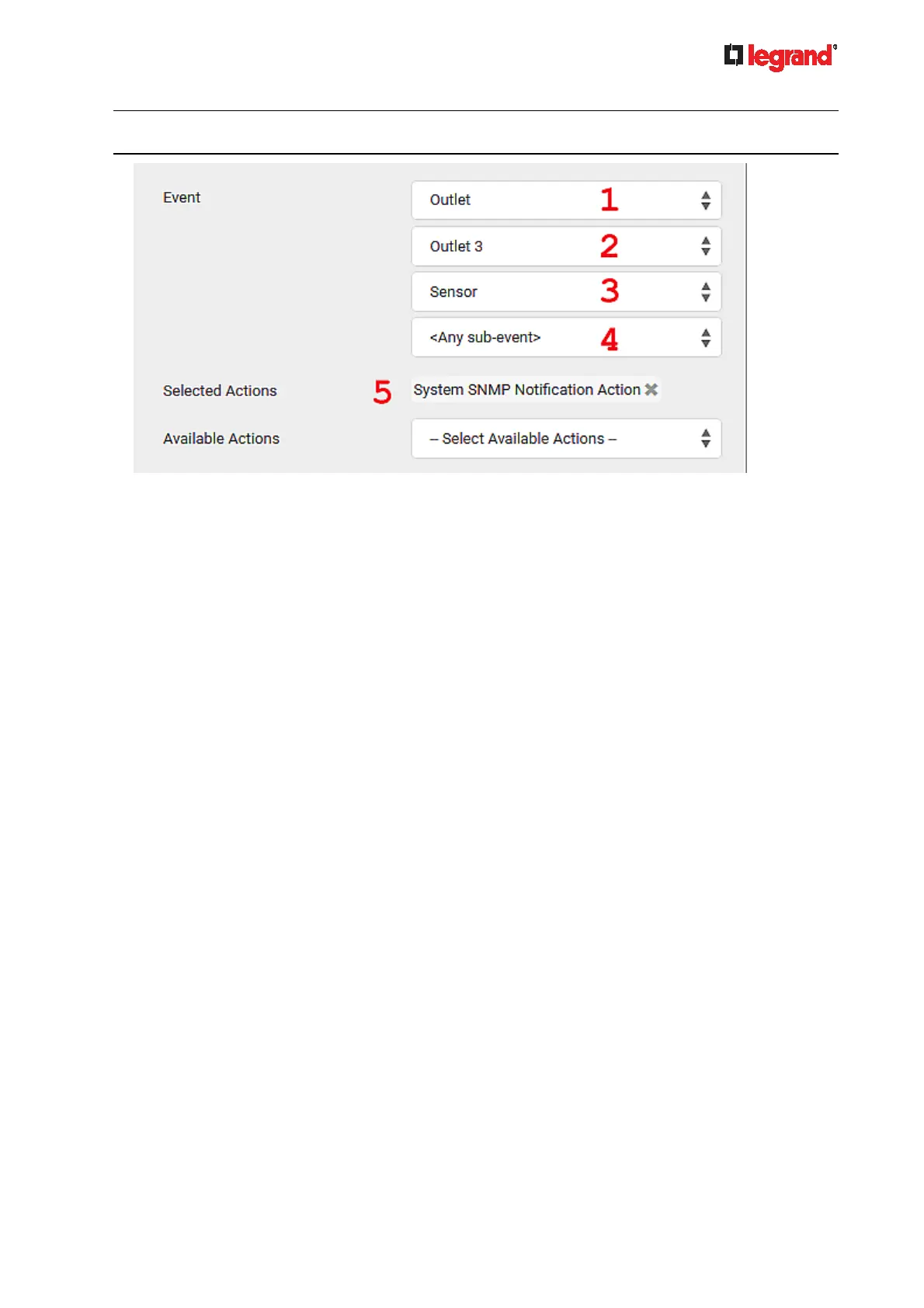
Note: The SNMP notifications may be SNMP v2c or SNMP v3 traps/informs, depending on the settings
for the System SNMP Notification Action. See Enabling and Configuring SNMP (on page 262).
Then the SNMP notifications are sent when:
Any numeric sensor's reading enters the warning or critical range.
Any sensor reading or state returns to normal.
Any sensor becomes unavailable.
The active energy sensor is reset.
Any state sensor changes its state.
For example, when the outlet 3's voltage exceeds the upper warning threshold, the SNMP notifications
are sent, and when the voltage drops below the upper warning threshold, the SNMP notifications are
sent again.
Sample Inlet-Level Event Rule
In this example, we want the Legrand PDU to send SNMP notifications to the SNMP manager for any sensor
change event of the Inlet I1.
The event rule involves:
Event: Inlet > Sensor > Any sub-event
Action: System SNMP Notification Action
To create the above event rule:
1. For an event at the inlet level, select "Inlet" in the Event field.
2. Select "Sensor" to refer to sensor-related events.
3. Select "Any sub-event" to include all events related to all sensors of this inlet and all thresholds, such as
current, voltage, upper critical threshold, upper warning threshold, lower critical threshold, lower warning
threshold, and so on.
4. To make the Legrand PDU send SNMP notifications, select "System SNMP Notification Action" in the
Available Actions box.



 To Next Page