June 2018
260 Legrand PDU User Guide
Section Description
Door State
Shows all sensor states detected by DX2-DH2C2,
including:
Door: States of contact closure sensors connected
to DX2-DH2C2. Contact closure sensors detect
whether the door is physically opened or closed.
Door Lock: States of door locks integrated with the
door handles.
Door Handle Lock: States of the door handle locks.
Door locks and door handle locks are interrelated so
their states are changed one after another. The door
handle lock is opened first and then the door lock.
Exception: If you manually open the door lock with the
key shipped with your door handle, the Door Lock
state will enter the open state while the Door Handle
Lock state remains closed.
Card Reader
Shows the data of the smart card scanned by the
internal card reader integrated in each door handle
connected to DX2-DH2C2.
Note: It is not necessary to use the internal card
reader unless you are using a third-party application,
such as Power IQ, for access control. Refer to the
user documentation of your third-party application for
more information.
Note that the same Card Reader information is also available on the page of Card Readers (on page 261).
To configure the door handles:
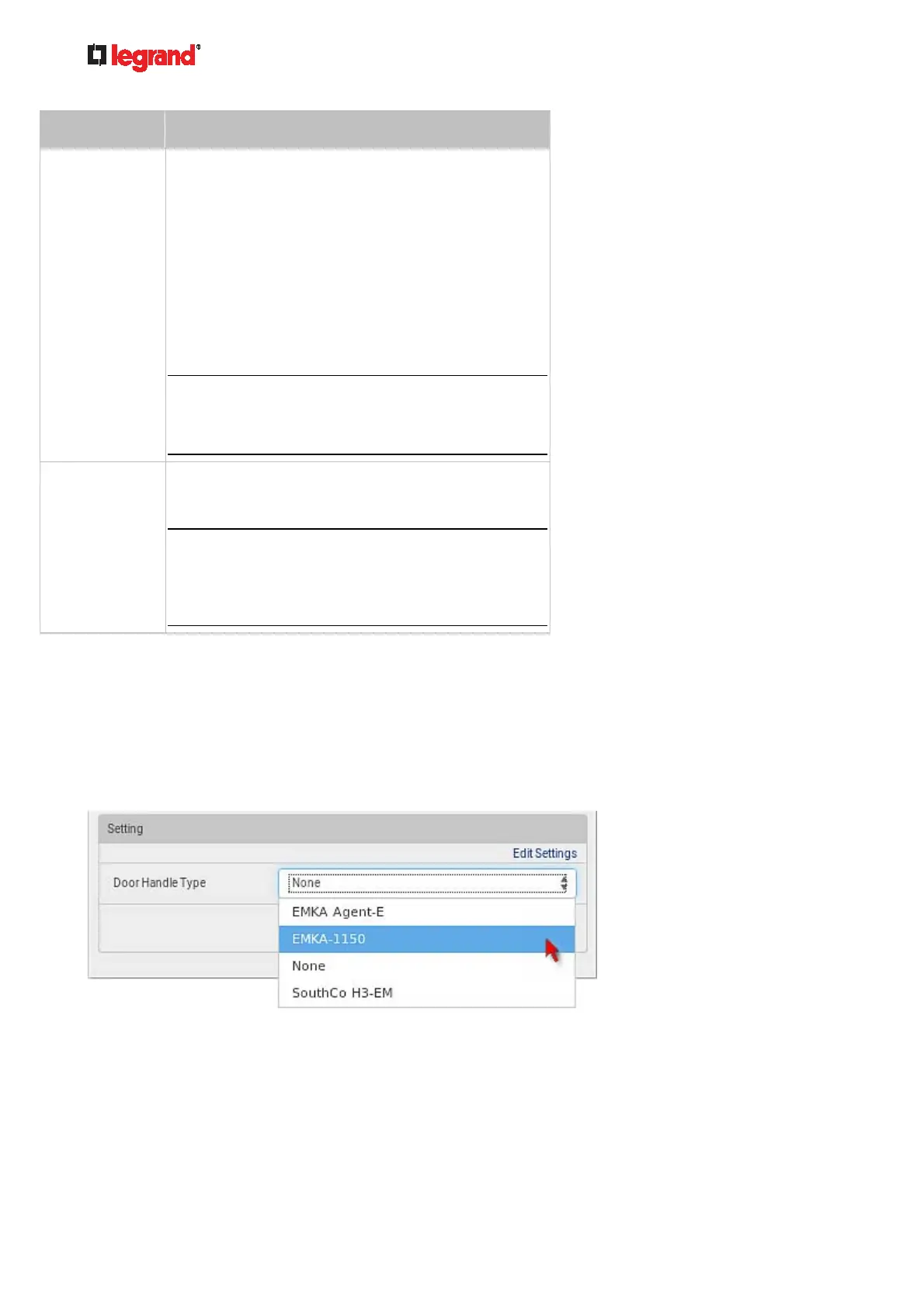
1. Click Edit Settings in the Setting section.
2. In the Door Handle Type field, select the door handle type you are using.
The default is None.
If no door handle is being connected to the door-handle port in question on the DX2-DH2C2, select
or leave this field to "None."
3. Click Save.
To control the door handles:
1. Make sure you have configured the door handle type properly in the above procedure.



 To Next Page