June 2018
404 Legrand PDU User Guide
fwupdate.cfg
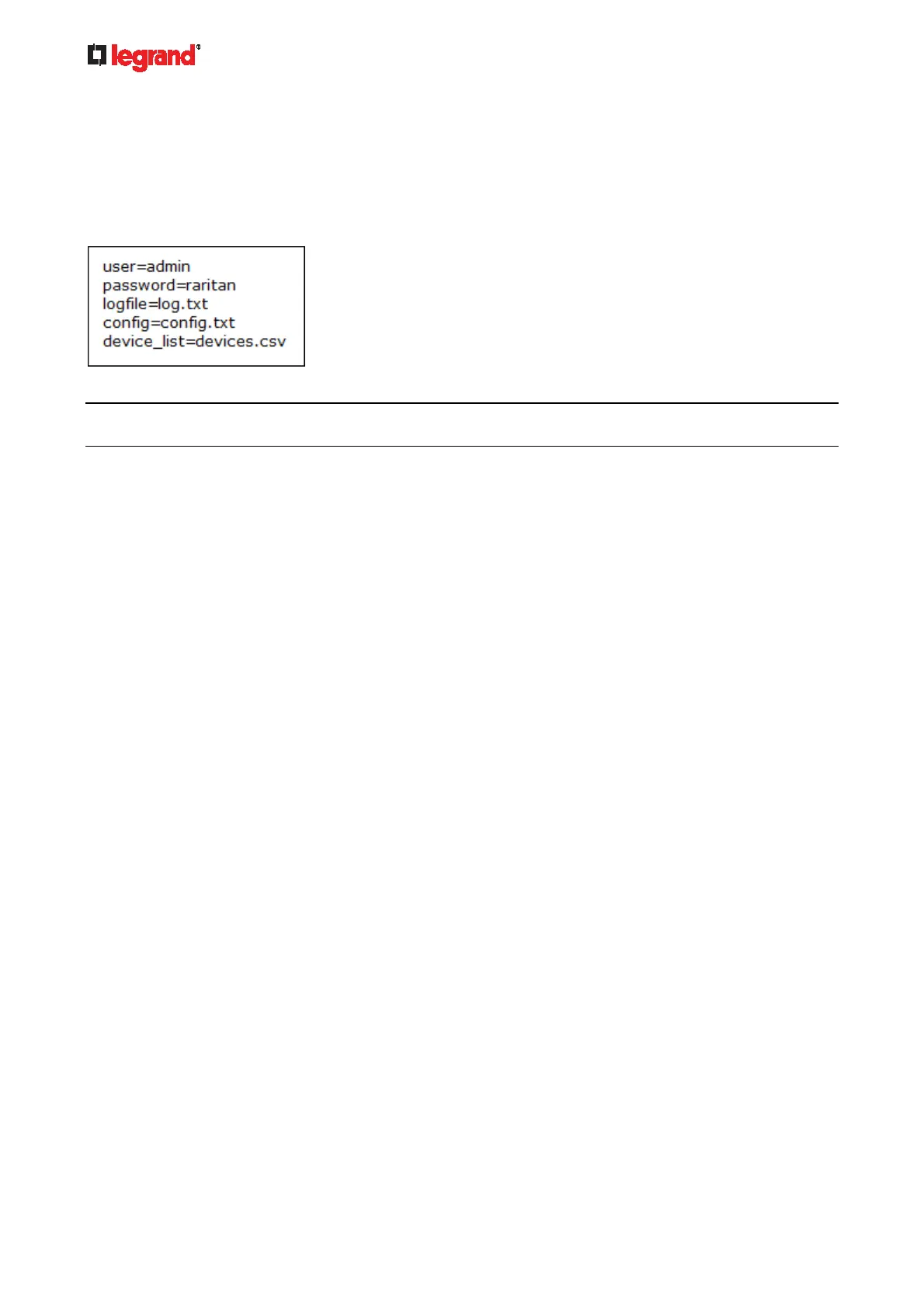
The configuration file, fwupdate.cfg, is an ASCII text file containing key-value pairs, one per line.
Each value in the file must be separated by an equal sign (=), without any surrounding spaces. Keys are not
case sensitive.
Illustration:
This section only explains common options in the file.
Note: To make sure all of the following options work fine, you must update your Legrand PDU to the latest
firmware version.
user
A required option.
Specify the name of a user account with Administrator Privileges.
For Legrand PDU with factory default configuration, set this option to admin.
password
A required option.
Specify the password of the specified admin user.
For Legrand PDU with factory default configuration, set this option to raritan.
logfile
Specify the name of a text file where the Legrand PDU will append the log messages when interpreting
the USB drive contents.
If the specified file does not exist in the USB drive, it will be automatically created.
If this option is not set, no log message are recorded. The disadvantage is that no feedback is available
if the Legrand PDU detects a problem with the USB drive contents.
firmware
Specify the name of a firmware binary file used to upgrade your Legrand PDU.
The specified firmware file must be compatible with your Legrand PDU and have an official Raritan
signature.
If the specified firmware file is the same as the current firmware version of your Legrand PDU, no
firmware upgrade is performed.
config
Specify the name of the configuration file containing device settings.
The suggested filename is config.txt. See config.txt (on page 406).
dev
ice_list
Specify the n
ame of the configuration file listing all Legrand PDUs to configure and their device-specific
settings.
This file is required if any macros are used in the device configuration file "config.txt."
The suggested filename is devices.csv. See devices.csv (on page 408).
mat
ch



 To Next Page