June 2018
Legrand PDU User Guide 415
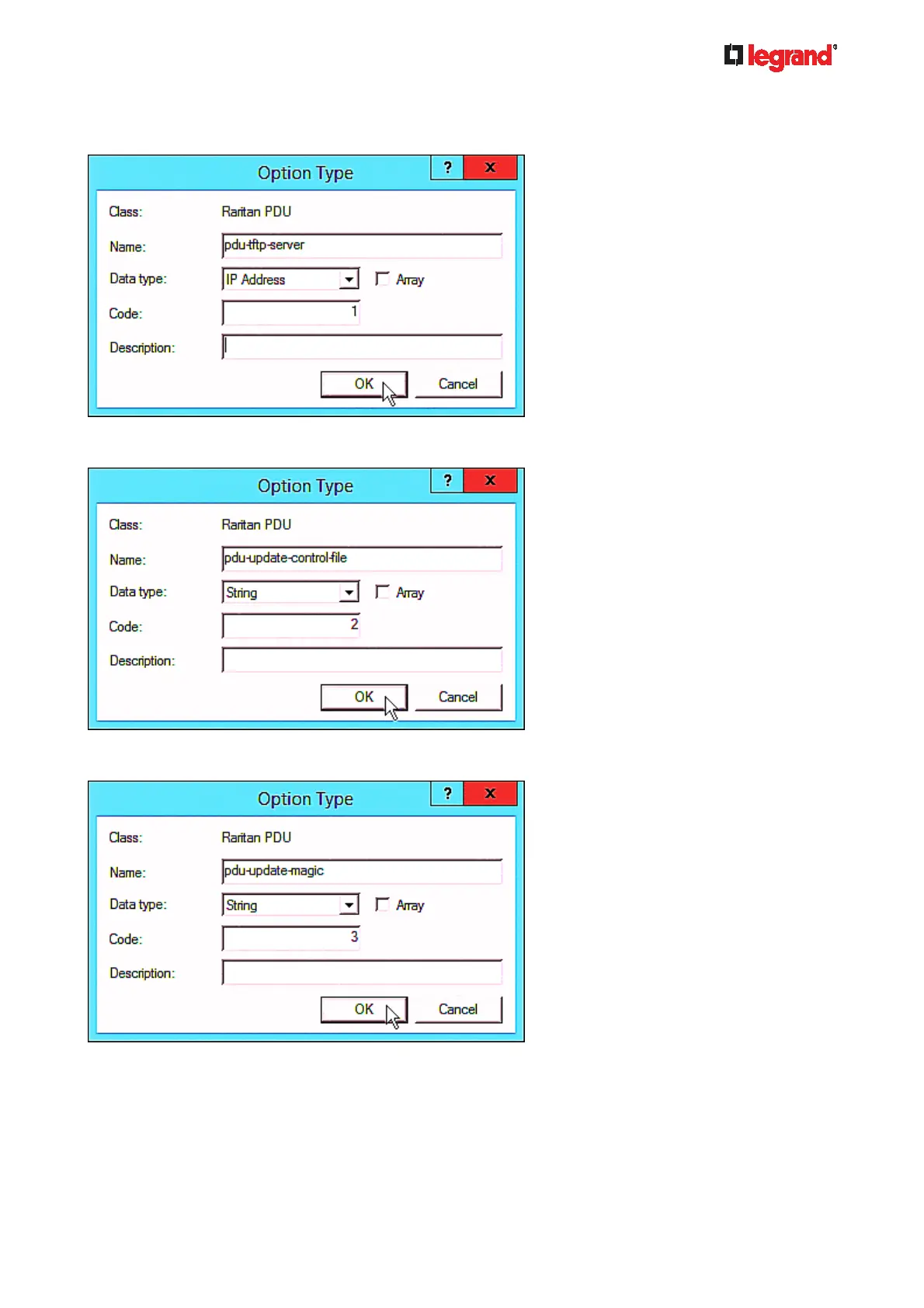
b. Click Add to add the first option. Type "pdu-tftp-server" in the Name field, select IP Address as the
data type, and type 1 in the Code field.
c. Click Add to add the second option. Type "pdu-update-control-file" in the Name field, select String as
the data type, and type 2 in the Code field.
d. Click Add to add the third one. Type "pdu-update-magic" in the Name field, select String as the data
type, and type 3 in the Code field.
4. Create a new policy associated with the "Raritan PDU" vendor class.
a. Right-click the Policies node under IPv4 to select New Policy.
b. Specify a policy name, and click Next.



 To Next Page