June 2018
Legrand PDU User Guide 421
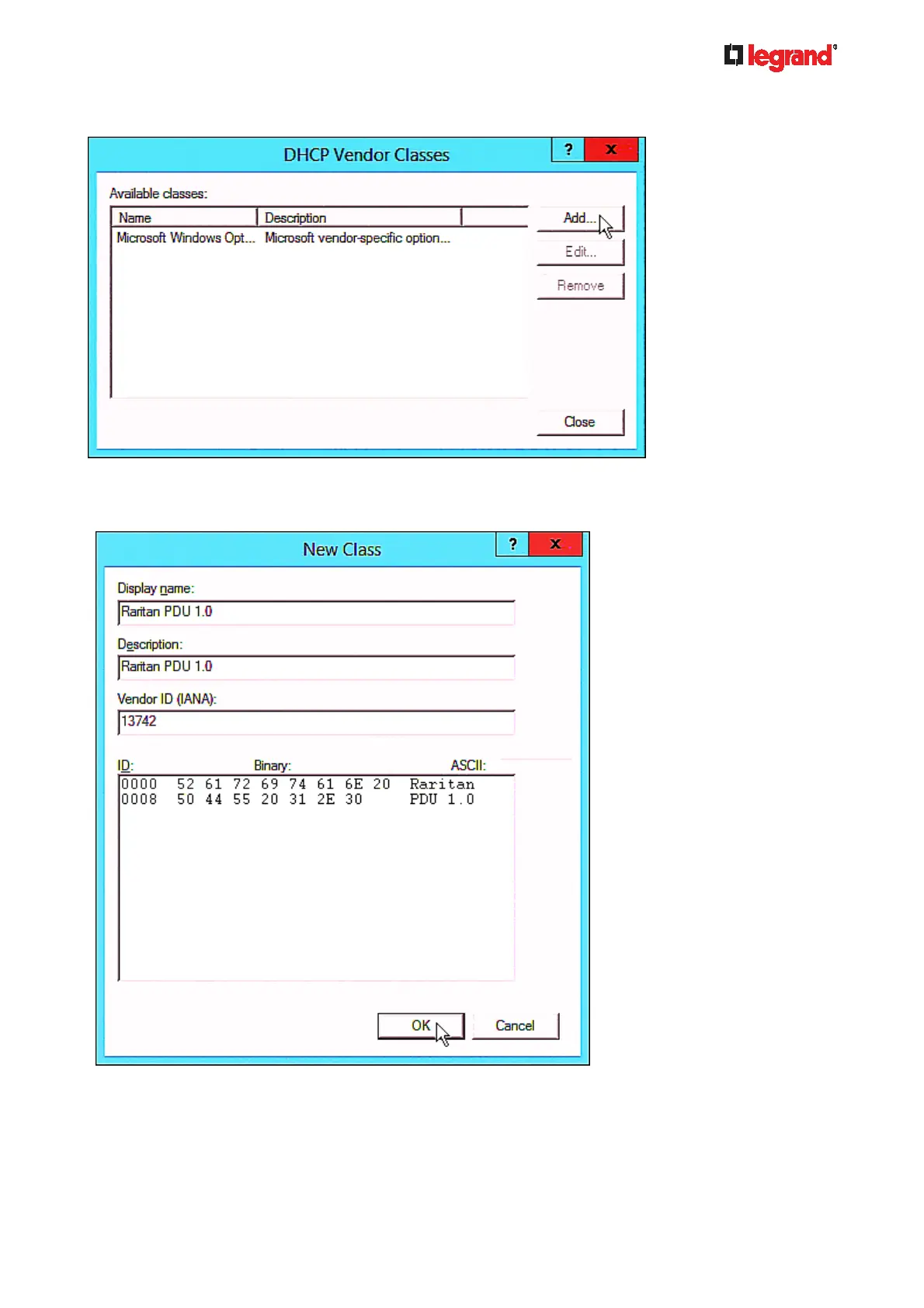
b. Click Add to add a new vendor class.
c. Specify a unique name for the vendor class, type "13742" in the "Vendor ID (IANA)" field, and type
the binary codes of "Raritan PDU 1.0" in the New Class dialog.
The vendor class is named "Raritan PDU 1.0" in this illustration.
2. Add three options to the "Raritan PDU 1.0" vendor class.
a. Right-click the IPv6 node in DHCP to select Set Predefined Options.



 To Next Page