June 2018
Legrand PDU User Guide 457
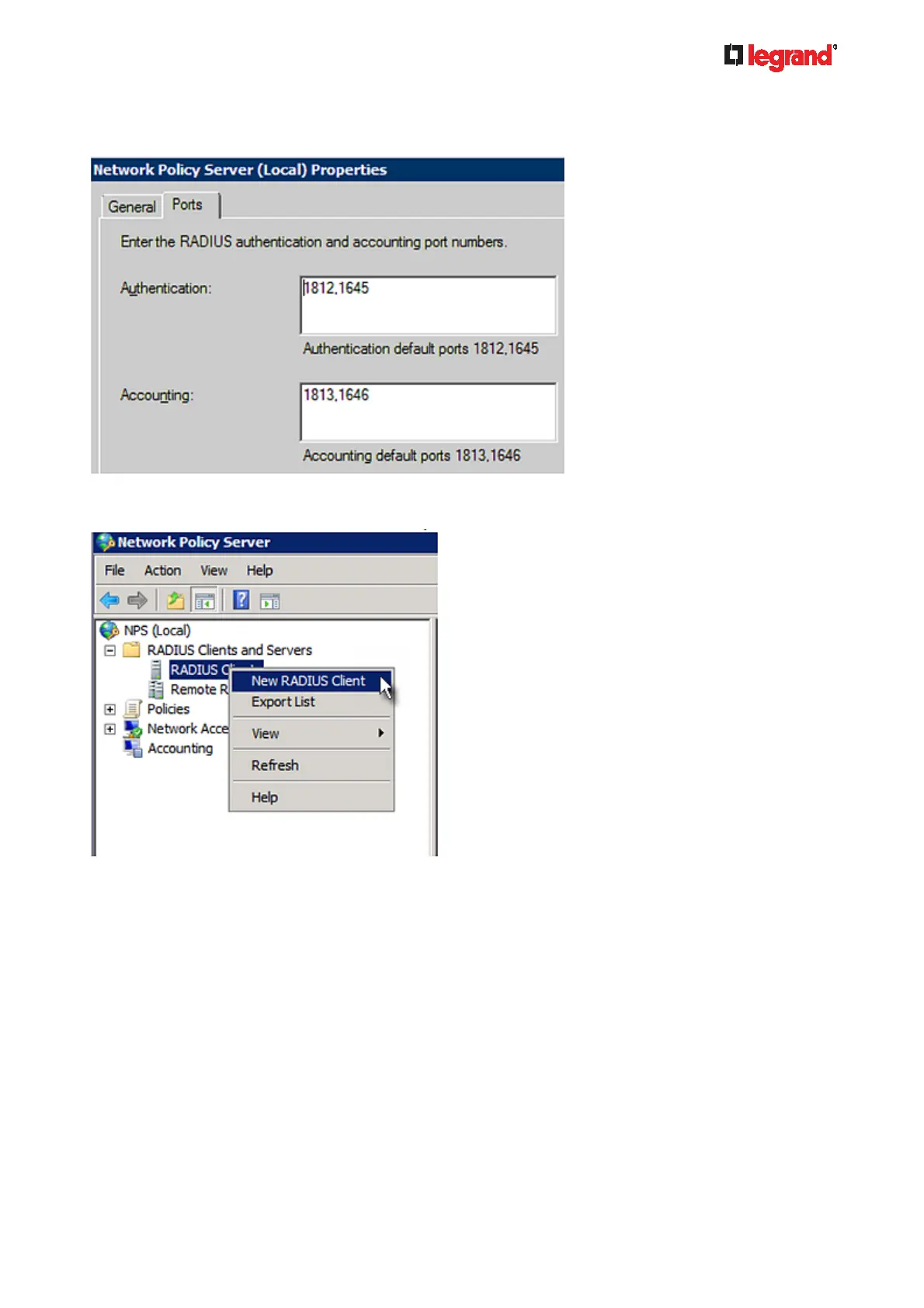
Verify the authentication and accounting port numbers shown in the properties dialog are the same as
those specified on your Legrand PDU. In this example, they are 1812 and 1813. Then close this dialog.
3. Under "RADIUS Clients and Servers," right-click RADIUS Client and select New RADIUS Client. The
New RADIUS Client dialog appears.
4. Do the following to add your Legrand PDU to NPS:
a. Verify the "Enable this RADIUS client" checkbox is selected.
b. Type a name for identifying your Legrand PDU in the "Friendly name" field.
c. Type 192.168.56.29 in the "Address (IP or DNS)" field.
d. Select RADIUS Standard in the "Vendor name" field.
e. Select the Manual radio button.



 To Next Page