June 2018
Legrand PDU User Guide 75
Alerts Notice in a Yellow or Red Screen
In the automatic mode, if an alert occurs, the LCD display automatically shows a yellow or red screen which
indicates the total number of alerted sensors and information of the latest transitions.
When all alerted sensors enter the warning levels, the screen's background turns yellow.
When at least one of the alerted sensors enters the critical level, the screen's background turns red.
For color definitions, see Yellow- or Red-Highlighted Sensors (on page 120).
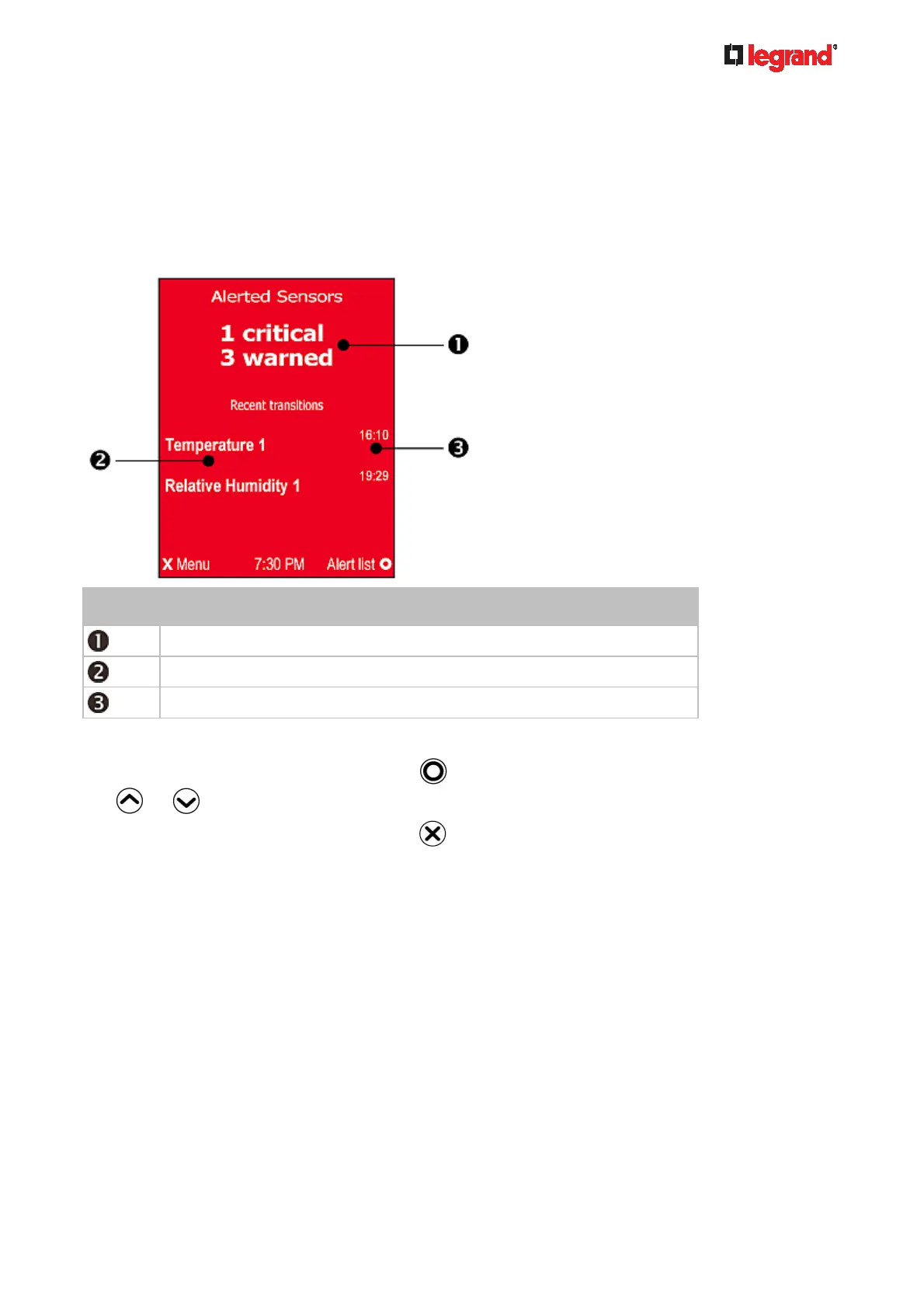
The following illustrates the alerts notice in red.
Number Description
The total of alerted sensors in critical and warning levels.
A list of final alerted sensors that changed their readings or states.
The final time that each alerted sensor changed its readings or states.
Next steps:
To view details of all alerted sensors, press
. If the detailed information exceeds one page, press
or to switch between pages.
To return to the Alerts Notice screen, press
.



 To Next Page