June 2018
Legrand PDU User Guide 83
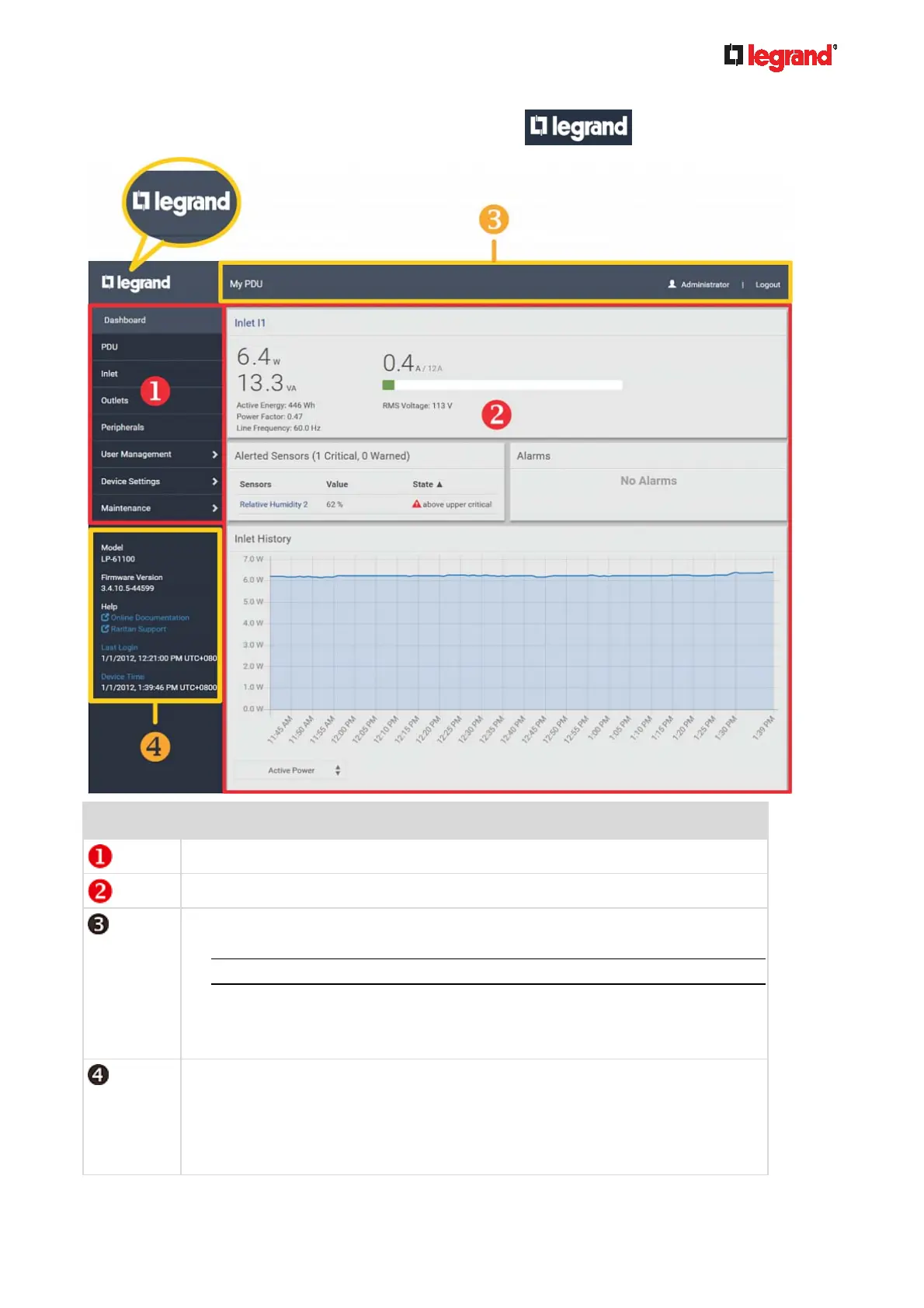
4. To return to the main menu and the Dashboard page, click on the top-left corner.
Number Web interface element
Menu (on page 84)
Data/setup page of the selected menu item.
Left side:
- Legrand PDU device name.
Note: To customize the device name, see PDU (on page 94).
Right side:
- Your login name, which you can click to view your user account settings.
- Logout button.
From top to bottom --
Your Legrand PDU model.
Current firmware version.
Online Documentation: link to the online help of Legrand PDU.
- See Browsing through the Online Help (on page 494).



 To Next Page