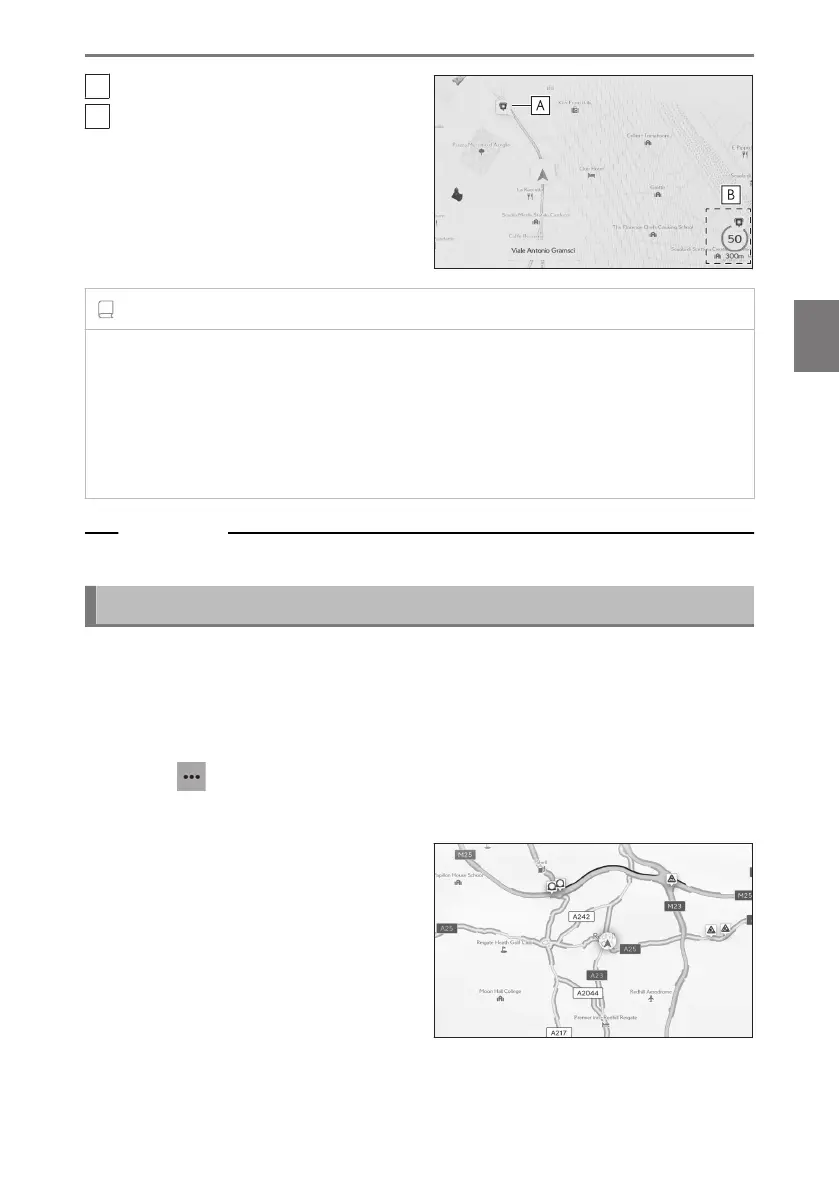
A
Speed camera location on the map.
B
Displays information about the speed
camera icon and distance to speed
camera.
INFORMATION
● The above items will be displayed depending on the map scale.
● The above items will be displayed depending on the available map data.
● The displaying of the above items can be switched off.
● Depending on content management conditions, the actual location of cameras may
not be displayed.
Related Links
Guidance settings(P. 88)
Traffic Information
Traffic data can be received via IP-Traffic to display traffic information on the map
screen.
To use this function, it is necessary for the LEXUS Connect Center usage contract
or Wi-Fi
®
connection.
1 Touch [ ] on the map screen.
2 Touch [Display map].
3 Touch [Traffic].
Traffic information will be displayed on
the map screen.
● Icons are used to indicate traffic infor-
mation, such as construction and acci-
dents.
● The arrows indicate the flow of traffic.
The color changes depending on the
speed.
4-2. Map information
153
4
Navigation













 To Next Page