Transferring cellular phone contact data using manual transfer (OPP)
The phone numbers (contact data) registered to the cellular phone can be trans-
ferred to the multimedia system using manual contact data transfer (OPP).
[Sync contacts], set to on, will be turned off when a transfer of phone contacts is
completed.
INFORMATION
Contact data cannot be transferred with manual contact list transfer (OPP) when An-
droid Auto is connected to the cellular phone for transfer.
1 Touch [ ] from the main menu.
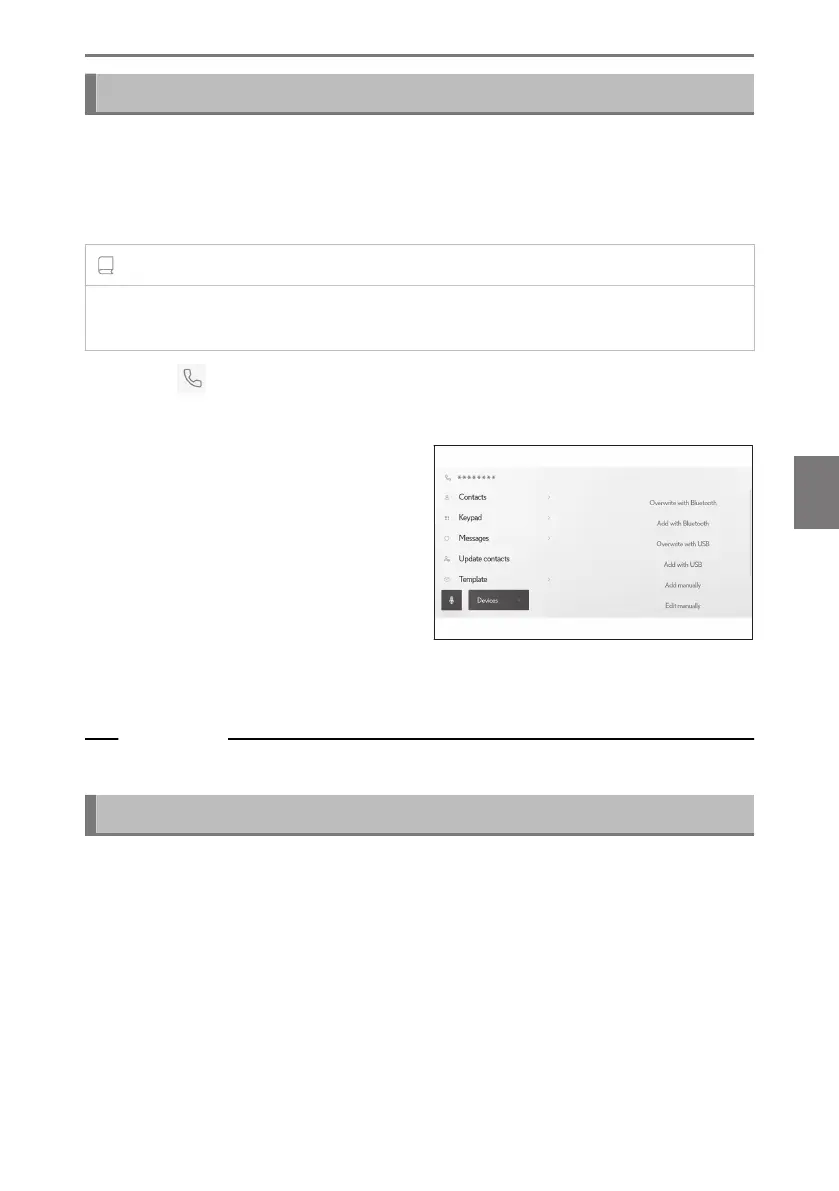
2 Touch [Update contacts] on the submenu.
3 Select from the following transfer
method.
[Overwrite with Bluetooth] : Over-
write current contact data.
[Add with Bluetooth] : Add to cur-
rent contact data.
4 Operate the cellular phone to trans-
fer contact data.
If a transfer failed screen is displayed, start over from the beginning.
Related Links
Bluetooth
®
specifications and compatible profiles(P. 111)
Transferring phone contact data from a USB flash drive
The phone numbers (contact data) registered to a USB flash drive can be transfer-
red to the multimedia system.
● [Sync contacts], set to on, will be turned off when a transfer of phone contacts is
completed.
● This function cannot be used when connected to Apple CarPlay or Android
Auto.
● Only contact data saved to a USB flash drive in vCard format (.vcf) can be
transferred.
6-7. Editing contact data
247
6
Hands-free calls













 To Next Page