1 Touch [ ] from the main menu.
2 Touch [Messages] on the submenu.
3 Select an account.
4 Select the message sender.
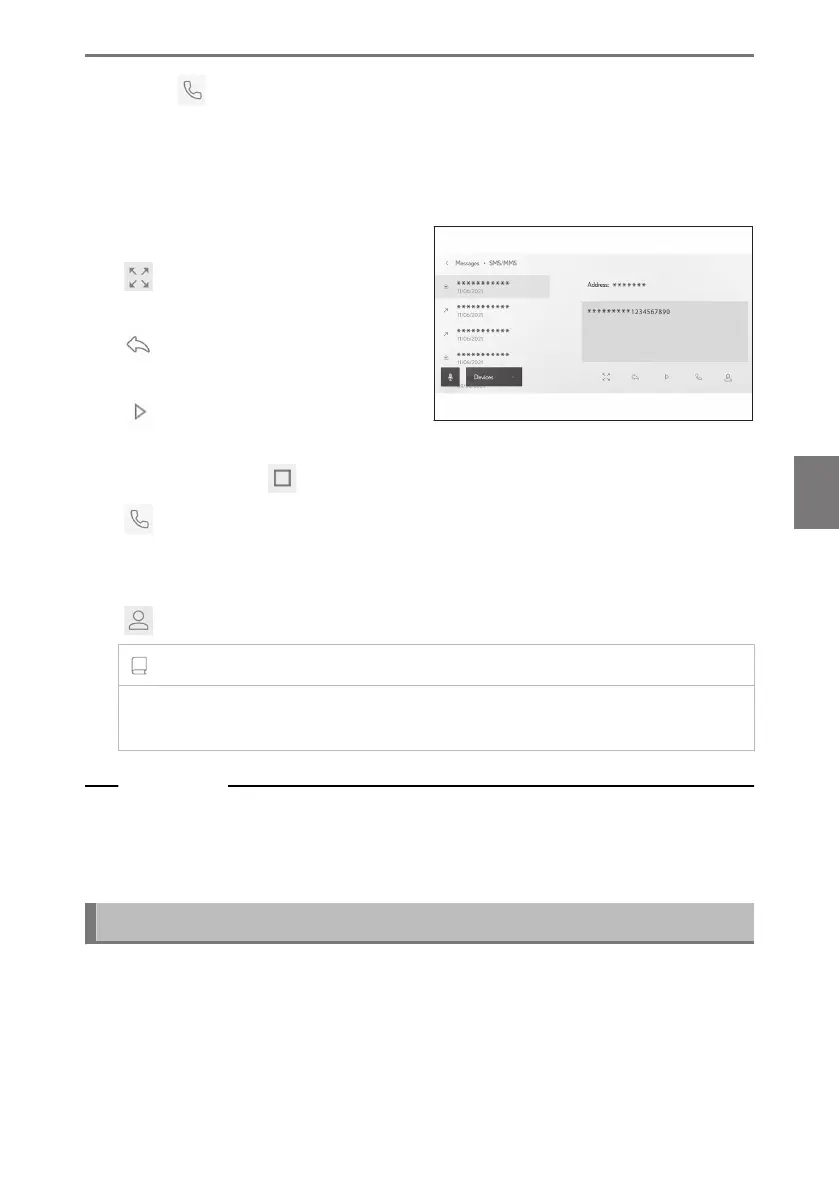
5 Select each item as necessary.
[
] : Enlarges or minimizes the
message screen.
[ ] : Displays the reply to message
screen.
[
] : Reads the message aloud.
To stop the message being read
aloud, touch [ ].
[
] : Calls the message sender by phone.
Depending on the contact registration status, the phone number must be
selected.
[
] : Displays the contact information of the other party.
INFORMATION
While the message screen is enlarged with an e-mail, touch [Mark Unread] or [Mark
Read] to mark the message as unread or read.
Related Links
Replying to messages(P. 254)
Making calls from the message function(P. 257)
Making calls from contacts(P. 230)
Checking new messages
When an e-mail or an SMS or MMS message is received, a new message notifica-
tion is displayed at the top of the screen. While [Voice support] is on, voice control
system
*1
starts.
6-8. How to use the message function
253
6
Hands-free calls













 To Next Page