● Changing some multimedia settings automatically updates the profile saved at
the cloud and a screen notifying the driver that the profile has been updated
appears.
● Some multimedia settings are saved in the cloud, so even if a profile is deleted in
the vehicle, it is not deleted from the cloud.
Related Links
Setting up how to identify a driver(P. 62)
Registering a user profile for the first time (Type A)
An active Lexus account is required to use a profile.
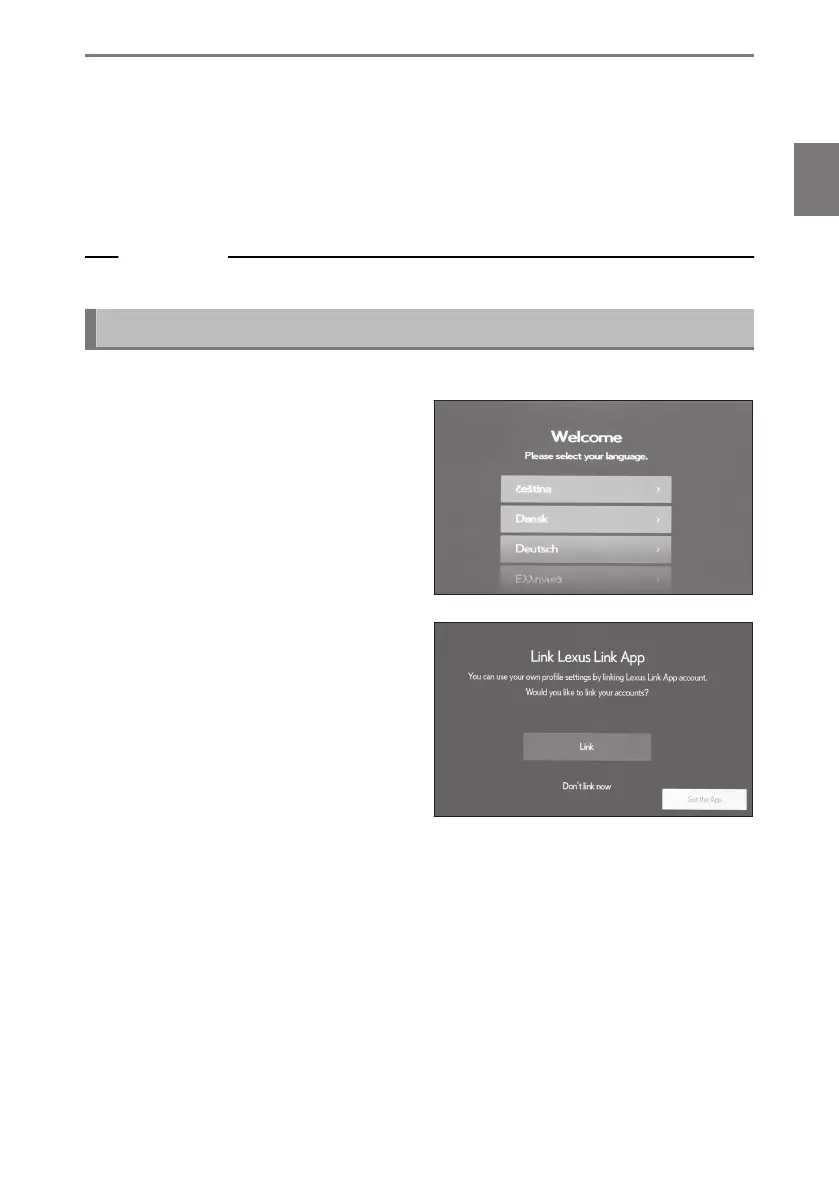
1 After the engine switch <power
switch> is turned on, the language
selection screen will be displayed.
Touch the desired language.
Select the display language when regis-
tering the driver. After completing the
driver registration, the system language
will return to the default language.
2 To use the Lexus app on a smart-
phone to register a profile, touch
[Link].
● If you have not installed the Lexus app,
touch [Get the App] and download it
using the QR code on the screen.
● If you do not want to register a profile,
touch [Don't link now]. If you touch
[Do not show setup again], the profile
registration screen will no longer be displayed.
3 Open the Lexus app on a smartphone, follow the instructions on the screen
and scan the QR code, or enter the verification code to register a driver.
4 Touch [I Agree].
Once registration is complete, a message is displayed and your profile is saved.
5 After registering your profile, register a device in order to identify the driver. To
continue with setup, touch [Continue].
You can also register a device at a later time.
*1 : This function is not available in some countries or areas.
2-1. Multimedia system initial setup
53
2
Settings and registration













 To Next Page