1 Touch [ ] from the main menu.
2 Touch [Navigation].
3 Touch [Route].
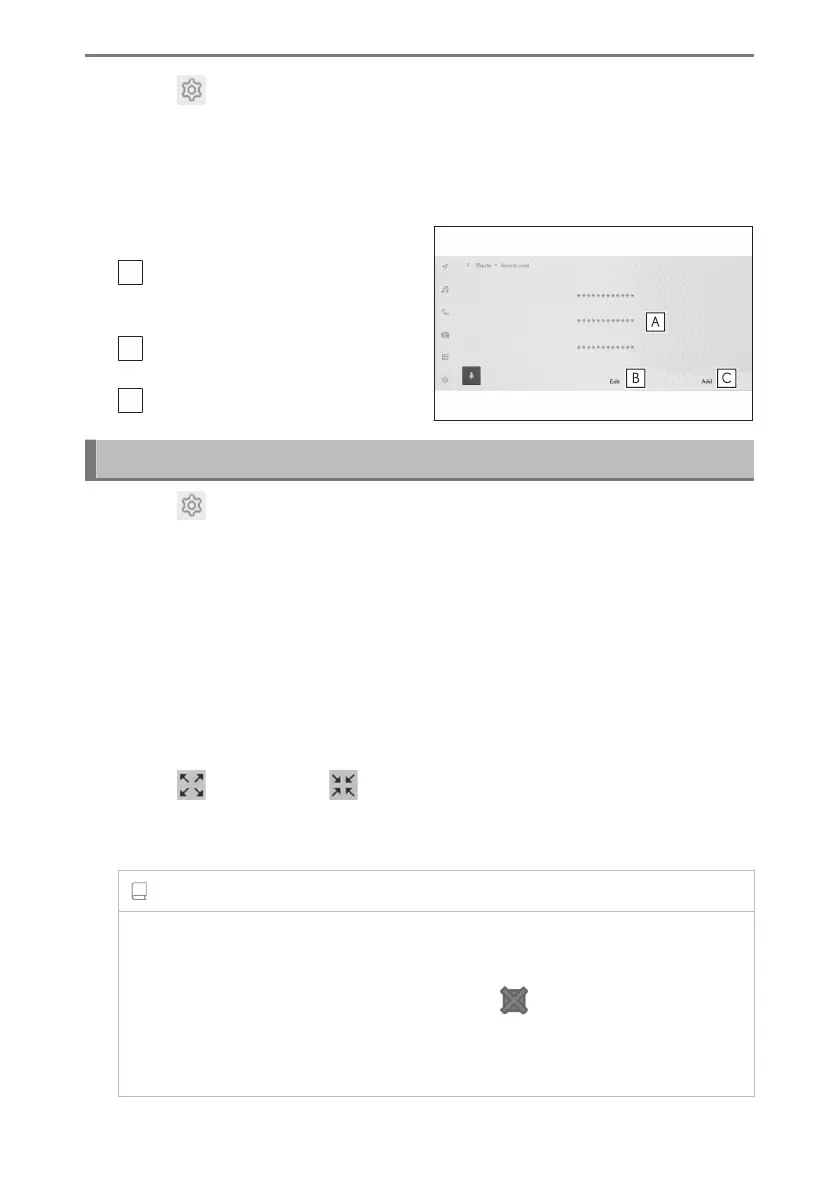
4 Touch [Area to avoid].
5 Touch the desired item.
A
Displays a list of registered areas to
avoid. Touch to edit the touched area
to avoid.
B
Touch to delete a registered area to
avoid.
C
Touch to register an area to avoid.
Registering areas to avoid
1 Touch [ ] from the main menu.
2 Touch [Navigation].
3 Touch [Route].
4 Touch [Area to avoid].
5 Touch [Add].
6 Scroll the map to search for an area to avoid.
7 Touch [Complete].
The range of the area to avoid is displayed as a yellow square.
8 Touch [
](increase) or [ ](decrease) to set the range of the area to avoid
and then touch [Complete].
9 After changing the desired items on the editing screen, touch [OK].
INFORMATION
● If there are no other routes but passing through an area to avoid, search result
may include roads in the area to avoid.
● Minimizing an area to avoid can change it to an [ ] (memory point to avoid)
display. Highways and sea routes in areas set to avoid may not be able to
be avoided in search results. Set specific memory point to avoid on the road
separately.
2-8. Navigation Settings
84













 To Next Page