Editing areas to avoid
1 Touch [ ] from the main menu.
2 Touch [Navigation].
3 Touch [Route].
4 Touch [Area to avoid].
5 Touch the area to avoid you wish to edit.
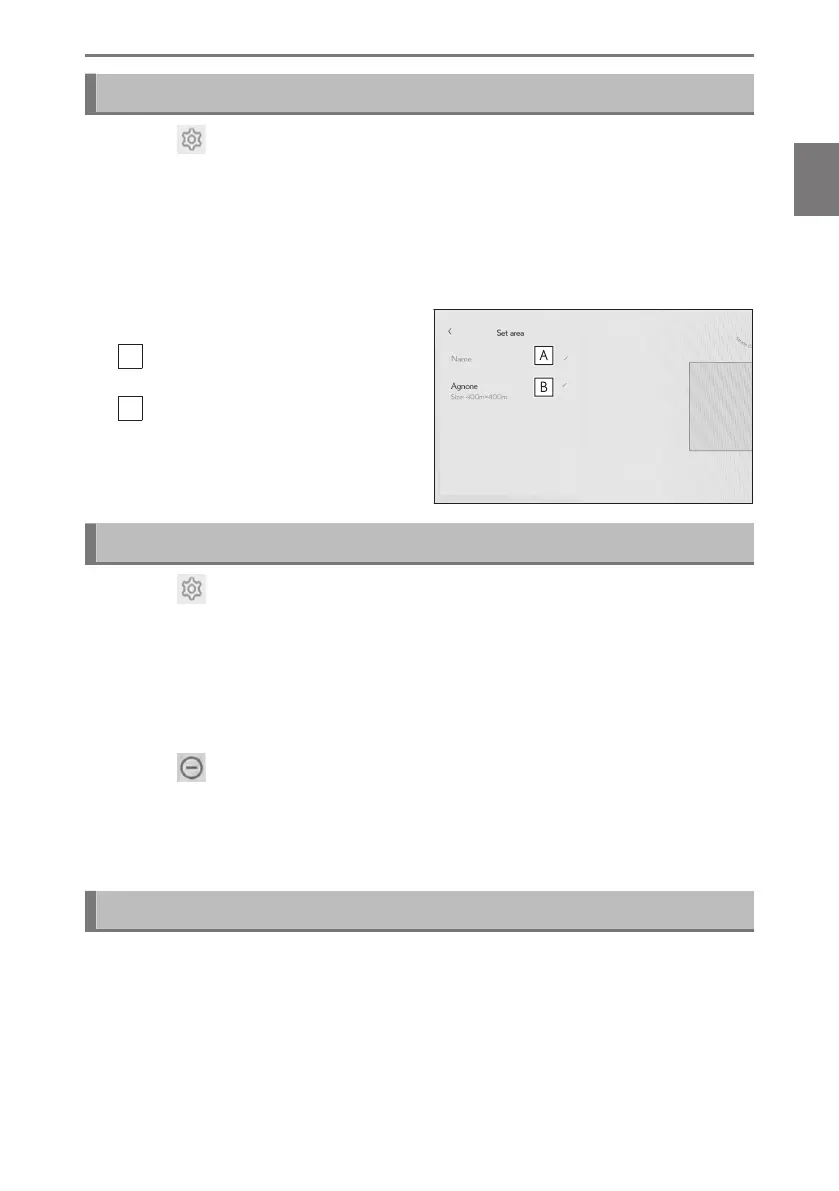
6 Touch the setting you wish to change.
A
Touch to change the name of the
area to avoid.
B
Touch to change the area to avoid
and the range of the area to avoid.
7 Touch [OK].
Deleting areas to avoid
1 Touch [ ] from the main menu.
2 Touch [Navigation].
3 Touch [Route].
4 Touch [Area to avoid].
5 Touch [Edit].
6 Touch [ ] of the area to avoid you wish to delete.
● [Del. All]:Delete all areas to avoid.
● [Cancel]:Cancel deletion of areas to avoid.
7 Touch [Complete].
Predictive efficient drive
*3
This system operates based on the driving situation and traffic information to
enhance fuel economy.
● The predictive efficient drive function can be turned on/off.
*3 : Refer to the "OWNER’S MANUAL"
2-8. Navigation Settings
85
2
Settings and registration













 To Next Page