L-DALI User Manual 148 LOYTEC
Version 5.2 LOYTEC electronics GmbH
Channel 1
LNS Network Interface
ldali
nviEmergTest
nviGPOverride
nviGPScene
nviGPSetting
nviGPValue
nvoBatteryCharge
nvoGPEnergyCnt
nvoGPFailure
nvoGPRunHours
nvoGPValueFb
nvoPowerOff
ldali.LAGroup[4]
Figure 133: LonMaker drawing with one L-DALI.
Important! If using a non-standard network variable interface, make sure the appropriate data point
configuration or backup was already loaded to the device using the IP connection!
To Replace a Device in LonMaker TE
1. Select the device and right-click on the device shape.
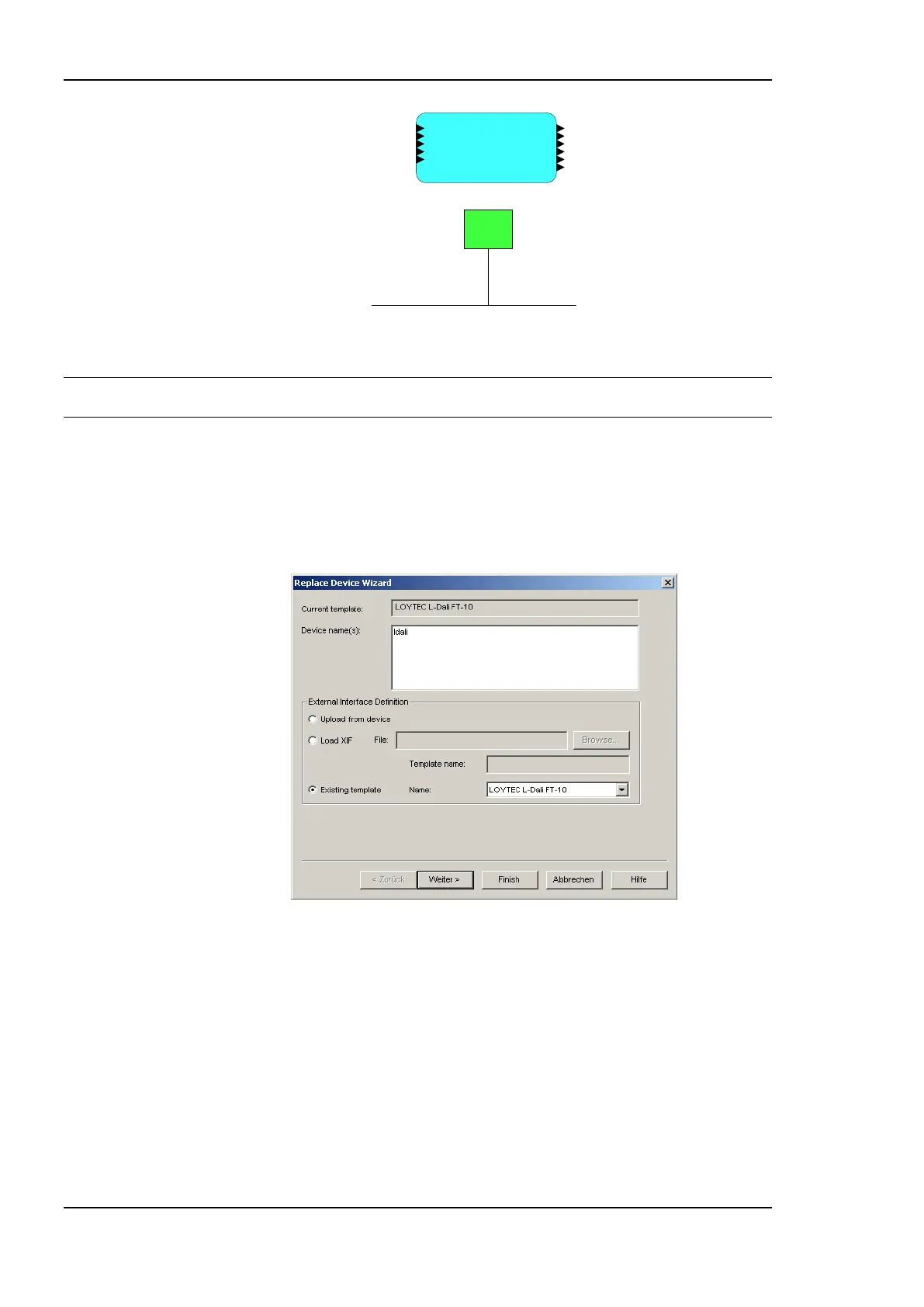
2. Select Commissioning Replace…. This opens the LonMaker Replace Device
Wizard as shown in Figure 134.
Figure 134: LonMaker replace device wizard.
3. Choose the existing device template and click Next.
4. In the following window shown in Figure 135 click Next.



 To Next Page