Using your Edger...Usual procedure
3-30
LTO
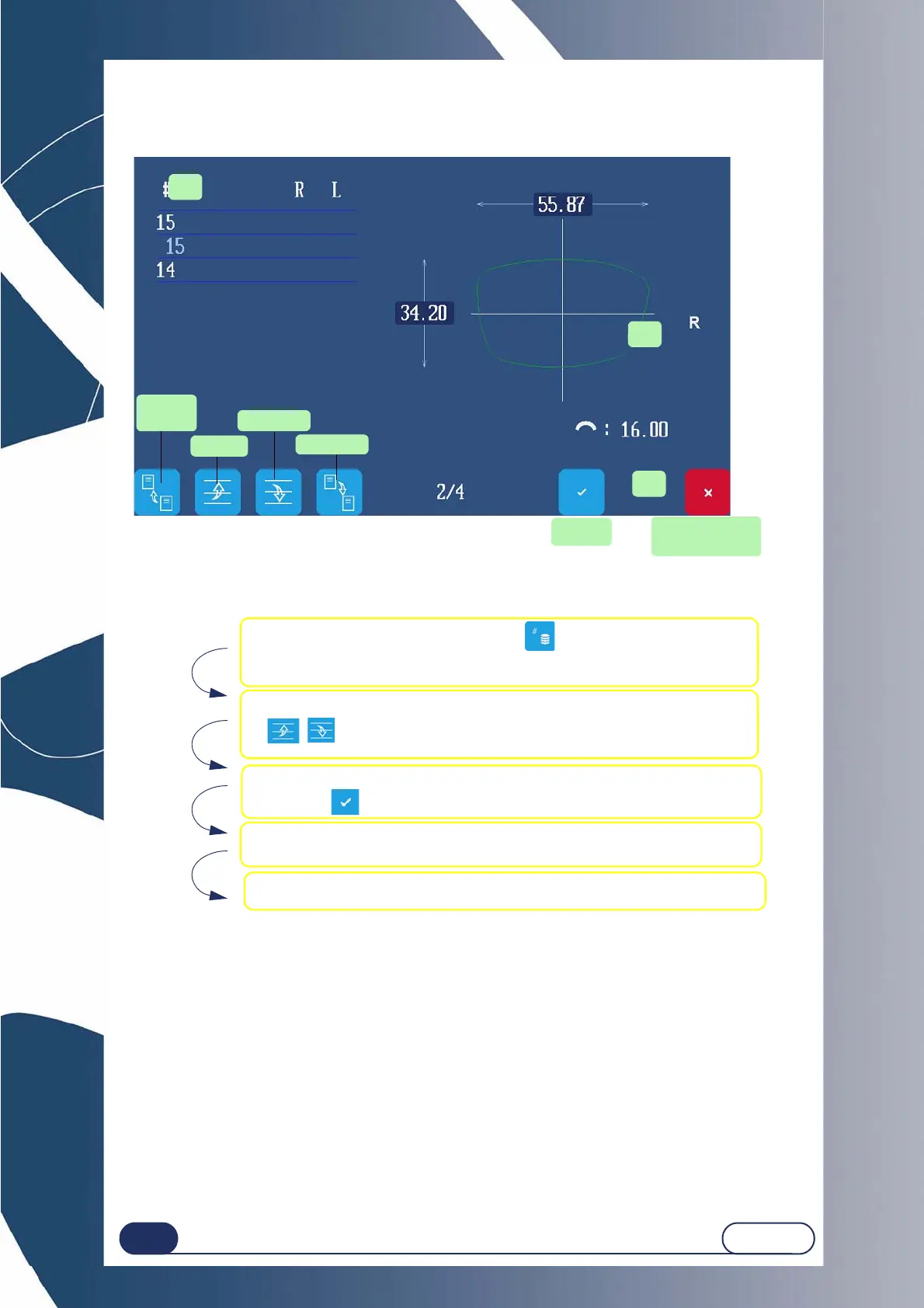
3.2.1.2 CALLING UP A JOB SAVED IN THE MEMORY
The numbers of this illustration refer to the step numbers below.
Follow the steps below to call up a job saved in the memory:
3.2.1.3 SAVING A JOB/SHAPE IN THE SHAPE BASE
The machined shapes are saved automatically in the equipment data base.
#1
#2
#3
Previous
page
Move up
Move down
Next page
Confirm
Return to creation
screen
1 Pressing on the Job selection key ( ) is used to access the com-
pete list of saved jobs.
2 Go to the desired job using the following keys :
, . Enter the job number to be called up.
3 Confirm your choice by quitting the list of jobs in the memory:
Press the key to confirm.
4 The chosen shape and the customer's parameters are displayed in
the screen.
5 The jobs are saved automatically during the creation or loading of
another job.



 To Next Page