Using your Edger...Usual procedure
3-41
LTO
3.2.4.2 DEFORMING THE SHAPE OF A JOB
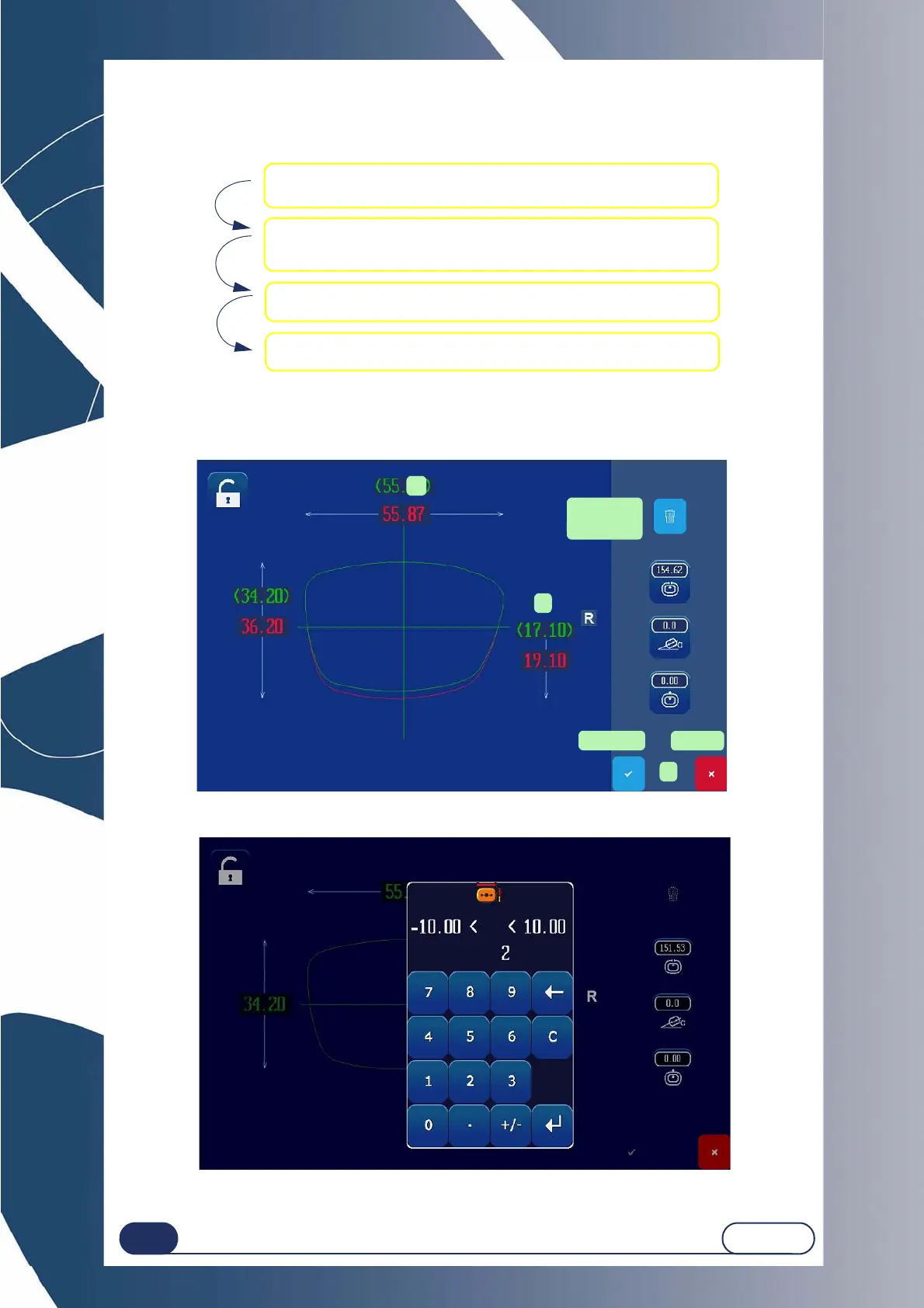
Follow the steps below to modify a shape (Digiform function):
To change the values displayed on the screen (in green), press the value to be changed (1) in order to bring up the
number pad or the green area to stretch the lower part of the shape (2).
The new shape can then be viewed (in red). You can confirm (3).
Screen 3-17 : Example of deformation.
Screen 3-18 : Example of lower part deformation entry screen.
1 Load a Job from the creation tab.
2 Change the shape as desired.
(Refer to the Presentation section of the Digiform function)
4 Use the new shape as if it were a new job.
3 Confirm the modifications and quit the Digiform function.
Delete the
change
1
2
Confirm
3
Cancel



 To Next Page