Configuration...Configuration of Communication parameters
4-90
LTO
4.5 CONFIGURATION OF COMMUNICATION PARAMETERS
4.5.1 PRESENTATION
4.5.1.1 PRINCIPLE
You enable or disable the communication functions according to the peripheral equipment connected to the
machine
4.5.1.2 SCREEN DESCRIPTION
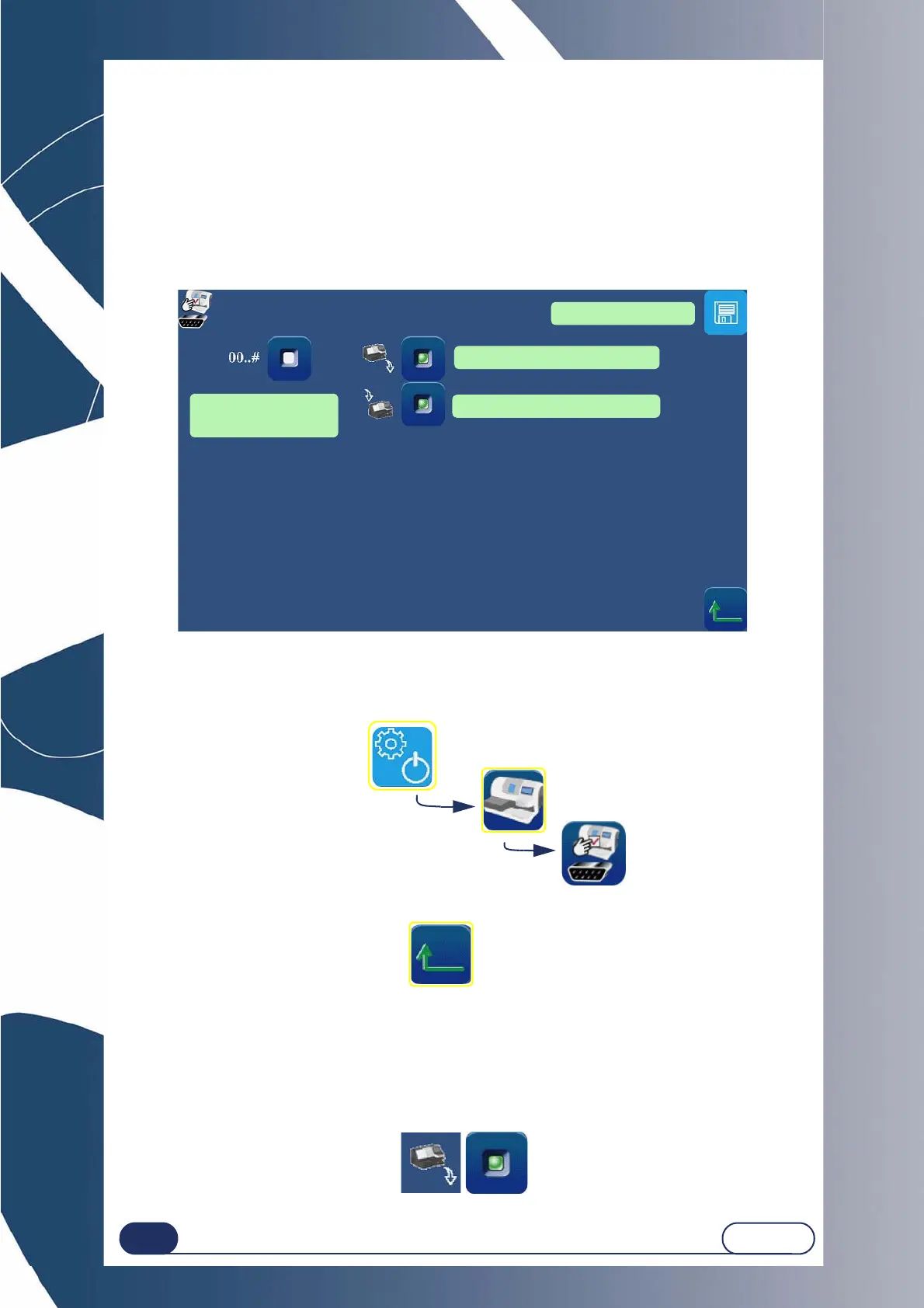
The setting screen for the machine communications is shown below:
Screen 4-6: Setting the communication parameters
4.5.1.3 ACCESS / EXIT
4.5.1.3.1 TO ACCESS THE SCREEN
4.5.1.3.2 TO EXIT THE SCREEN
4.5.1.4 ENABLING / DISABLING COMMUNICATION FUNCTIONS
4.5.1.4.1 PRINCIPLE
According to the peripheral equipment connected to the machine, the associated communication function
must be enabled / disabled.
4.5.1.4.2 PROCEDURE
To enable / disable the communication function:
To save the settings
You are in the
Communication parameters screen
Sending the Job to an OMA server
Calling the Job of an OMA server
Function of complement 0
of Job 1 numbers
-> 000000000001



 To Next Page