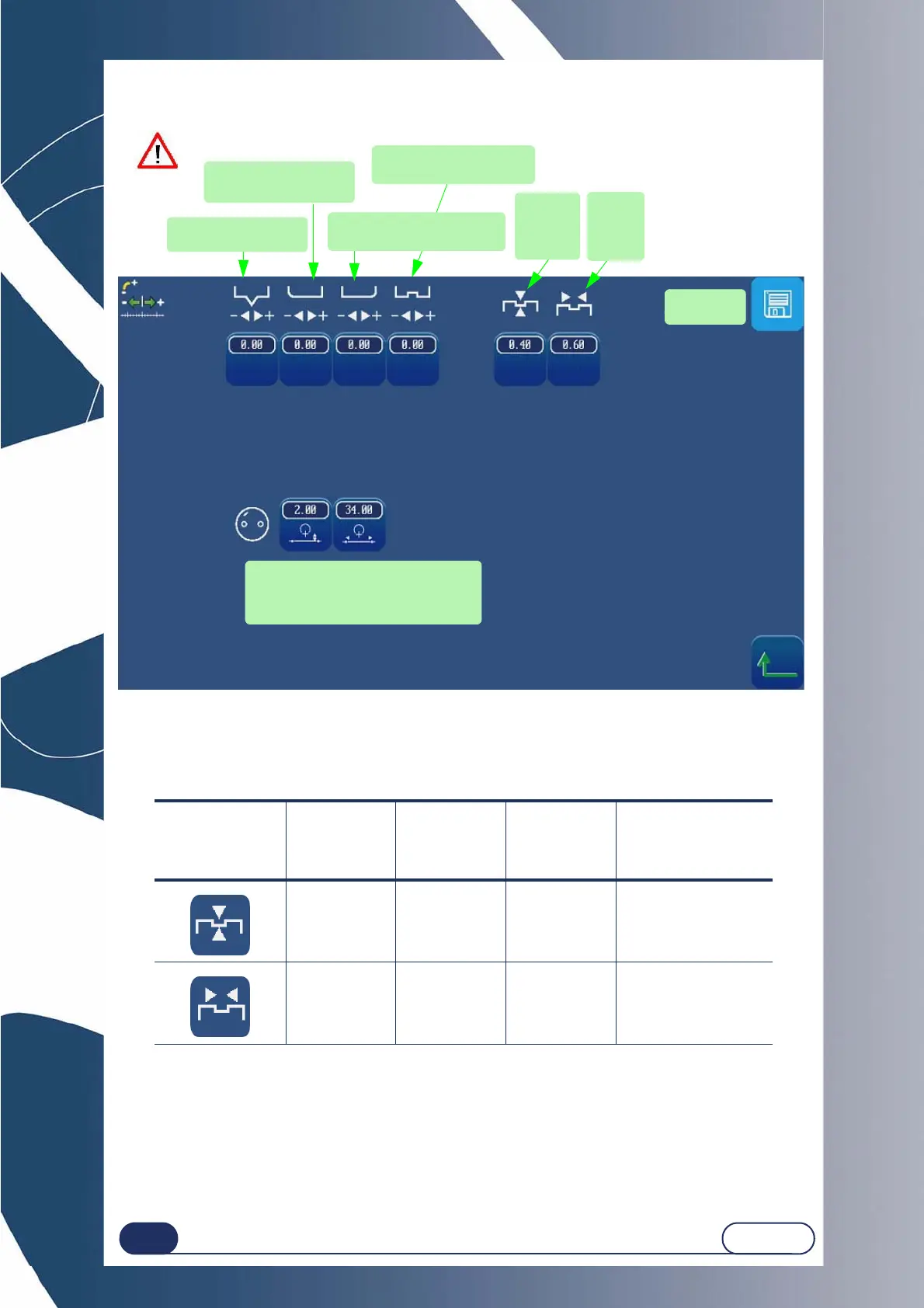
Configuration...Adjustment of setting values
4-84
LTO
Screen 4-3: Adjustment of setting values (1)
4.2.4 LIMITS
The information given in the tables below completes the values referred to in Using > Application screen icons >
Sub-finishing and associated parameters.
The default values that you wish to be memorised must be within the limits given by Briot. Any value outside the
interval shown cannot be validated.
The number key pad will remain displayed until you have entered a correct value. If you wish to exit the number
key pad, use the ESC key. The previous default value will then be applied again.
TABLE 1:
Sub-
finishing
type
Default
value
Lower
limit
Upper
limit
Incrementation
0.4 mm 0 1 mm 0.1 mm
0.6 mm 0.6 mm 1.2 mm 0.1 mm
Adjustment of
setting values
Exit
RESET
DURING
SETTINGS
Adjust the depth of the
front safety bevel
Adjust the depth of the rear
safety bevel
Adjust the position of the
middle of the groove
To adjust the position
of the apex of the bevel
Groove
width
default
value
Groove
depth
default
value
Configuration of the lens centering type
- Far vision height
- Micro-engraving line and distance
between micro-engravings
Save
the changes



 To Next Page