Using your Edger...Usual procedure
3-43
LTO
3.2.5 DRILLING
To access the drilling menu, press the key
3.2.5.1 POSITIONING OF DRILLING HOLES
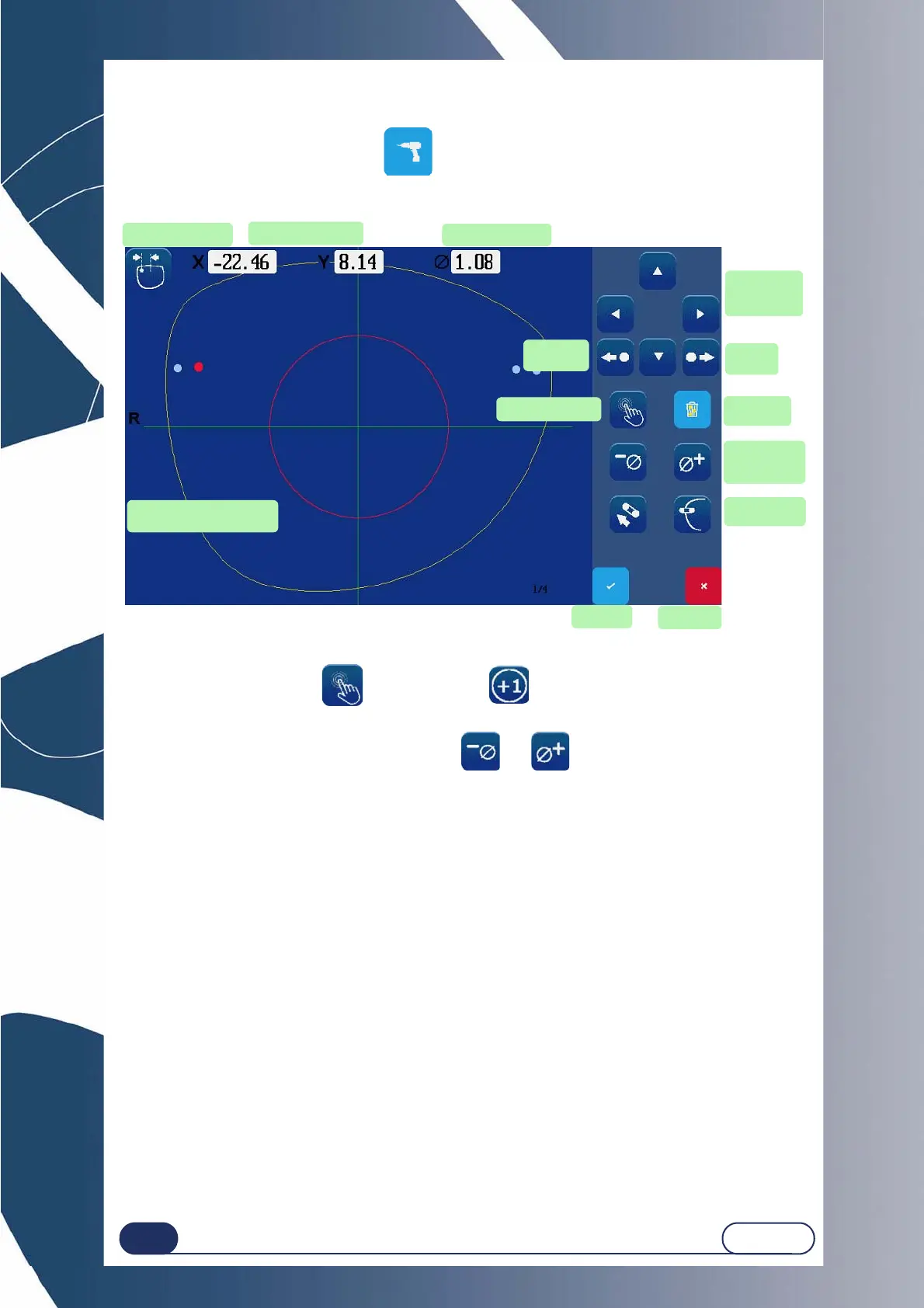
Screen 3-20 : Drilling Sub-Finishing Icons
Select a hole using this key: . / Add a hole :
Select the coordinate to be modified (X, Y, Dia.) using the navigation keys.
Enter the desired value by increment/decrement : and .
Check the coordinates of the selected hole as well as its diameter.
Navigation
arrows
Cancel
Drill an elon-
gated hole
Hole selection
Remove a
hole
Confirm
Hole coordinates
Drilling diameter
Next
hole
Previous
hole
Red spot: Common hole
Red circle : Prohibited area
Shape center
Change the
diameter
value



 To Next Page