Configuration...Presentation of configuration menus
4-81
LTO
4.1 PRESENTATION OF CONFIGURATION MENUS
4.1.1 PRESENTATION OF THE CONFIGURATION MENU ACCESS SCREEN
4.1.1.1 SCREEN DESCRIPTION
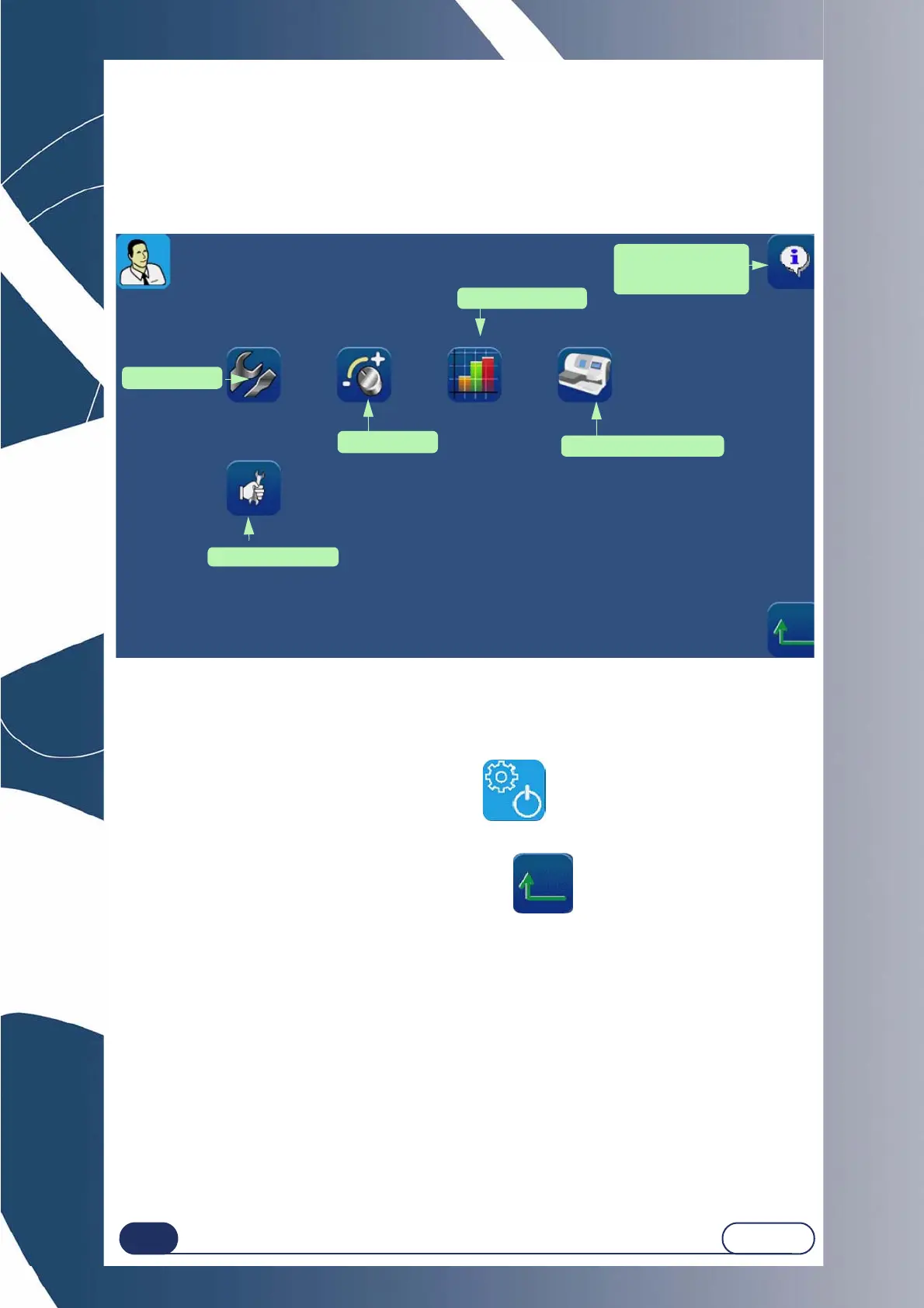
The first user screen provides access to the user technical menus, such as the settings menu and the statistics
menu. The tests, maintenance and personalisation menus are intended for the technician.
Screen 4-1: Configuration menu access screen
Tip! The type of menu is shown by the icon which is displayed on the top right of the current
screen. If you are working with the Personalisation screen, the edger will be displayed
on the top right of the screen.
4.1.1.2 ACCESS / EXIT
4.1.1.2.1 TO ACCESS THE SCREEN
To reach the configuration menu access screen, press on the main application screen in the Job
selection/creation tab.
The user technical menu screen is displayed.
4.1.1.2.2 TO EXIT THE SCREEN
To leave the configuration menu access screen, press the button.
Result: The machine restarts. The main application screen is displayed again.
SETTINGS menu
PERSONALISATION menu
You are in the User
Technical menu
MAINTENANCE menu
TESTS menu
STATISTICS menu
Miscellaneous
information, versions,
machine number...



 To Next Page