262335 123 Revision A
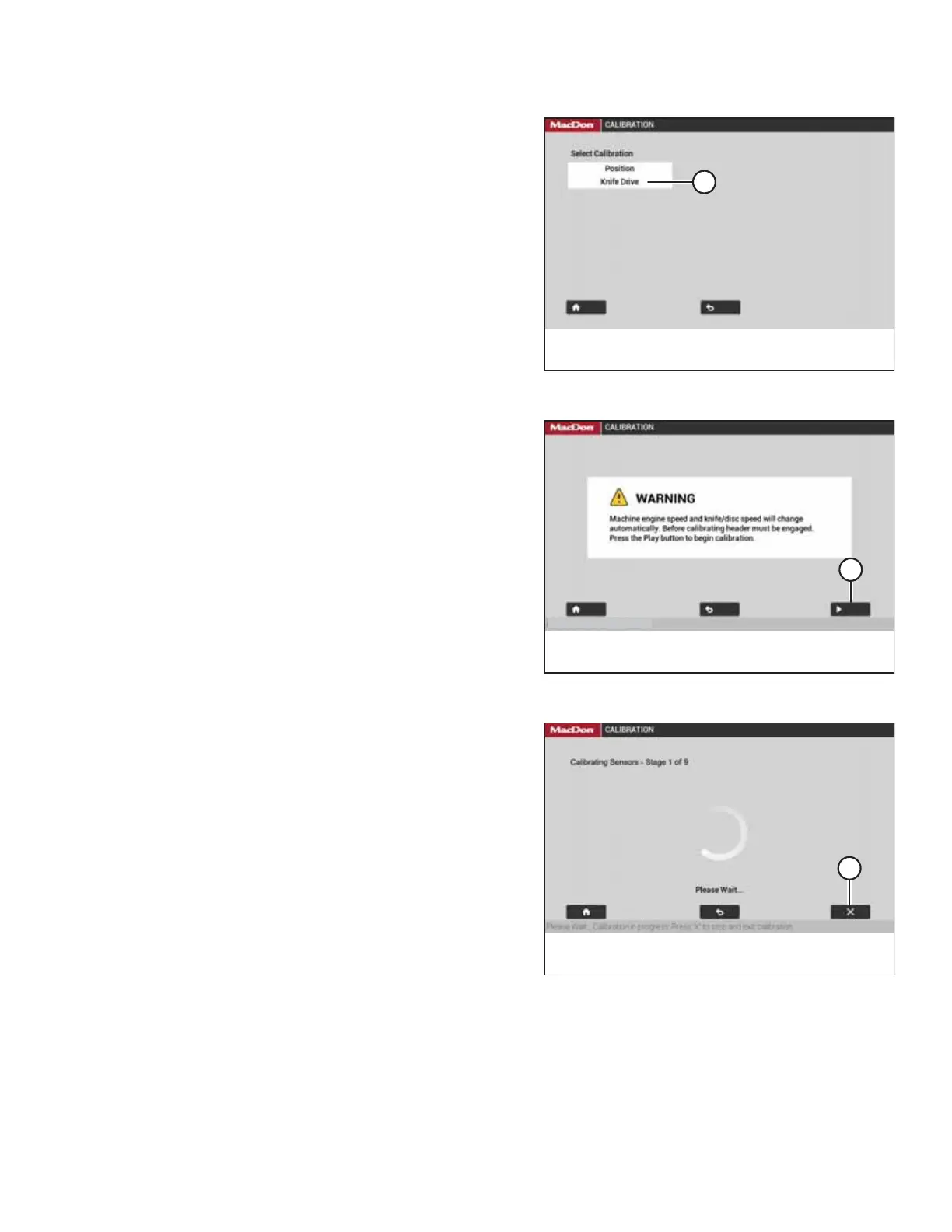
Figure 5.56: Calibration Selection Page
7. Select KNIFE DRIVE (A).
Figure 5.57: Engage Header Warning
8. Select PLAY icon (A).
NOTE:
The PLAY icon will only appear if the header is engaged.
Figure 5.58: Calibration Page
9. The display changes to show that calibration has started.
The process should automatically proceed through all nine
stages.
NOTE:
If the engine speed is less than 1500 rpm before calibration,
the system will raise the engine speed to 1500 rpm.
NOTE:
During the calibration process, the speed of the header and
the engine will fluctuate.
NOTE:
Select X icon (A) on the screen or use the HEADER
DISENGAGE switch at any time during the calibration
process to exit the procedure without saving your progress.
The engine will resume the speed at which it was operating
before the calibration process began.
PERFORMING PREDELIVERY CHECKS



 To Next Page