214327 117 Revision B
Disconnecting header drive hydraulics:
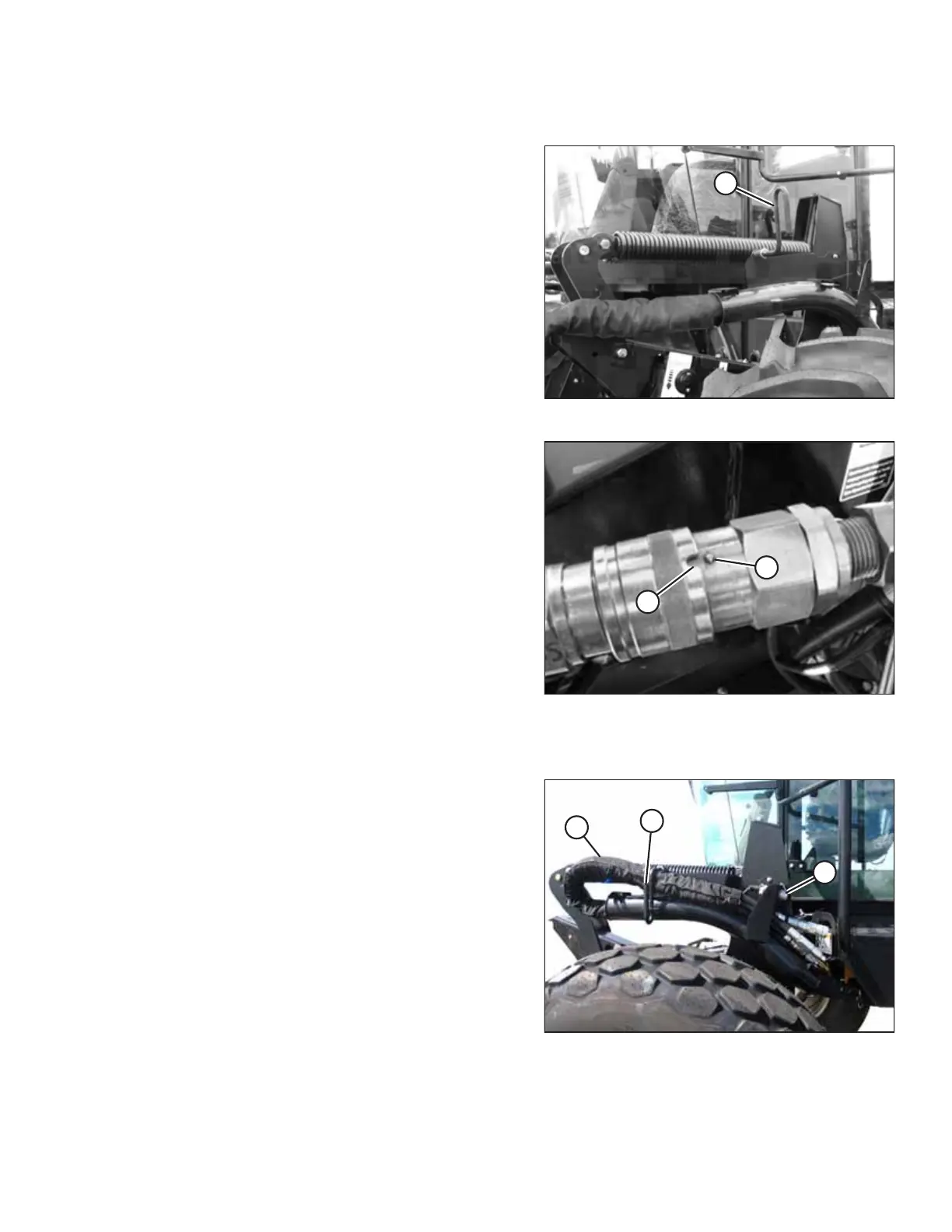
Figure 4.10: Header Drive Hydraulics
7. Disengage and rotate lever (A) counterclockwise to the fully
up position.
8. Disconnect the electrical connector from the header.
Figure 4.11: Quick Disconnect
9. To disconnect the hoses from the header, line up slot (A) in
collar with pin (B) on the connector.
10. Push the collar toward the pin and pull the connector to
disengage.
11. Install caps on the connectors and the hose ends (if
equipped).
Storing hose bundle on windrower support:
Figure 4.12: Hose Storage
12. Route hose bundle (A) back onto the hose support on the
windrower.
13. Rotate lever (B) and lock in the down position.
14. Install cap (C) on the electrical connector.
15. Detach the header from the windrower. For instructions,
refer to the windrower operator’s manual.
HEADER ATTACHMENT/DETACHMENT



 To Next Page