214327 79 Revision B
3.8.2 Adjusting Delivery Opening on Header with Hydraulic Deck Shift
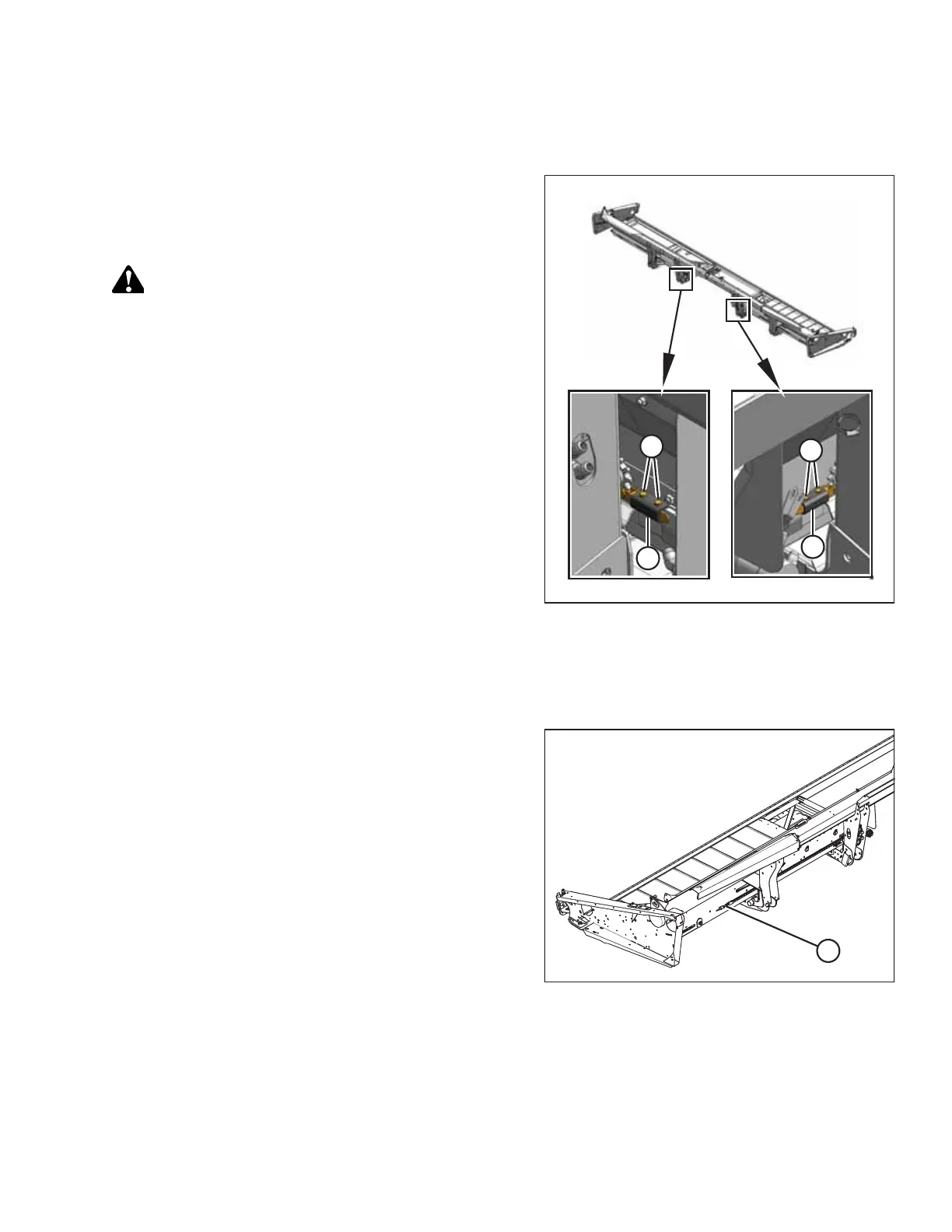
The delivery opening can be changed by moving the inboard deck shift stops.
Figure 3.69: Hydraulic Deck Shift
1. Remove bolts (A).
2. Slide stop (B) outboard to decrease the maximum opening
size, or inboard to increase the maximum opening.
CAUTION
Adjust the outboard stops to prevent the decks from contacting
each other.
3. Reinstall bolts (A) and tighten.
3.8.3 Adjusting Hydraulic Deck Shift Chain Tension
The hydraulic deck shift (HDS) chain’s midpoint should be 25–50 mm (1–2 in.) lower than either end of the chain.
Figure 3.70: Chain Adjustment Bolt – Left Shown,
Right Similar
1. Locate chain adjustment bolt (A).
OPERATION



 To Next Page