214327 194 Revision B
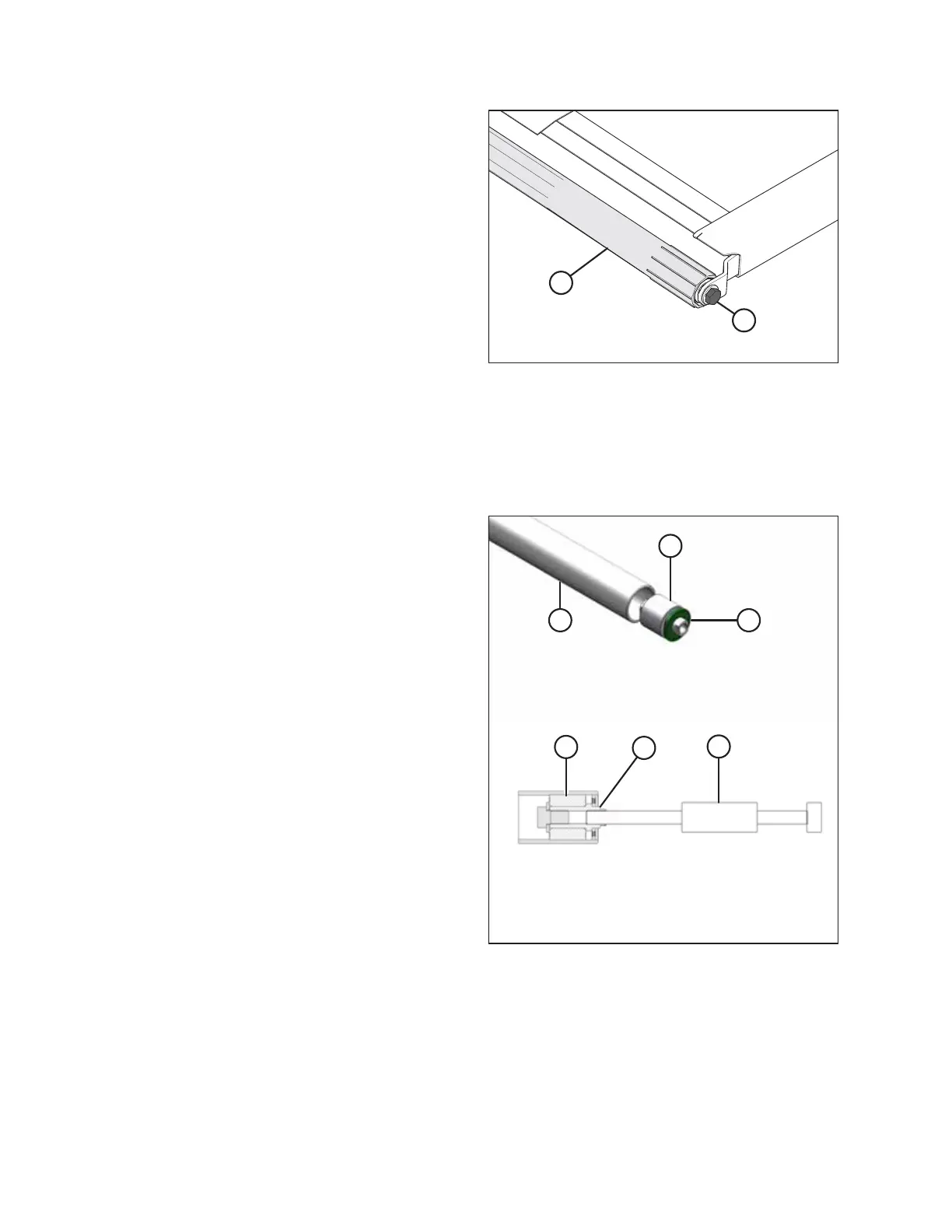
Figure 5.135: Drive Roller
11. Remove bolt (A) securing the opposite end of drive
roller (B) to the support arm.
12. Remove drive roller (B).
Replacing Draper Drive Roller Bearing
You will need a slide hammer to remove and replace the bearing on a drive roller.
1. Remove the draper drive roller assembly. For instructions, refer to Removing Draper Deck Drive Roller, page 192.
Figure 5.136: Drive Roller Bearing
2. Remove bearing assembly (A) and seal (B) from roller
tube (C) as follows:
a. Attach slide hammer (D) to threaded shaft (E) in the
bearing assembly.
b. Tap out bearing assembly (A) and seal (B).
3. Clean the inside of roller tube (C), check the tube for signs
of wear or damage, and replace it if necessary.
MAINTENANCE AND SERVICING



 To Next Page