214327 113 Revision B
Chapter 4: Header Attachment/Detachment
This chapter includes instructions for attaching a header to, and detaching a header from a windrower.
4.1 Attaching Header to Windrower
Refer to your windrower operator’s manual for instructions for mechanically attaching the header to the windrower.
Refer to the following procedures for electrical and hydraulic connections.
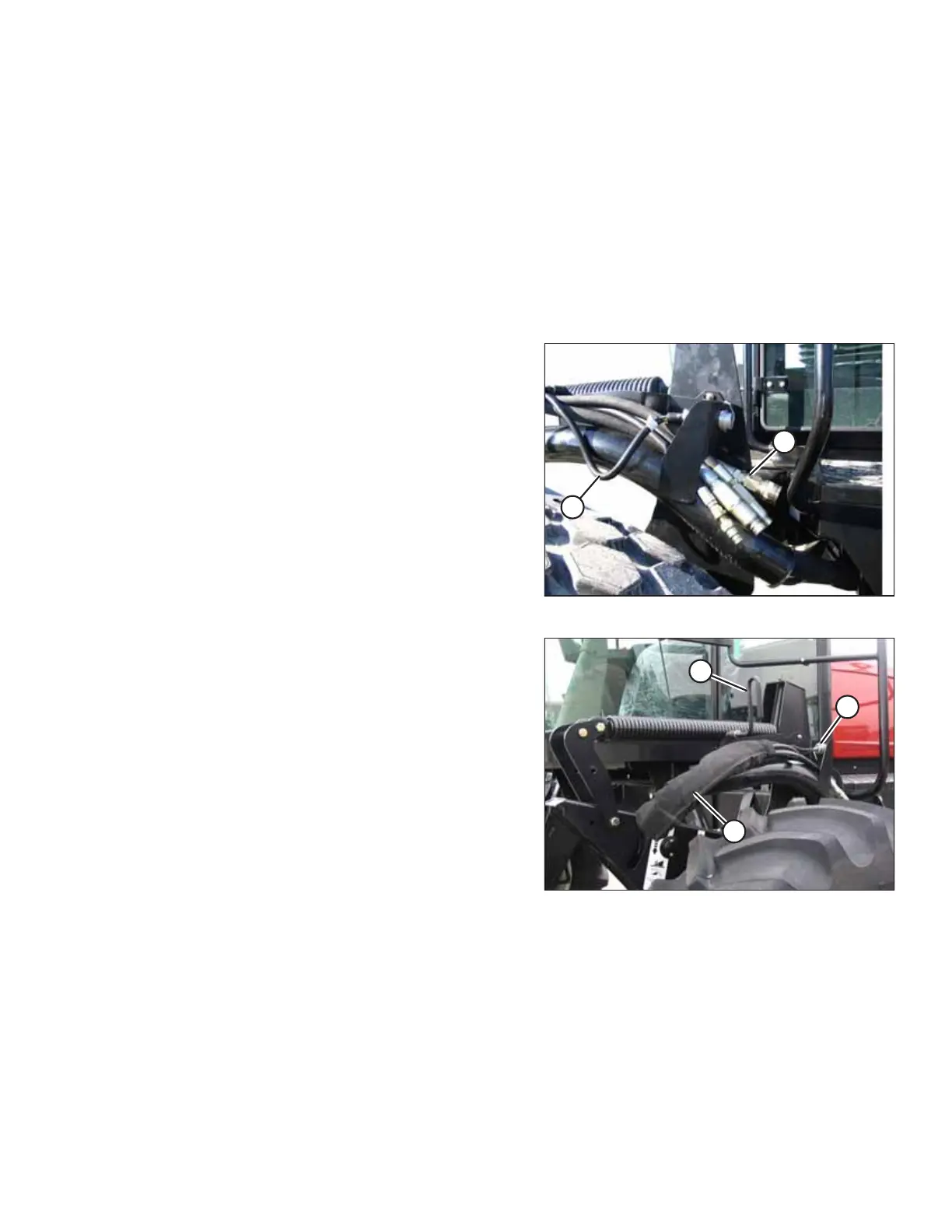
Header drive hydraulic hoses and electrical harness are located on the left cab-forward side of the windrower. The reel
drive and control hoses are located on the right cab-forward side.
Figure 4.1: Header Drive Hoses
1. Before connecting header drive hydraulics (A) and electrical
harness (B) to header, check fittings and connectors. Clean
them if required.
Figure 4.2: Header Drive Hoses
2. Disengage and rotate lever (A) counterclockwise to fully up
position.
3. Remove cap (B) securing the electrical connector to
the frame.
4. Move hose bundle (C) from the windrower hose support
and route it along the header hose guide.



 To Next Page