214327 55 Revision B
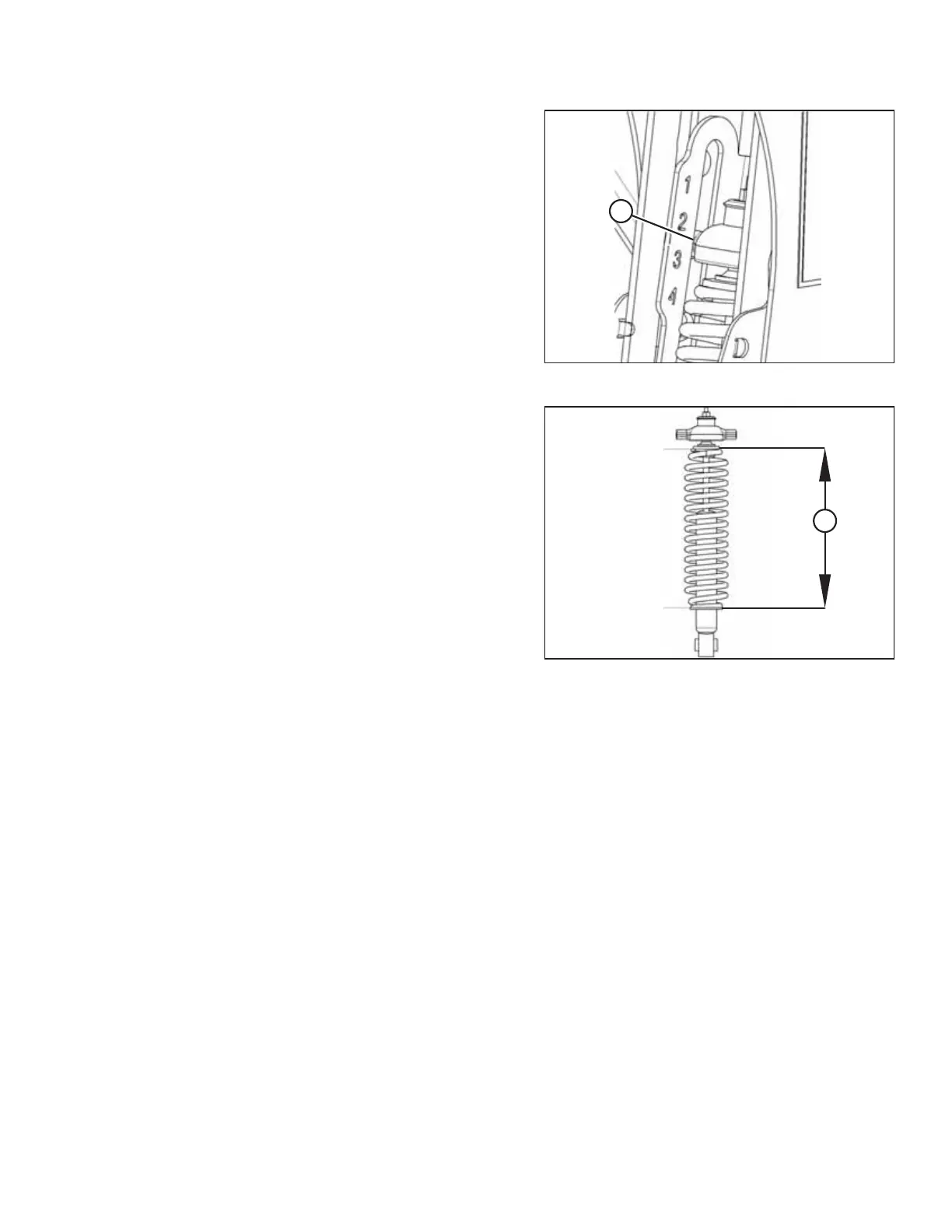
Figure 3.24: Load Indicator
7. Lower the header to the desired cutting height and check
load indicator (A).
Figure 3.25: Spring Compression
IMPORTANT:
Continuous operation with excessive spring compression
(that is, load indicator reading greater than 4 or a
compressed length (A) less than 295 mm [11 5/8 in.]) can
result in damage to the suspension system.
8. Adjust the header angle to the desired working angle with
the windrower’s header angle controls. If header angle is
not critical, set it to mid-position.
9. Use the windrower cab display module (CDM) controls to
automatically maintain cutting height. Refer to your
windrower operator’s manual for details.
3.7.3 Cutting on the Ground
Cutting on the ground is performed with the header fully lowered and the cutterbar on the ground. The orientation of the
knife and knife guards relative to the ground (header angle) is controlled by the skid shoes and the center-link—it is NOT
controlled by the header lift cylinders. The skid shoes and center-link allow you to adjust to field conditions and maximize
the amount of material cut while reducing damage to the knife caused by stones and debris.
The header float system floats the header over the surface to compensate for ridges, trenches, and other variations in
ground contour to prevent the cutterbar from pushing into the ground or leaving uncut crop.
Refer to the following for additional information:
• Adjusting Inner Skid Shoes, page 56
• Adjusting Outer Skid Shoes, page 56
• 3.7.5 Header Angle, page 57
• 3.7.4 Header Float, page 57
OPERATION



 To Next Page