214327 142 Revision B
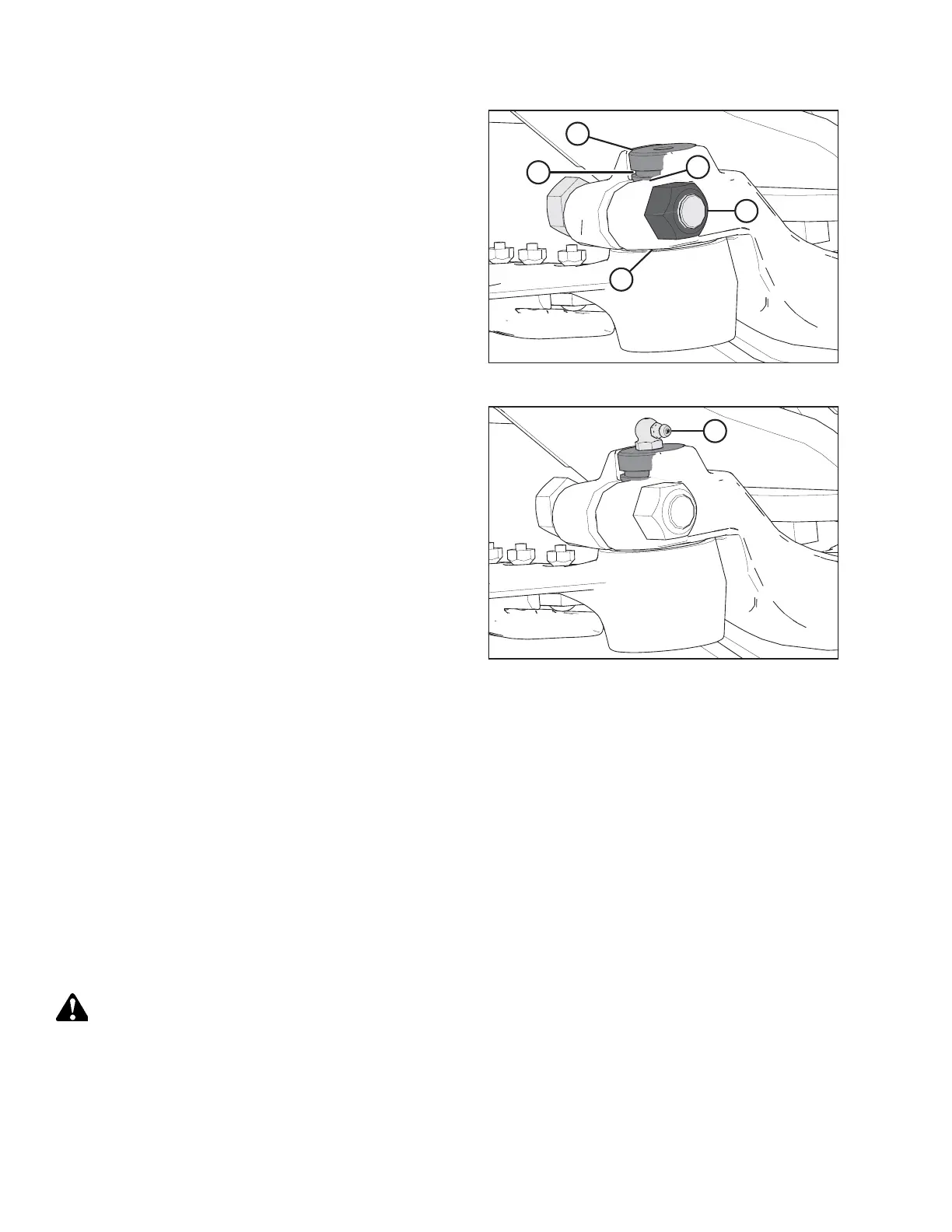
Figure 5.31: Knifehead
6. Install knifehead pin (A) through the output arm and into
the knifehead. Tap knifehead pin (A) down, and make sure
the pin is seated at the bottom of the knifehead.
7. Set groove (B) in the knifehead pin 1.5 mm (1/16 in.) above
output arm (C). Secure it with 5/8 in. x 3 in. hex head bolt
and nut (D), and torque the hardware to 217 Nm
(160 lbf·ft).
8. Using a feeler gauge, check that the gap at location (E) is
0.25 mm (0.01 in.).
Figure 5.32: Knifehead
9. Install grease fitting (A) into the knifehead pin, and turn the
grease fitting for easy access.
IMPORTANT:
Grease the knifehead just enough to start a slight
downward movement. Overgreasing will lead to knife
misalignment which causes the guards to overheat and the
drive systems to overload.
5.5.6 Spare Knife
A spare knife can be stored in the header frame tube at the left end of the header.
Figure 5.33: Spare Knife
Ensure spare knife (A) is secured in place.
5.5.7 Knife Guards
Perform DAILY inspections to ensure the knife guards are aligned and the knife sections are contacting the shear surfaces
of the knife guards.
Adjusting Knife Guards
Bent knife guards may be able to be straightened with the optional guard straightening tool.
DANGER
To prevent injury or death from the unexpected start-up of the machine, always stop the engine and remove the key
from the ignition before leaving the operator’s seat for any reason.
NOTE:
Use guard straightening tool (MD #140135) available from your MacDon Dealer.
MAINTENANCE AND SERVICING



 To Next Page