214327 143 Revision B
1. Shut down the engine, and remove the key from the ignition.
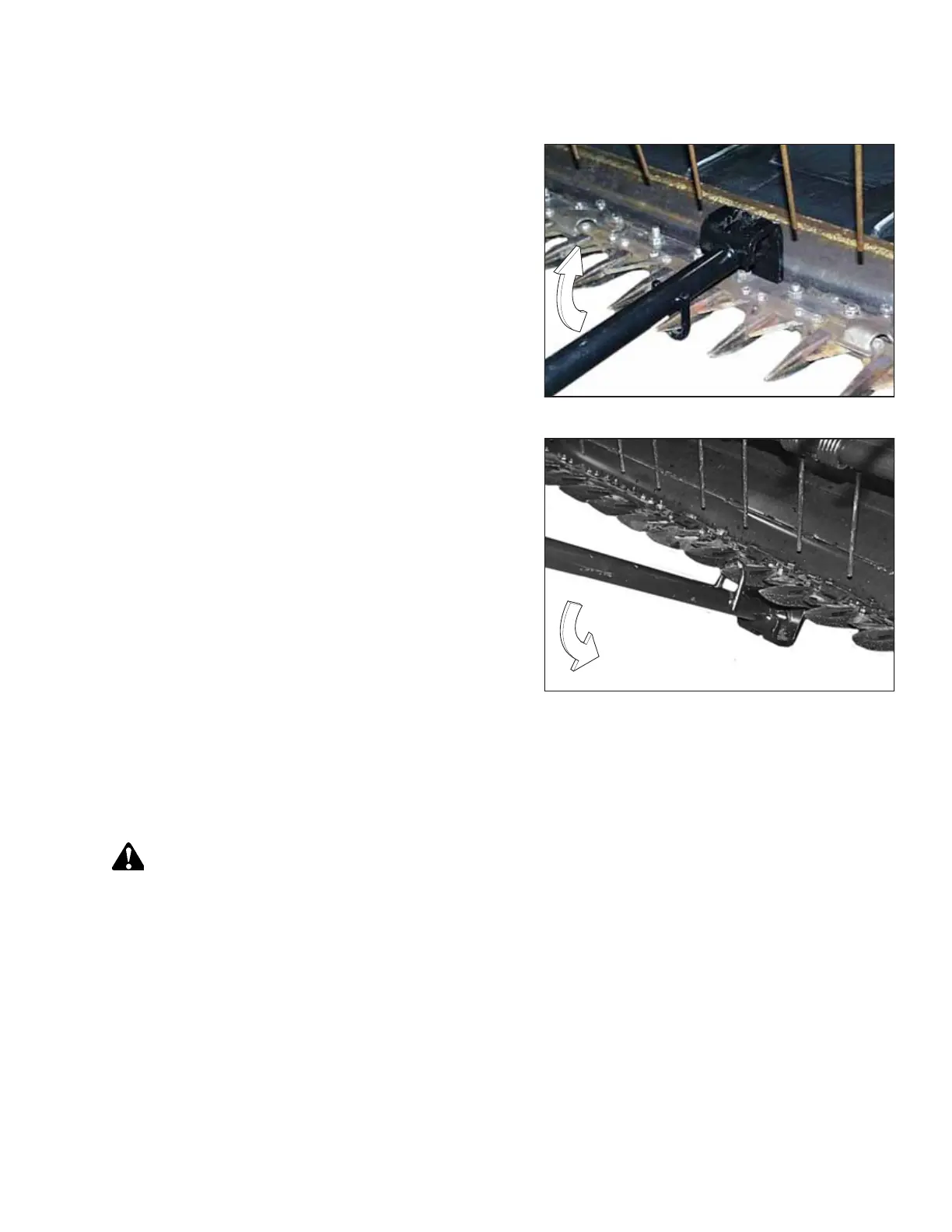
Figure 5.34: Upward Adjustment
2. Position the tool as shown, and pull up to adjust the guard
tips upwards.
Figure 5.35: Downward Adjustment
3. Position the tool as shown, and push down to adjust the
guard tips downwards.
NOTE:
If the crop is difficult to cut, install stub guards with top
guards and adjuster plates. A kit is available from your
MacDon Dealer. For information, refer to 6.2.3 Stub Guard
Conversion Kit, page 247.
Replacing Pointed Guards
To replaced pointed guards, perform the recommended replacement procedure provided here.
Replacing normal, drive side, and end guards
DANGER
To prevent bodily injury or death from the unexpected start-up of the machine, always stop the engine and remove the
key from the ignition before making adjustments to the machine.
1. Shut down the engine, and remove the key from the ignition.
2. Stroke the knife manually until the knife sections are spaced midway between the guards.
MAINTENANCE AND SERVICING



 To Next Page