M A E D A Mini-Crawler Crane Section 4 – OUTRIGGER STOWING
9/2020 MC285CB-3 4-55
Operation in Emergencies
DANGER! The operations indicated here are
performed after cancelling the safety device.
Operate with great care. Incorrect operation
may result in severe hazards, such as
machine toppling or damage.
Never use these operations other than in
emergency situations.
Outrigger operation when monitor is faulty
If outrigger operation is not possible due to
monitor failure or damage, use the “Emergency
Outrigger Operation Selection Switch” to enable
operation of the outriggers using the crane
operation levers.
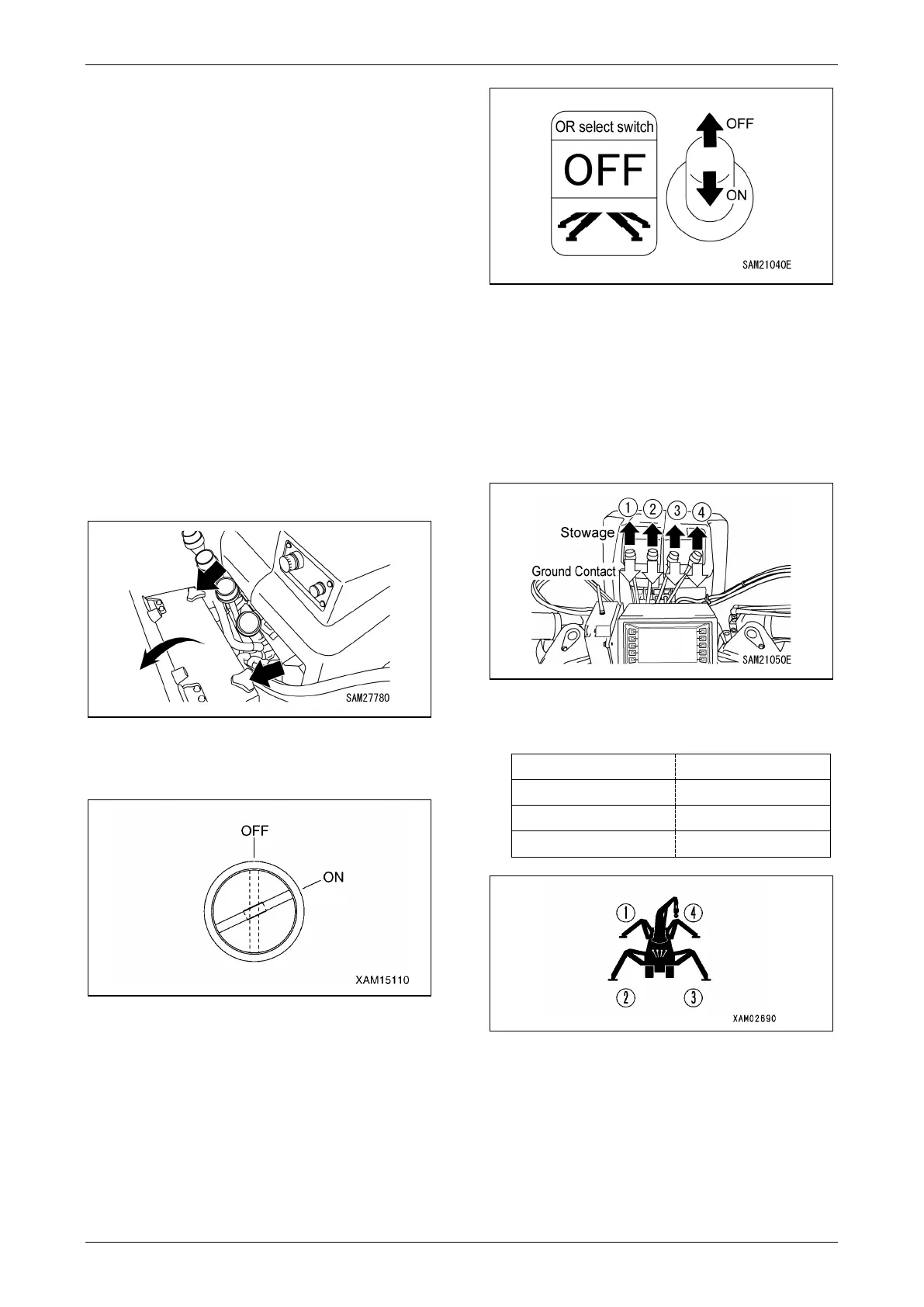
1. Remove the two knobs at the top of the
monitor case and open the cover toward
you.
Fig. 4-140
2. Switch the Moment Limiter Override Switch
to “ON.”
Fig. 4-141
3. Turn on the Emergency Outrigger
Operation Selection switch inside the
monitor case.
Fig. 4-142
NOTICE: The switch returns to the "OFF"
position when released. Hold the switch at the
“ON” position when the outriggers are being
operated.
4. Operate the crane operation levers with the
Emergency Outrigger Operation Selection
switch maintained at “ON.”
Fig. 4-143
The crane operation lever operations change to
the following only while the switch is set to “ON.”
Fig. 4-144
WARNING! Be sure to check the operation
lever corresponding to the number of the
outrigger to be operated before operating
the levers.



 To Next Page