M A E D A Mini-Crawler Crane Section 4 –RADIO REMOTE CONTROL SYSTEM OPERATION
9/2020 MC285CB-3 4-111
Fig. 4-274
6. Verify that all four outrigger Ground Set-Up
Lights on the monitor are illuminated in green.
Fig. 4-275
NOTICE: The crane will not operate if even one of
the outrigger Ground Set-Up Lights on the monitor
is flashing red. Either set up the outriggers once
again or inspect the machine main unit.
Outrigger Stowage
WARNING! Before stowing the outriggers,
always check the precautions in “Outrigger
Stowage Operation.”
Always stow the boom before stowing the
outriggers. For more information, see “Crane
Stowing Operation” on page 4-67.
Operations after Starting Machine
1. Push in the travel lever on the machine main
unit while unlocking the lever to enable
operation of outriggers.
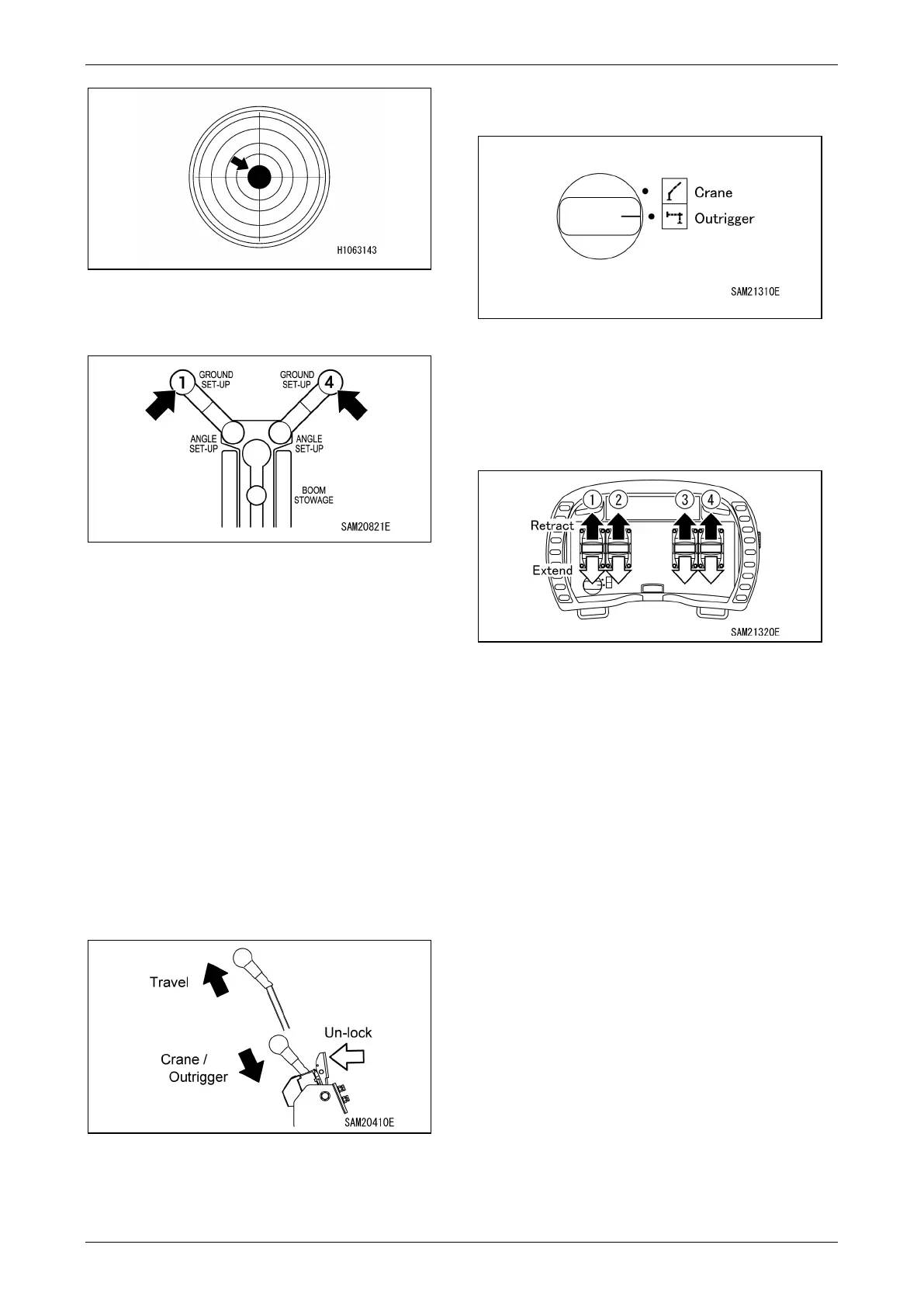
Fig. 4-276
NOTICE: If the travel lever is not pushed in, the
interlock engages, preventing outrigger operation.
2. Switch the operation mode selector switch to
“Outrigger.”
Fig. 4-277
3. Operate the levers slowly to stow the four
outriggers.
Operate both the front or rear operation
levers at a time or operate all four levers
together.
Fig. 4-278
• Ground Set-Up: The outriggers are lowered
to the ground.
• Stowage: The outriggers are lifted from the
ground.
NOTICE: When using the radio remote control
system, there are no levers to operate all four
outriggers simultaneously or to operate the front
or rear outriggers simultaneously. To operate
multiple outriggers, operate the corresponding
operation levers simultaneously.
4. Repeat the outrigger stowage operation.
Once the machine main unit is fully lowered
to the ground, lift all four outriggers to the
outrigger lifting limits.
Operations Performed with Machine Shut
Down
1. Stow the outriggers referring to “Procedures
When Stopping the Machine” on page 4-54.



 To Next Page