M A E D A Mini-Crawler Crane Section 5 – TROUBLESHOOTING
9/2020 MC285CB-3 5-63
Slewing Position Calibration
WARNING!
• If a slewing position abnormality warning is
displayed, this indicates that the slewing
angle is offset. The slewing position must be
calibrated.
• If calibration is performed while the boom is
reversed 180 degrees from the BOOM
STOWING position, the slewing angle will be
indicated as an angle reversed by 180
degrees. Resetting will be required in this
case. Contact us or our sales service
agency.
• Failing to calibrate the slewing position or
operating the crane without calibrating
properly may cause the crane to topple or
cause other serious accidents.
If the slewing position abnormality warning is
displayed, lower the hoisted load and correct the
angle as follows:
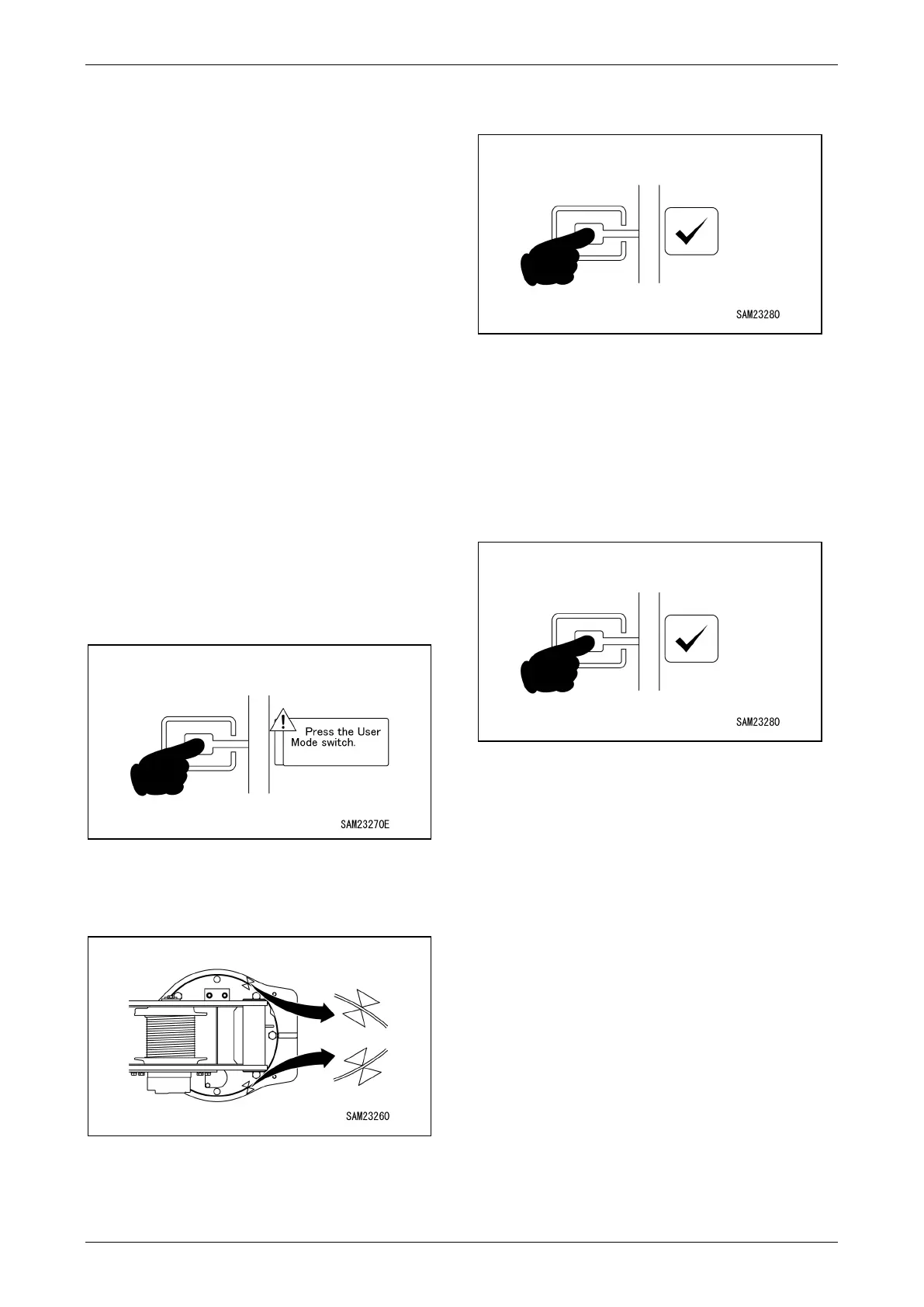
1. Press the User Mode Switch on the Home
Screen when the notification for slewing
position calibration is displayed.
Fig. 5-122
2. Slew until the boom stowage alignment
marks on the post align with the stowage
position.
Fig. 5-123
NOTICE: You do not need to stow the boom here.
Only the boom slewing position is being aligned.
3. Once the alignment marks are aligned, press
the check mark to calibrate the position.
Fig. 5-124
4. Once corrected, slew the boom 20° both left
and right and check to confirm that the
slewing angle is displayed correctly. The
angle is correct if it is displayed as 0 degrees
when the boom is at the stowing position after
slewing.
Press the check mark once again after
making this verification.
Fig. 5-125
NOTICE: If calibration was performed with the
alignment marks aligned incorrectly, press the
check mark, return to the Home screen, and
perform the following calibration procedure.
<Procedure>
〇 Slew the boom 20 degrees in both directions
left and right from the stowing position.
After slewing
• If the slewing angle displayed is 0 degrees at the
boom stowing position
→
Calibration complete
(If the extent of offset is within the permitted
margin, the angle will be reset automatically
after slewing.)
• If the slewing position abnormality warning is
displayed again
→
Repeat the calibration
procedure
(If the extent of offset is outside the permitted
margin, the warning will be displayed again after
slewing.)



 To Next Page