M A E D A Mini-Crawler Crane Section 4 – TRAVEL CONTROLS
9/2020 MC285CB-3 4-7
Switches
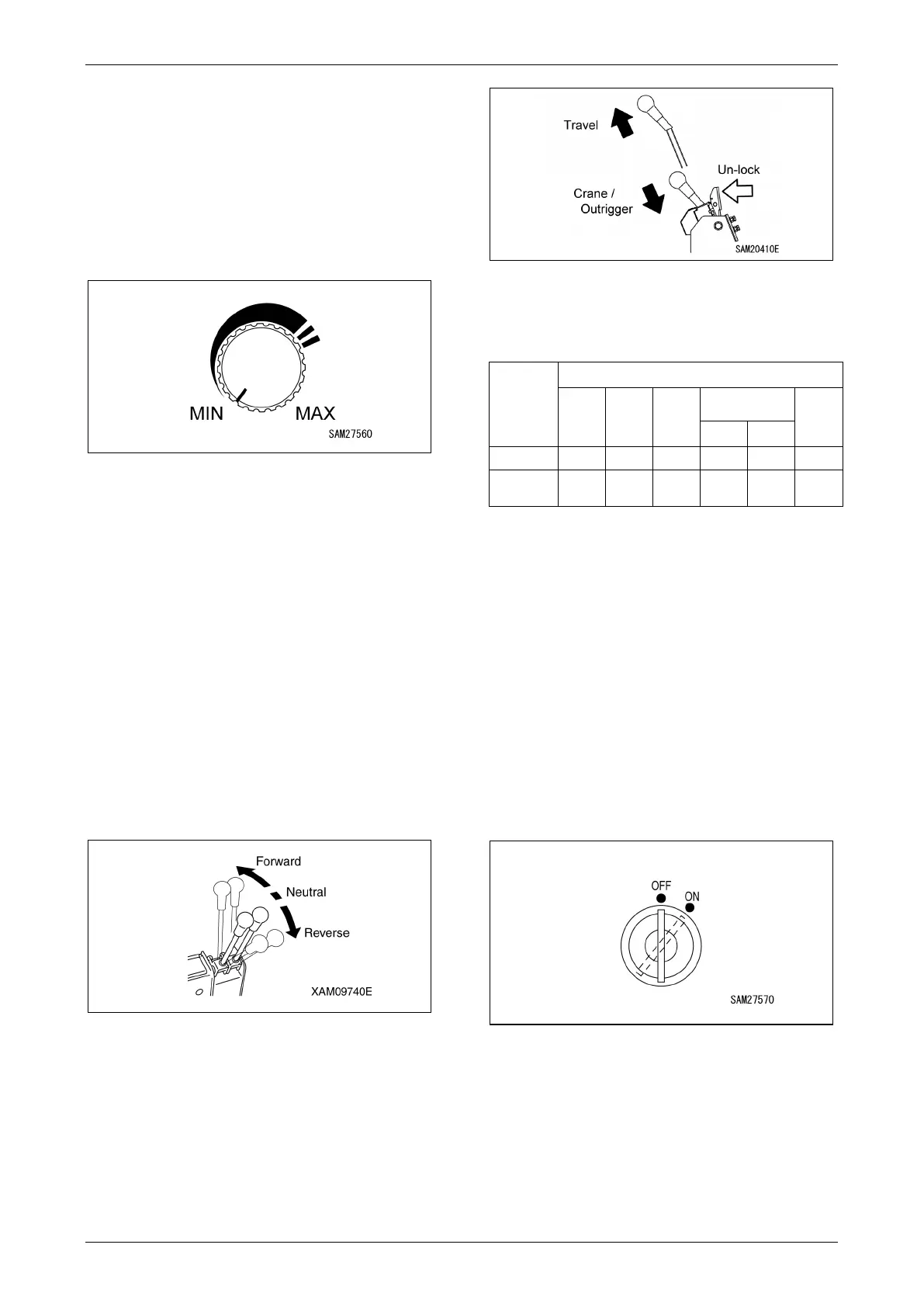
Motor Speed Adjuster Dial
Used to adjust the motor speed when travelling.
• MIN: Turning the dial counterclockwise (to the
left) reduces the motor speed.
• MAX: Turning the dial clockwise (to the right)
increases the motor speed.
Fig. 4-6
NOTICE:
• Release your hand from the dial once the
motor speed has increased to that required for
the task. The dial will remain in that position.
• The motor speed adjusted using the dial
applies only when in travel mode.
L. H. Travel Lever/Locking lever
R. H. Travel Lever/Locking lever
Use these levers to move the machine
forward/backward, stop, turn, and to adjust the
travelling speed.
For more information, see “Directional Controls”
on page 4-31.
Fig. 4-7
The travel lever functions as a locking lever and
is used to switch between machine travel
operations and crane/outrigger operations.
• Travel: Pull up the lever while releasing the
lock to allow travel operations.
• Crane/Outrigger: Push in and stow the lever
while releasing the lock to allow
crane/outrigger operations.
Fig. 4-8
NOTICE: The following table shows how the
lever position corresponds to the devices that
can be operated.
Lever
position
Crane (✓: Operates -: Does not operate)
Travel
operation
operation
Crane
operation
Radio Remote
control system
limiter
Crane
Outrigger
Travel ✓ - - - - -
Crane/
Outrigger
✓ (
*)
✓ ✓ ✓ ✓ ✓
Operations marked (*) in the table are available
but should be avoided for safety reasons (other
than for inspections or maintenance).
NOTICE: Depending on the machine status,
safety devices other than the lever positions may
activate, thus preventing operation.
Starter Switch
The Starter Switch is used to start and stop the
machine.
• OFF: You can insert/remove the key at this
position. All the switches in the electrical
system are turned off and the machine stops.
• ON: Electricity runs into all the circuits.
Fig. 4-9
12B



 To Next Page