Section 4 – AFTER CRANE OPERATION Mini-Crawler Crane M A E D A
4-116 9/2020 MC285CB-3
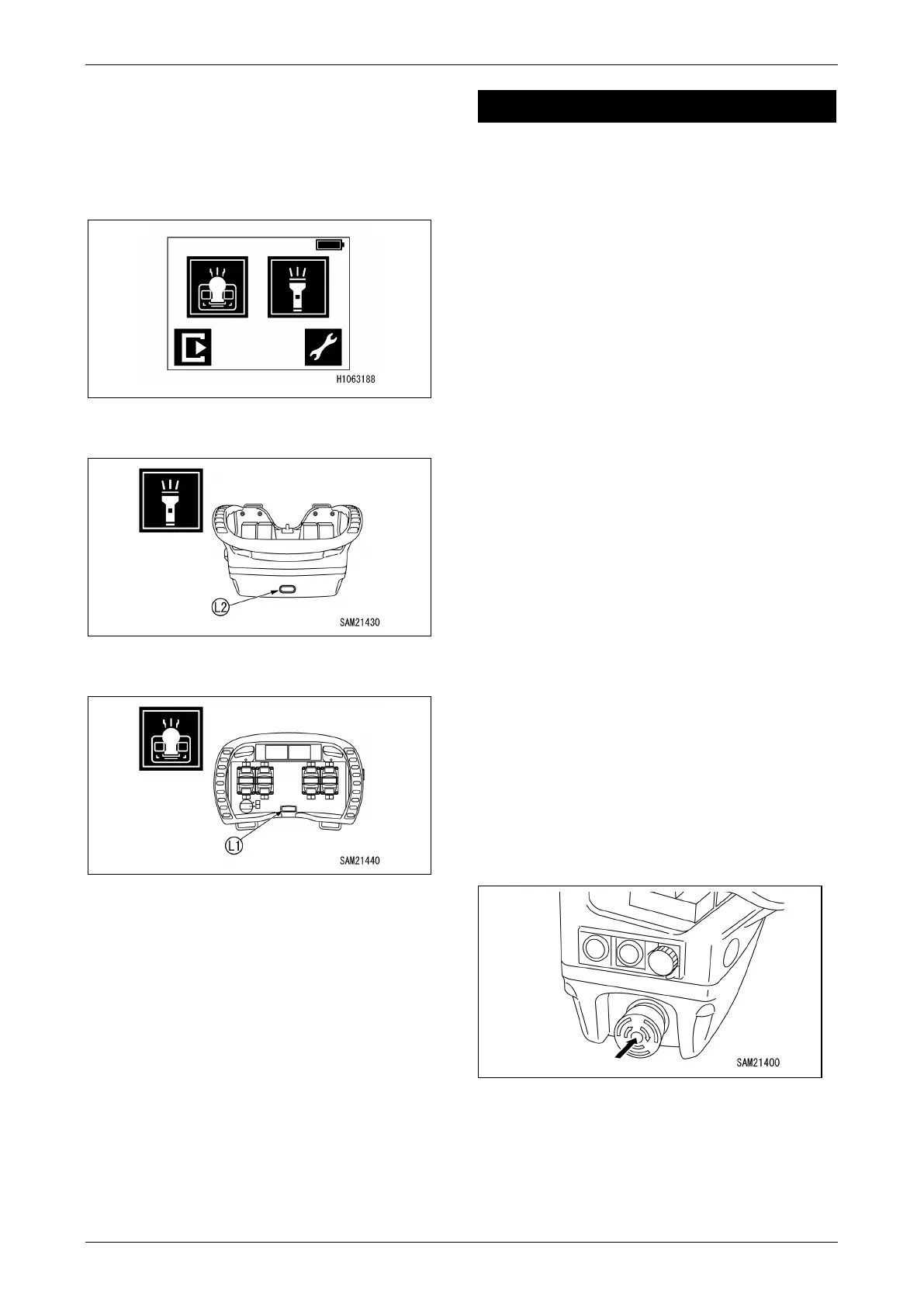
LED Light Operations
Select the LED light on the menu screen to turn
the LED light on.
For more information on turning on the lights, see
“Transmitter Display Components” on page 4-98.
Fig. 4-290
1. LED light (front) ON/OFF
Fig. 4-291
2. LED light (operation panel) ON/OFF
Fig. 4-292
AFTER CRANE OPERATION
Crane Stowing Operation
CAUTION:
• We recommend using the levers on the
machine main unit to stow the crane.
Part of the crane stowage process can be
handled using the radio remote control
system, but the radio remote control system
cannot be used for boom stowage or hook
stowage.
• For more information on crane stowage
operations, see “Crane Stowing Operation”
on page 4-67.
Stopping Operation by Radio
Remote Control System
WARNING! When the operation is finished, be
sure to press the Emergency Stop
(EMO)/Transmitter Power OFF Switch on the
transmitter to turn OFF the power.
WARNING! On no occasion except for crane
operations, must the power of the transmitter
be turned ON. This could cause unexpected
movement of the crane resulting in a serious
hazard, such that the crane hitting someone
or an object, or the crane could tip.
WARNING! When it is required to turn ON the
transmitter for the purpose of inspection or
such, ensure that the machine is not running.
1. Press the Emergency Stop (EMO)/
Transmitter Power OFF Switch to turn off
power.
Fig. 4-293
2. Turn the Starter Switch on the machine main
unit to “OFF” to turn off power.



 To Next Page